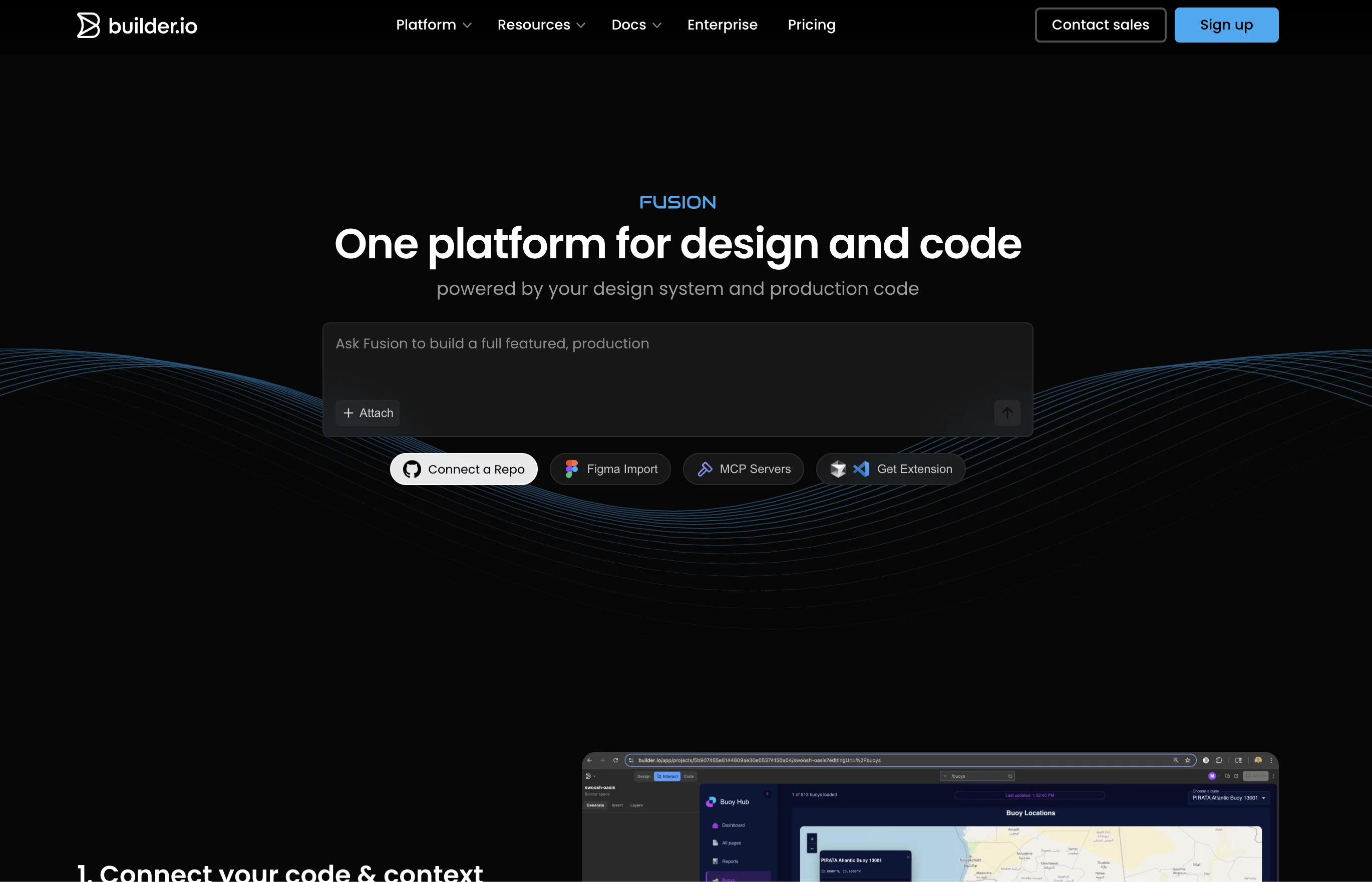
Fusion is an AI-driven tool designed for streamlining the development and design process across varied teams. It plugs into an existing codebase and design files for a seamless experience, leveraging existing components, styles, and APIs.
It allows users to visually generate and edit content, with the AI building your UI in real-time. Fusion provides an environment suitable for fine-tuning every detail, ensuring precise control in design and alignment with user requirements.
Fusion also facilitates code generation from Figma designs by mapping Figma components to code, hence optimizing workflows that use Figma. A key feature of Fusion is platform integration; the generated UI can be transferred almost anywhere the team needs it, enabling live previews, instant creation of pull requests, or code export for local development.
Moreover, Fusion is built to interact with popular workflow tools like Slack or Jira, contributing to efficiency across the software development lifecycle.
Fusion supports a multitude of frameworks, among them React, Next.js, Vue, Svelte, Angular, which widens the tools usability. It stands out by offering enterprise-grade security and governance features, ensuring SOC 2 Type II compliance and providing granular access controls for user's data privacy and security.
Help other people by letting them know if this AI was useful.
Add your own prompts and outputs to help others understand how to use this AI.
Screenshot gallery
Pros & Cons
Pros
+Streamlines development and design
+Plugs into existing codebase
+Leverages existing components, styles, APIs
+Visually generates and edits content
+Real-time UI building
+Fine-tunes every detail
+Ensures design precision
+Optimizes workflows using Figma
+Platform integration
+Transfers UI anywhere
+Enables live previews
+Instant pull request creation
+Code export for local development
+Interacts with Slack, Jira
+Supports React, Next.js, Vue, Svelte, Angular
+Enterprise-grade security
+SOC 2 Type II compliant
+Granular access controls
+Optimized for Figma flows
+Pixel-perfect precision
+Secure access and permissions
+MCP connections
+Web app generation
+High-quality prototypes & MVPs
+Designs to production-ready code
+No training on user data
+Engineered for design systems
+RBAC
+Named technical contact support
+Dedicated support
Cons
−Relies heavily on Figma integration
−No standalone functionality
−May not support all design/file types
−Limited to specific frameworks
−Potential privacy issues with design code integration
−Requires existing codebase and design files
−Doesnt mention support for mobile development
−Dependent on team's tool alignment
−Granular access control might be complex
−No mention of multi-language support
A Professional Framework to Evaluate Fusion by builder.io
When considering Fusion by builder.io for integration into your organizational workflow, we recommend deploying a structured score card across three critical operational pillars: Security & Compliance, Integration Friction, and long-term Price Scalability. Rather than looking only at basic feature lists, modern procurement teams must assess how a software platform behaves under high load and how well it fits into the team's data security guidelines.
1. Security and Database Compliance
Depending on your operating region and field, ensure that Fusion by builder.io supports standard security layers such as SOC 2 Type II certifications, GDPR compliance, or HIPAA-compliant database encryption. If the tool connects directly to client database tables or handles user passwords, verify that they implement multi-factor authentication (MFA), single sign-on (SSO) integrations, and end-to-end data encryption in transit and at rest.
2. API Coverage and Custom Integrations
Siloed data is the primary cause of operational friction. Evaluate if Fusion by builder.io has native connectors for your current project trackers, messaging hubs, and customer communication channels. For custom developer requirements, check if they provide a fully documented REST API with reasonable rate limits, comprehensive Webhooks support, and robust SDK packages in your language. A flexible API layer saves hundreds of hours of manual copy-paste overhead.
3. Total Cost of Ownership (TCO)
SaaS pricing packages are often deceptively simple. When reviewing Fusion by builder.io's billing structure, map out your team's projected expansion over the next 12 to 24 months. Determine how costs scale as your customer database increases or as you add team members. Factor in setup costs, mandatory support plan upgrades, API access fees, and storage overage rates to understand the true cost before committing to a contract.
By combining verified user reviews from our directory with internal workflow pilot tests, your procurement team can make an informed decision that drives productivity without creating capital waste.
Features of Fusion by builder.io
Web App Generation
AI Driven Tool
Code Generation
Platform Integration
UI Design
Workflow Efficiency
Free + From $24/Mo
SaaS1to10 verified reviews for Fusion by builder.io
Overall rating
★★★★★5.0
Based on 22 reviews
★★★★★5.02 months ago
“Review”
thank you very much for this. i'll add some points: 1. its too fast, i cant make out where and when the pen leaves the paper and when it continues 2. there should be a pause and rewind mechanism, like a video player 3. a pen to paper angle indicator would be nice
A Gh.abolfazl
★★★★★5.02 months ago
“Review”
Try doing anything real with @Lovable and welcome to the error loop. Has a lot of potential but @Lovable does not seem to be ready to produce real apps with multiple pieces that need to work together without getting stuck in error loops. Disappointing.
Joe LK
★★★★★5.02 months ago
“Review”
I can't explain how impressed i am by this. I've seen tools to help you brainstorm ideas, but not one to break your task down into big steps, then little steps for each of these. Plus "games" to help come up with more ideas for your project. I'm excited to use this!
ImpulseOscar
★★★★★5.02 months ago
“Review”
As a longtime namecheap customer, I got to say, this tool is... just ok. One I can use in a pinch for a slide deck / pitch / MVP, but nothing worth sharing. I doubt anyone will be vowed with the logos made here.
Vineet Sinha
★★★★★5.02 months ago
“Review”
For now the best browser based AI scraper i have ever used.
Jason Shirazi
★★★★★5.02 months ago
“Review”
One of the best website analytics tools I’ve tried so far.
Anya
★★★★★5.02 months ago
“Review”
Edisa, thanks for the reply. Didn't know about the confidentiality guarantee.
Kevin Corrigan
★★★★★5.02 months ago
“Review”
I am not satisfied with @Looka.
AK Properties
★★★★★5.02 months ago
“Review”
Useful tool for visualizing traffic flowing through your website. Does what GA4 does but without the headache and unnecessary learning curve.
Nic Miller
★★★★★5.02 months ago
“Review”
it's okay for a mini-tool, just not something i'd lock as a final brand ;)
Phi Ge
★★★★★5.02 months ago
“Review”
It created some decent logos. They are great as a start point
Samuel Barlet
★★★★★5.02 months ago
“Review”
This tool i found is super cool, I created 5 books from this tool to sell them online, which gives me great profit. I am creating more valuable books to spread knowledge, and earn some bucks as well 🤑.
Bilal Ashraf
★★★★★5.02 months ago
“Review”
After my first use, I think it's surprisingly good. The only drawback so far is the PDF export option for the report which is formatless.
Alejandro Correa
★★★★★5.02 months ago
“Review”
O GPT faz uma análise melhor e mais personalizada.
Vinicius Vilela
★★★★★5.02 months ago
“Review”
I think it's the best @Image Generator I ever found on the net. It gives more accurate image according to the prompt. And thank you for keeping it for free.
My Sawsiri
★★★★★5.02 months ago
“Review”
Blink feels like the kind of tool that gets you from “I have an idea” to “wait, this is actually running?” pretty fast. Still curious how well the generated code holds up once the project gets more complicated.
Kolsi Adam
★★★★★5.02 months ago
“Review”
Really impressed by the multi-model planning and code review. Having different models collaborate instead of relying on just one actually leads to better decisions. You can feel the difference on more complex tasks.
Cara
★★★★★5.02 months ago
“Review”
It’s super easy to use! Trickle can handle everything from forms to analytics, and you can deploy your project in no time. Impressive!
Clara Moore
★★★★★5.02 months ago
“Review”
Just joined your channel in Discord.
M. Cristian
★★★★★5.02 months ago
“Review”
Purely magic. It increases the productivity by a lot and the process is pretty addictive. I've been building websites like there's not tomorrow.
Geo Burlibasa
★★★★★5.02 months ago
“Review”
@Rocket is fast as heeeelll for spinning up prototypes when an idea hits. I've shipped small tools and MVPs with this as the foundation, saves days of boilerplate setup. Great one :)
Maarten Beast
★★★★★5.02 months ago
“Review”
@Base44 is an AI-powered platform for building fully-functional apps with no code and minimal setup hassle. The platform leverages advanced AI technology to translate simple, natural language descriptions into working apps. Let’s make your dream a reality. Right now.