Free AI Video Upscalerv2.0

5.0(23 reviews)

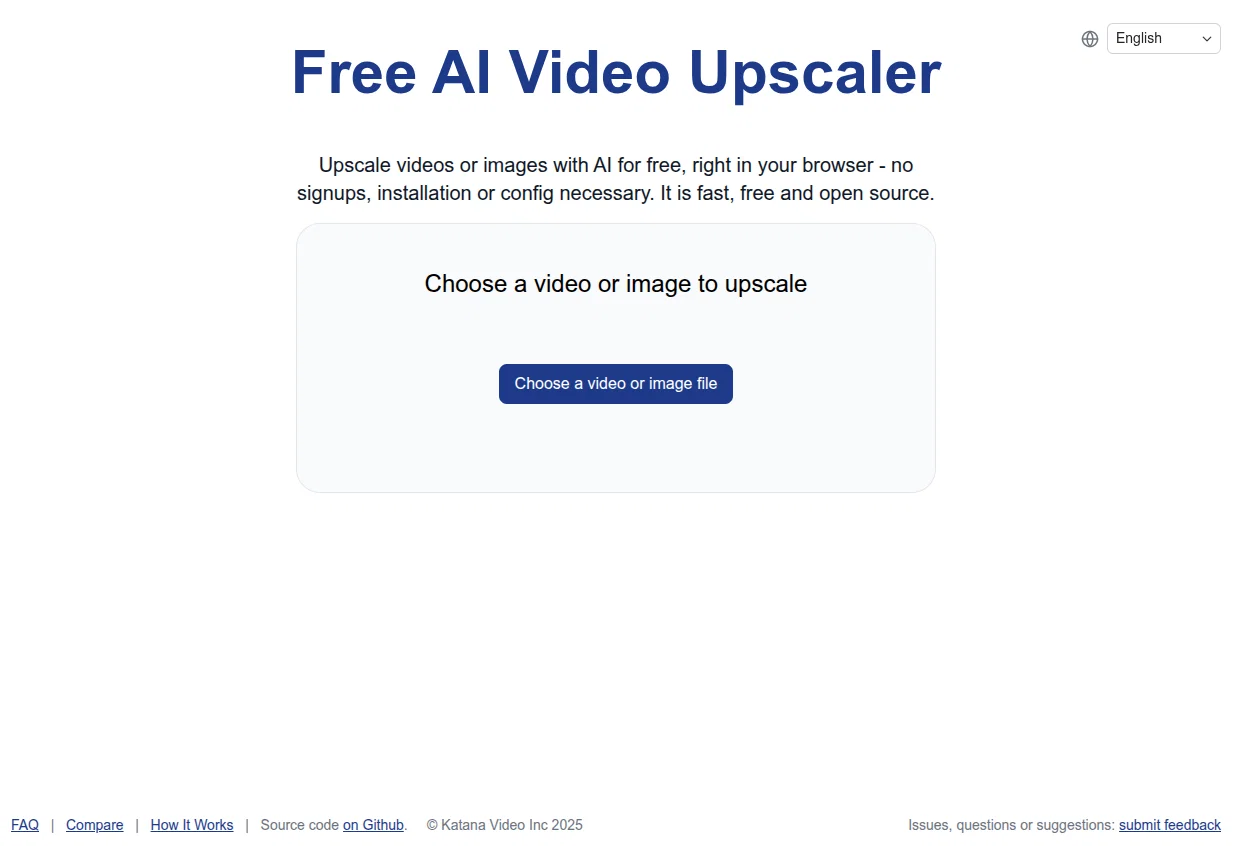
Upscale videos or images with AI for free, right in your browser

Free

Free AI Video Upscalerv2.0 Overview

What is Free AI Video Upscalerv2.0?

Overhauled the entire tool, fixing tons of outstanding bugs, improving the quality of the AI models, making it responsive on mobile, translating it to a number of languages, improving performance of the tool on mobile Help other people by letting them know if this AI was useful. Add your own prompts and outputs to help others understand how to use this AI.

Screenshot gallery

Free AI Video Upscalerv2.0 screenshot

Pros & Cons

Pros

  • Free to use
  • Video upscaling
  • Browser-based
  • No signups required
  • No installations required
  • No additional configuration
  • Efficient
  • Fast
  • Supports WebGPU
  • Compatible with Chrome
  • Compatible with Edge
  • Best for laptop use
  • Best for desktop use
  • Works with animated videos
  • Works with real life videos
  • Works with 3D videos
  • Selectable upscaling network setting
  • Small, medium, large options
  • Allows output location specification
  • Open source
  • User customization
  • Hosted on Github
  • Encourages user feedback
  • Issues, questions, suggestions page

Cons

  • Less powerful than competitors
  • No offline use
  • Dependent on browser updates
  • Processing power impacts speed
  • No multi-file processing
  • Limited network size options
  • Error handling not clear

A Professional Framework to Evaluate Free AI Video Upscalerv2.0

When considering Free AI Video Upscalerv2.0 for integration into your organizational workflow, we recommend deploying a structured score card across three critical operational pillars: Security & Compliance, Integration Friction, and long-term Price Scalability. Rather than looking only at basic feature lists, modern procurement teams must assess how a software platform behaves under high load and how well it fits into the team's data security guidelines.

1. Security and Database Compliance

Depending on your operating region and field, ensure that Free AI Video Upscalerv2.0 supports standard security layers such as SOC 2 Type II certifications, GDPR compliance, or HIPAA-compliant database encryption. If the tool connects directly to client database tables or handles user passwords, verify that they implement multi-factor authentication (MFA), single sign-on (SSO) integrations, and end-to-end data encryption in transit and at rest.

2. API Coverage and Custom Integrations

Siloed data is the primary cause of operational friction. Evaluate if Free AI Video Upscalerv2.0 has native connectors for your current project trackers, messaging hubs, and customer communication channels. For custom developer requirements, check if they provide a fully documented REST API with reasonable rate limits, comprehensive Webhooks support, and robust SDK packages in your language. A flexible API layer saves hundreds of hours of manual copy-paste overhead.

3. Total Cost of Ownership (TCO)

SaaS pricing packages are often deceptively simple. When reviewing Free AI Video Upscalerv2.0's billing structure, map out your team's projected expansion over the next 12 to 24 months. Determine how costs scale as your customer database increases or as you add team members. Factor in setup costs, mandatory support plan upgrades, API access fees, and storage overage rates to understand the true cost before committing to a contract.

By combining verified user reviews from our directory with internal workflow pilot tests, your procurement team can make an informed decision that drives productivity without creating capital waste.

Features of Free AI Video Upscalerv2.0

  • Local
  • No Sign Up
  • Video Upscaling
  • Video Enhancement
  • WebGPU
  • Browser Based
  • Free

SaaS1to10 verified reviews for Free AI Video Upscalerv2.0

Overall rating

5.0

Based on 23 reviews

5.02 months ago

“Review”

It created animals with more than 4 legs and multiple animals when I asked for one. Sometimes you have to run it a few times with the same prompt to get something usable, but even then it probably won't be what you are thinking in your head. That being said, I think it is a good start, and for kids that just want to color something for free, it's cool to play with. It is definitely not the same quality as even the lower-end HuggingFace Stable Diffusion projects.

B C

5.02 months ago

“Review”

thank you very much for this. i'll add some points: 1. its too fast, i cant make out where and when the pen leaves the paper and when it continues 2. there should be a pause and rewind mechanism, like a video player 3. a pen to paper angle indicator would be nice

A Gh.abolfazl

5.02 months ago

“Review”

There were no aristocratic Asians and Africans in ancient Rome.

Sándor Gajdos

5.02 months ago

“Review”

Litterally the worst AI art i've seen yet, takes forever and the quality is worse than ever

GMLegende

5.02 months ago

“Review”

It's not even usable anymore, their website is literally a sponsor and that's it

LazyBones The Third

5.02 months ago

“Review”

I'm new in using AI tools, but i found @COACH quite helpful! It follows you step by step both analyzing your situation and finding resources... thanks!

Gabriele Orsini

5.02 months ago

“Review”

this is completely free, and it is amazing that you can change pictures into art and animations without paying anything.

Ellio

5.02 months ago

“Review”

It works nicely. The autodraw function works really well, it easily detects what I’m trying to go for. W tool!

Orit Paredes

5.02 months ago

“Review”

This video generator did much better than I expected on complex subjects. Unfortunately, it isn't as free as I wished. I could not iterate my creation to create a resolved result.

Gamaliel yd

5.02 months ago

“Review”

As a longtime namecheap customer, I got to say, this tool is... just ok. One I can use in a pinch for a slide deck / pitch / MVP, but nothing worth sharing. I doubt anyone will be vowed with the logos made here.

Vineet Sinha

5.02 months ago

“Review”

I joined Kin's beta program on my iPhone XR. After upgrading to an iPhone 13, I found that I couldn't log into my existing account on the new phone, forcing me to create a new account. Now, I have two separate Kin accounts on different phones. Today, when I accessed the beta version of Kin, I got a notification stating that the test version ended on Monday, September 23rd. It instructed me to back up my data and move to the official Kin app. I did as advised—backed up my data, confirmed, uninstalled the beta app via TestFlight, and installed the official Kin app. However, when I attempted to “log in”, I was still unable to access my existing account. This issue hasn't been resolved yet. I have been trying desperately to get in contact with the support team. I left feedback through the test flight app and sent emails. No response. Now trying to find a forums, Reddit posts, TAAFT comments☻

Desiree Miller

5.02 months ago

“Review”

the kids really liked it, they started drawing a lot of pictures, trying to bring them to life - it turns out fantastic! it's important that there is one character in the picture

Yulia Boiko

5.02 months ago

“Review”

The website is pretty good but there are only a limited number of responses

Probal Roy

5.02 months ago

“Review”

nice holistic

Amit ImmI

5.02 months ago

“Review”

Very good job. File size concerns me, it was 10.2mb from a 1.63mb file. That was only one image, what if I had 50?

Ann P

5.02 months ago

“Review”

Not at all accurate…. The only thing similar between original and generated images were the clothes and accessories… face was absolutely new and unconnected.

Shvetank Sharma

5.02 months ago

“Review”

superb, e gratis, merge blana, in EN se aude ideal

jon doe

5.02 months ago

“Review”

I think it's the best @Image Generator I ever found on the net. It gives more accurate image according to the prompt. And thank you for keeping it for free.

My Sawsiri

5.02 months ago

“Review”

Simple, quick, free, easy to use

Sam Bhattacharyya

5.02 months ago

“Review”

very useful. The results are 80-90% accurate.

Paolo Cas

5.02 months ago

“Review”

very worth it for SHORT CLIPS (like 5 to 30 s) Avoid longer length like over 1, 2 or more mins, since its SSSSlows, seems to litteraly devour YOUR own RAM, and occasionnaly produce "corrupted" results at some point of the vid (= video freeze on an image to the rest of the video while audio is still accurate, video beeing unusable anyway)

Noah

5.02 months ago

“Review”

best free video upscaler for ai generated videos!

Saurabh Nandwana

5.02 months ago

“Review”

Cool service. Used it just now on a video I took of my son's soccer game, which came out a bit blurry. The final result was significantly sharper.

Tomer Dean

Pricing

Starting Price

Free plan available

Free tier available with optional paid upgrades.

Where can Free AI Video Upscalerv2.0 be deployed?

  • Cloud, SaaS, Web-Based

Recommended for you