5.01 months ago
“Review”
Personal top 5 most convenient tools for creating content for website or social media. Writing text and generating images immediately
Juju

Automate bug fixes in Node.js projects with AI.
Flytrap AI is a cutting-edge artificial intelligence tool that aims to streamline the coding process by automatically identifying and rectifying issues in Node.js, TypeScript, and JavaScript codebases. Utilizing a browser-based AI agent, this tool is designed to examine the code, identify bugs, and apply fixes, offering a helpful solution for developers dealing with intricate coding tasks. What distinguishes Flytrap AI from other similar tools is its ability to correct itself, verifying and amending its own errors. Flytrap AI operates in the background, providing developers with the freedom and space they need to focus on other critical aspects of their projects. Easy to use, Flytrap AI integrates seamlessly with GitHub, allowing the import of code for problem description and bug rectification. The AI agent works continuously until it succeeds in solving the issues, making it a reliable, time-saving tool for developers. Its browser-based nature further makes it easily accessible and convenient for a wide range of users. Moreover, with its capacity to deal with three popular scripting and coding languages, it is flexible and versatile for diverse project needs. Help other people by letting them know if this AI was useful. Add your own prompts and outputs to help others understand how to use this AI.
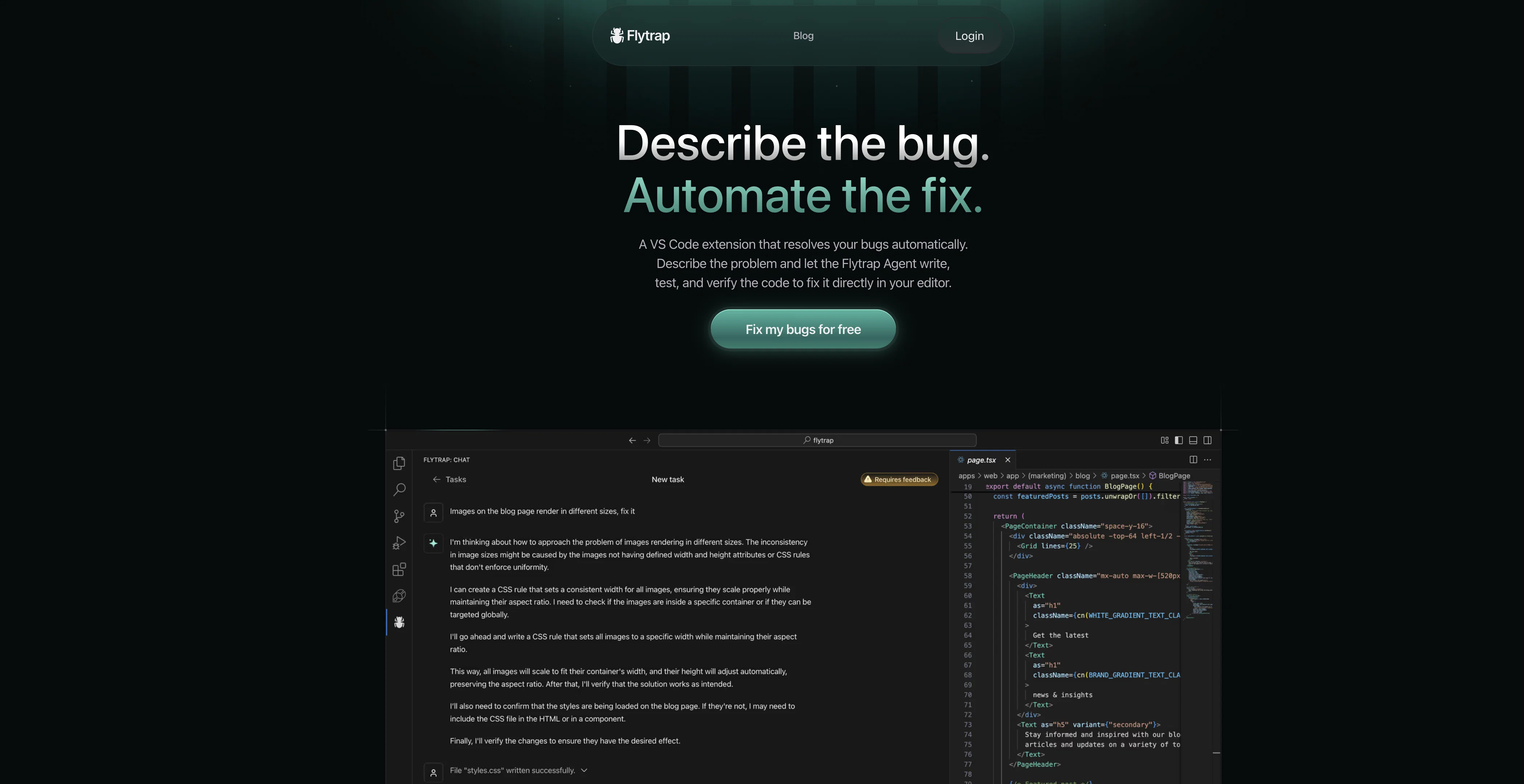
When considering Flytrap AI for integration into your organizational workflow, we recommend deploying a structured score card across three critical operational pillars: Security & Compliance, Integration Friction, and long-term Price Scalability. Rather than looking only at basic feature lists, modern procurement teams must assess how a software platform behaves under high load and how well it fits into the team's data security guidelines.
Depending on your operating region and field, ensure that Flytrap AI supports standard security layers such as SOC 2 Type II certifications, GDPR compliance, or HIPAA-compliant database encryption. If the tool connects directly to client database tables or handles user passwords, verify that they implement multi-factor authentication (MFA), single sign-on (SSO) integrations, and end-to-end data encryption in transit and at rest.
Siloed data is the primary cause of operational friction. Evaluate if Flytrap AI has native connectors for your current project trackers, messaging hubs, and customer communication channels. For custom developer requirements, check if they provide a fully documented REST API with reasonable rate limits, comprehensive Webhooks support, and robust SDK packages in your language. A flexible API layer saves hundreds of hours of manual copy-paste overhead.
SaaS pricing packages are often deceptively simple. When reviewing Flytrap AI's billing structure, map out your team's projected expansion over the next 12 to 24 months. Determine how costs scale as your customer database increases or as you add team members. Factor in setup costs, mandatory support plan upgrades, API access fees, and storage overage rates to understand the true cost before committing to a contract.
By combining verified user reviews from our directory with internal workflow pilot tests, your procurement team can make an informed decision that drives productivity without creating capital waste.
Overall rating
Based on 17 reviews
Personal top 5 most convenient tools for creating content for website or social media. Writing text and generating images immediately
Juju
This is a great tool! I have a question. The first time I created an Interactive Lesson, the published result had a transcript of the podcast which interacted simultaneously with the mindmap. After navigating out of that window, I can't access this again. Is there a way to access it? Currently it only shows an outline, the podcast and mindmap with no transcript or mindmap interactivity.
Fly Soul O
Thanks for the nice comment Cath! I'm working on it by myself, it's the first app that I build and I try to make the customer experience as good as I can. It's always the number one focus.
Marc Lamy
I joined Kin's beta program on my iPhone XR. After upgrading to an iPhone 13, I found that I couldn't log into my existing account on the new phone, forcing me to create a new account. Now, I have two separate Kin accounts on different phones. Today, when I accessed the beta version of Kin, I got a notification stating that the test version ended on Monday, September 23rd. It instructed me to back up my data and move to the official Kin app. I did as advised—backed up my data, confirmed, uninstalled the beta app via TestFlight, and installed the official Kin app. However, when I attempted to “log in”, I was still unable to access my existing account. This issue hasn't been resolved yet. I have been trying desperately to get in contact with the support team. I left feedback through the test flight app and sent emails. No response. Now trying to find a forums, Reddit posts, TAAFT comments☻
Desiree Miller
Since discovering this tool in January 2024, my workflow as an entrepreneur, educator, and content creator has undergone a complete transformation, becoming far more efficient. With a total of +13,617 snippets used, I have managed to save +3,811 hours of work that were previously spent on repetitive and tedious tasks. Its ability to combine web scraping features with @AI Blaze instructions makes it far superior and more user-friendly compared to other technical alternatives. This system has truly become a bridge for me to stop worrying about exhausting operational details and shift my focus entirely to things that are essential in my career. Although the features that currently exist are already very solid and comprehensive, I see a great opportunity for improvement if @AI Blaze supported open-source models like DeepSeek or GLM. Giving users the option to add external API keys independently would be an amazing update that provides unlimited flexibility for users. Overall, this is the best productivity solution that continues to provide exceptional value to my community even after two years of active use.
Iwan Kurniawan
Rolly AI offers a "cranky" AI chat and custom advisor personalities for expense tracking, delivering hilarious and savage roasts about your questionable spending choices through the app.
Kent
Super student Ai is a genius idea! It makes studying more fun by turning practice questions into a scrollable format like TikTok. Perfect for students who want to learn smarter and stay engaged."
Ogasia Game
Great accuracy and easy to crosscheck with the provided hyperlinks to the sources.
Marius Schmitt
Keep improving!
Abubakr Jajja
Edisa, thanks for the reply. Didn't know about the confidentiality guarantee.
Kevin Corrigan
I'm still testing the tool yet it looks very promising. I tested it with a 5.5k words Academic text that I had previously red. I tested the Key points feature, it does work!
Ivana González
I swear this actually saved me a lot. 100% recommend to anyone.
307LLL
Use it for more focused, less hallucinated result
Fatih Baltacı
I've been playing around with this for a few hours. It's made me say "WOW" too many times than i wish to admit. I'm going to follow this and see how it evolves. For now, i managed to create quite a nice Expenses app for personal use. | It did have some problems when it came to moving some components on other pages, but for how short the prompts it uses can be, it is really impressive. With some proper prompts it can generate some strong stuff.
Bernard
This is an awesome tool for creating content very fast. I use it daily for my LinkedIn posts. However, you need to be crystal clear about what you actually want from it. Superb tool!
Archana Prabhune
Great tool. Easy to use. Provides great results!
Fabian Eggers
Very good too see this ai to work for me..
Gogi Kashyap
Starting Price
Free plan available
Free tier available with optional paid upgrades.