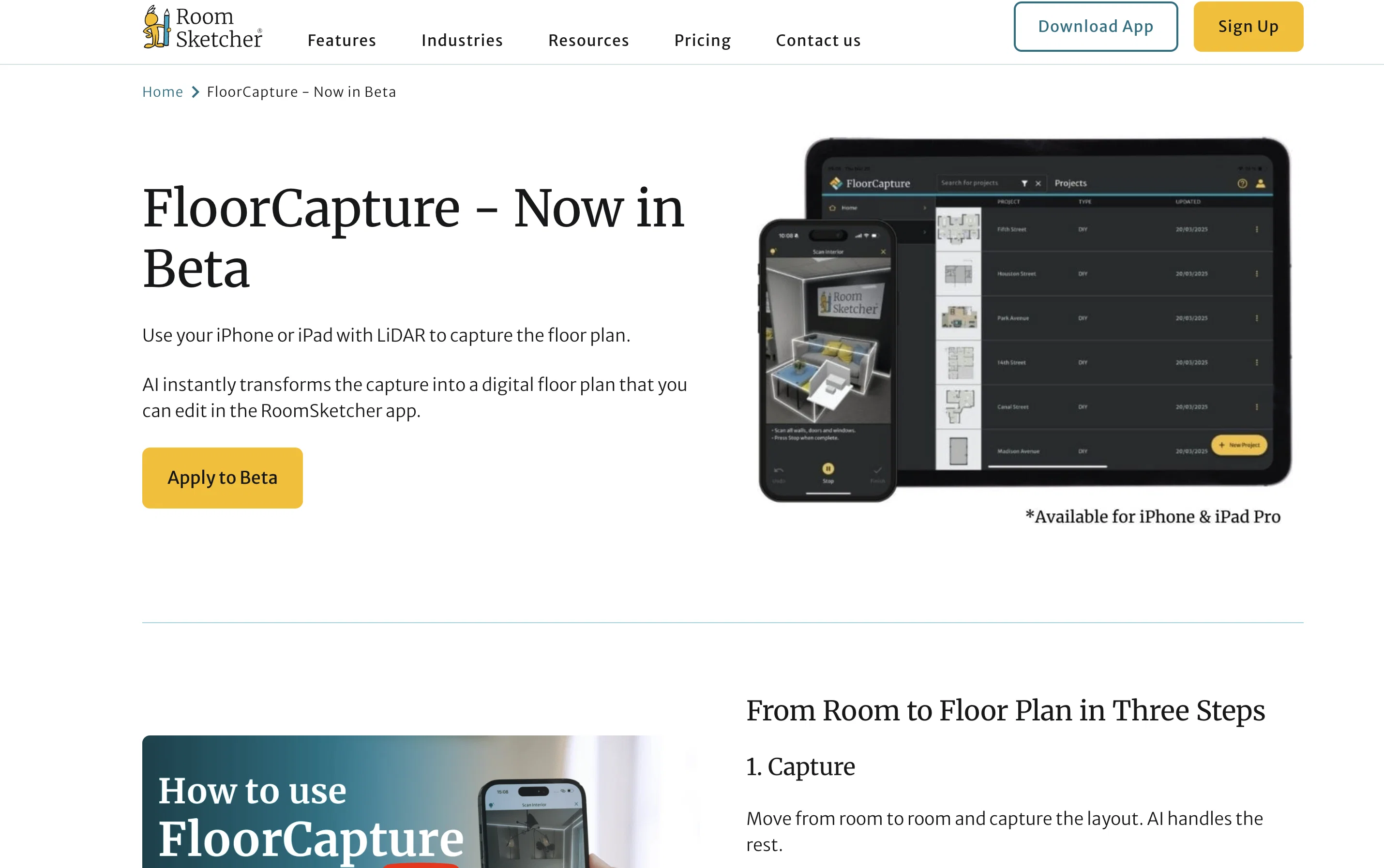
FloorCapture is a beta application powered by artificial intelligence, developed by RoomSketcher. The application aims to alleviate the process of designing and crafting floor plans by utilizing the LiDAR technology available on Apple devices, such as iPhone 12 Pro+ and iPad Pro 2020+.
Users can easily navigate from room to room to capture the room's layout. The AI feature of the tool processes these captures and generates a digital floor plan.
Further manipulation and adjustments to the generated floor plans are facilitated through the RoomSketcher app, enhancing user control over the final output.
Users can then share finished plans directly from the application or via email. The application aims to provide a streamlined and efficient workflow for both amateurs and professionals involved in fields necessitating floor plan visualization.
While the application works best with Apple devices furnished with LiDAR, users are required to finalize edits using the RoomSketcher app either on a desktop or tablet device.
The beta stage of the application allows developers to gather feedback from users to further enhance and refine its performance.
Help other people by letting them know if this AI was useful.
Add your own prompts and outputs to help others understand how to use this AI.
Screenshot gallery
Pros & Cons
Pros
+Utilizes LiDAR technology
+Available on Apple devices
+Generates digital floor plans
+Adjustments through RoomSketcher app
+Allows direct sharing
+Streamlined workflow
+Benefits amateurs and professionals
+Allows feedback collection
+Transforms LiDAR scans to plans
+Facilitates spatial mapping
+Useful for multiple industries
+Supports beta testing
+Compliments home renovation projects
+Compatible with construction works
+Solves digital modeling needs
+Enhances building design process
+User-friendly interface
+Improved visualization capabilities
+Supports iOS
+Compatible with iPad Pro 2020+
+Designed for iPhone 12 Pro+
+Accepts progression in beta stage
+Facilitates interactive sharing through email
+Offers better user control over output
+Efficient for floor plan visualization
+Cross-device functionality
+Desktop and tablet support
+Compatible with 3D modeling
Cons
−Beta version
−Apple device specific
−Requires LiDAR technology
−Requires separate RoomSketcher app
−Limited device compatibility
−Dependent on user feedback
−Editing only on desktop/tablet
−No multi-level property support
−Time-consuming capture process
−Exit from beta uncertain
A Professional Framework to Evaluate FloorCapture
When considering FloorCapture for integration into your organizational workflow, we recommend deploying a structured score card across three critical operational pillars: Security & Compliance, Integration Friction, and long-term Price Scalability. Rather than looking only at basic feature lists, modern procurement teams must assess how a software platform behaves under high load and how well it fits into the team's data security guidelines.
1. Security and Database Compliance
Depending on your operating region and field, ensure that FloorCapture supports standard security layers such as SOC 2 Type II certifications, GDPR compliance, or HIPAA-compliant database encryption. If the tool connects directly to client database tables or handles user passwords, verify that they implement multi-factor authentication (MFA), single sign-on (SSO) integrations, and end-to-end data encryption in transit and at rest.
2. API Coverage and Custom Integrations
Siloed data is the primary cause of operational friction. Evaluate if FloorCapture has native connectors for your current project trackers, messaging hubs, and customer communication channels. For custom developer requirements, check if they provide a fully documented REST API with reasonable rate limits, comprehensive Webhooks support, and robust SDK packages in your language. A flexible API layer saves hundreds of hours of manual copy-paste overhead.
3. Total Cost of Ownership (TCO)
SaaS pricing packages are often deceptively simple. When reviewing FloorCapture's billing structure, map out your team's projected expansion over the next 12 to 24 months. Determine how costs scale as your customer database increases or as you add team members. Factor in setup costs, mandatory support plan upgrades, API access fees, and storage overage rates to understand the true cost before committing to a contract.
By combining verified user reviews from our directory with internal workflow pilot tests, your procurement team can make an informed decision that drives productivity without creating capital waste.
Features of FloorCapture
LiDAR Technology
Floor Plan Design
Spatial Mapping
Architecture
IOS Compatible
Interior Design
SaaS1to10 verified reviews for FloorCapture
Overall rating
★★★★★5.0
Based on 2 reviews
★★★★★5.02 months ago
“Review”
A useful AI tool for homeowners. I used it to convert my basic floor plan into a 3D model and explore different interior styles. The AI interior design feature is a nice bonus because it helps visualize ideas before spending money on renovation. Simple to use and great for early-stage planning.
meta yi
★★★★★5.02 months ago
“Review”
The conversation with the ai felt really nice. And the even the narrative part is well executed.
Dillan
Pricing
Starting Price
Contact vendor for pricing
Pricing may vary based on team size and features selected.