5.02 months ago
“Review”
Love this!! Its so easy to use and has made my life wayyyy easier. It got my whole team set up organized and has helped with every aspect from posting time to entire business structure and accounting!
L G

Animate any image with AI in seconds.
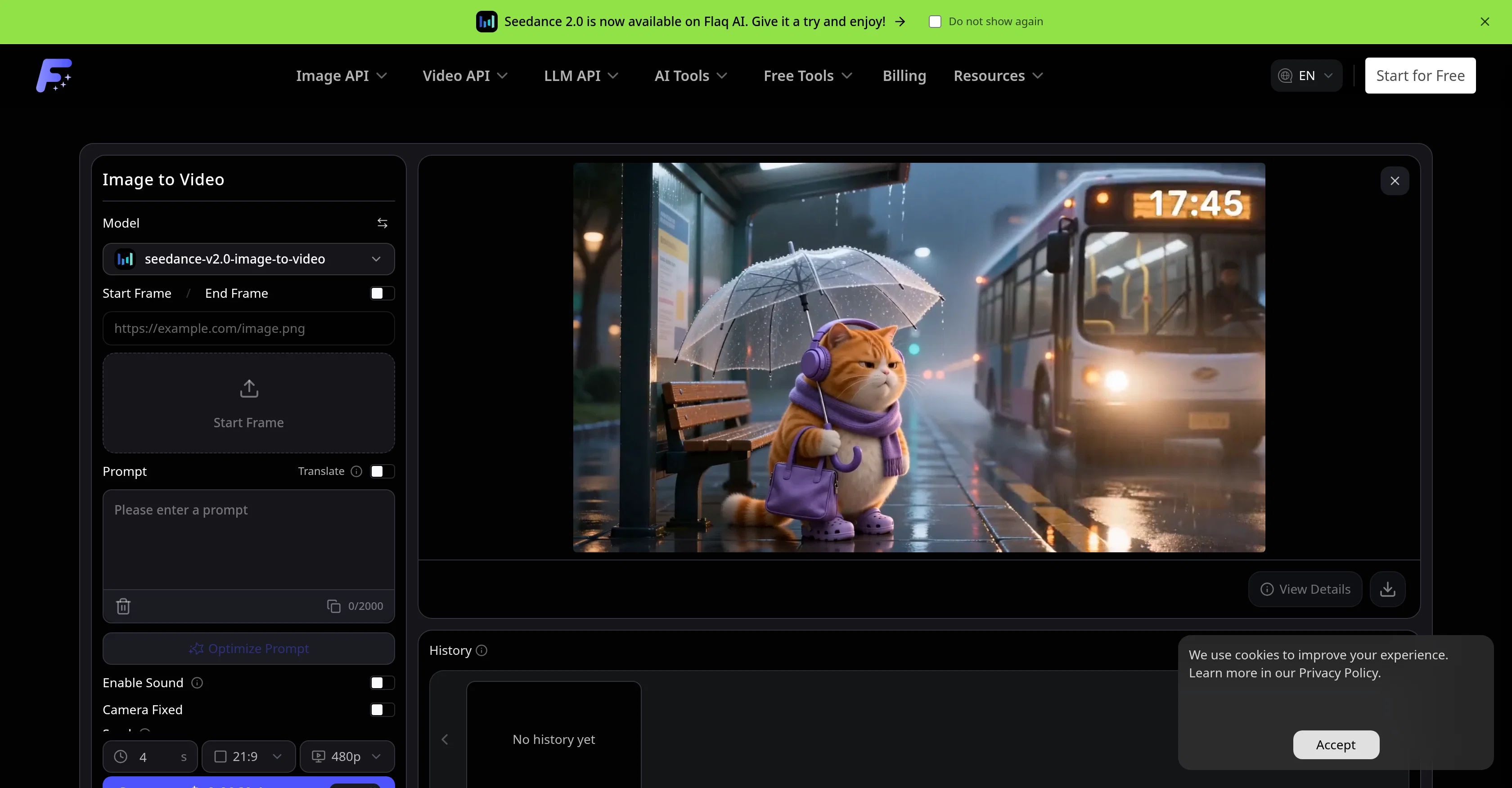
Flaq AI Image to Video Generator is a tool that animates photos and reference images into short AI videos. Users can seamlessly animate different types of imagery, from product pictures and portraits to character images, design visuals, and scene references. Users describe the desired motion, choose a supported image-to-video model, and generate smooth video clips. Functions include prompt-guided action, camera movement, visual consistency, optional audio, and end-frame control all within an online workflow. Users can also compare motion style, realism, speed, quality, audio support, and pricing among different image-to-video models. The tool accommodates flexible video settings where users can adjust options such as duration, aspect ratio, resolution, sound, end frame, seed, camera lock, and negative prompt per the selected model's specifications. The Flaq AI Image to Video Generator is a great tool for social media video creation, product and e-commerce videos, portrait and character animation, and design and concept previews. This tool provides a streamlined process for animating still images into dynamic cinematic videos while preserving the main subject, composition, and visual identity. Further, the tool offers predictive cost estimates, multi-model animation, and stable API workflows. The process includes uploading a reference image, detailing the motion prompt, choosing a model, generating the clip, previewing the result, and refining the prompt or settings for an improved version if necessary. The Flaq AI Image to Video Generator is a comprehensive tool for all image-to-video animation needs. Help other people by letting them know if this AI was useful. Add your own prompts and outputs to help others understand how to use this AI.
When considering Flaq AI | Image to Video for integration into your organizational workflow, we recommend deploying a structured score card across three critical operational pillars: Security & Compliance, Integration Friction, and long-term Price Scalability. Rather than looking only at basic feature lists, modern procurement teams must assess how a software platform behaves under high load and how well it fits into the team's data security guidelines.
Depending on your operating region and field, ensure that Flaq AI | Image to Video supports standard security layers such as SOC 2 Type II certifications, GDPR compliance, or HIPAA-compliant database encryption. If the tool connects directly to client database tables or handles user passwords, verify that they implement multi-factor authentication (MFA), single sign-on (SSO) integrations, and end-to-end data encryption in transit and at rest.
Siloed data is the primary cause of operational friction. Evaluate if Flaq AI | Image to Video has native connectors for your current project trackers, messaging hubs, and customer communication channels. For custom developer requirements, check if they provide a fully documented REST API with reasonable rate limits, comprehensive Webhooks support, and robust SDK packages in your language. A flexible API layer saves hundreds of hours of manual copy-paste overhead.
SaaS pricing packages are often deceptively simple. When reviewing Flaq AI | Image to Video's billing structure, map out your team's projected expansion over the next 12 to 24 months. Determine how costs scale as your customer database increases or as you add team members. Factor in setup costs, mandatory support plan upgrades, API access fees, and storage overage rates to understand the true cost before committing to a contract.
By combining verified user reviews from our directory with internal workflow pilot tests, your procurement team can make an informed decision that drives productivity without creating capital waste.
Overall rating
Based on 18 reviews
Love this!! Its so easy to use and has made my life wayyyy easier. It got my whole team set up organized and has helped with every aspect from posting time to entire business structure and accounting!
L G
I found the AI easy to use after watching the intro video on youtube. I like the conversational nature. These Personalities are engaging. The report feature is useful.
Earl Grey
I like the AI Math Solver for my math problem.
Leo Li
VideoWeb AI is an useful AI tool for my video creation. I like the video to video feature that I can create the anime video with my videos.
Leo Li
Marsad here, founder of brandjet. After years in GTM, including work with Fortune 500 teams, I kept seeing the same problem: every startup and agency was juggling a stack of tools just to run outreach. Email in one place, LinkedIn in another, WhatsApp and Instagram somewhere else, plus deliverability tools, analytics, and CRMs. It was chaos. Brand intelligence and outreach never spoke to each other. So we built BrandJet, a single command centre for both. All your outreach channels live in one platform: email, LinkedIn, WhatsApp, and Instagram. You get shared and channel-level analytics, along with an AI unibox that handles sentiment and lead categorization. What I’m most proud of is our monitoring tool. It lets you track sentiment, mentions, keywords, and even how AI systems interpret your brand. Any topic, any company, and everything feeds directly into your outreach automations. No guesswork. No hassle. Just clear signals and fast action. If you’re tired of SaaS bloat and want to see what a unified GTM platform feels like, give it a try. I’d love to hear what you think
Marsad Aurangzeb
Não conseguir testar pois a plataforma fica toda hora caindo, então não conseguir gerar a imagem. Mas gostaria de conseguir testar pois a proposta é muito boa.
Evelyn Bezerra
1) I like that it can produce many diff image sizes and multiple images. 2) Does a nice job of embellishing the prompt. 3) Nice that it can take in a specific Seed. 4) BUT I found it hard to replicate a specific character. Tried loading a pic or providing a link to it. Neither seemed to work.
Jerry Smith
as somebody else said it doesn't always follow the prompt fully (stuff like colors or body placement) but honestly mine came out actually nice, at least design wise. it missed a couple details, sure, but overall it looked fire. good starting point if youre trying to visualize an idea
Stefan Angelo
I am planning to automate my trading system and customise an agent , I chatted with the support right from the dashboard they answered in 15 mins
Alex Huber
You get 300 credits upon signing up, which is enough to test out the app and see its potential. I had a bit of fun with it. It takes a few minutes to generate content, but the results are impressive. There are many styles, modifiers, and customization options available. I would definitely use this for content creation or storytelling.
Daniel Garaiacu
awesome, beets relationships...
Robert Shumway
Not at all accurate…. The only thing similar between original and generated images were the clothes and accessories… face was absolutely new and unconnected.
Shvetank Sharma
I mainly used Himedia AI for image creation and got surprisingly realistic outputs. Prompt control feels intuitive compared with some other tools.
KoooU
Many ai models help me create videos I love
long ff
Requires previous login, not fully free
Elenimotoon
Feels illegal to be this early, quick run with @Grok Imagine: great for teaser bits. The image-to-video pass holds up for shorts ~6s loops with decent motion and sound sync. Style range is solid. Access sits behind the Grok sub on mobile, so not fully free and I’d love longer clips!
Herbert Kemp
a friend sent me this the other day. veo, grok, seedance all run from one upload and it's actually fast. ui doesn't fight me. no complaints.
owen_reeves
Only app I could create video for free! Thanks
7even
Starting Price
From $7.00/user/month
Pricing may vary based on team size and features selected.


