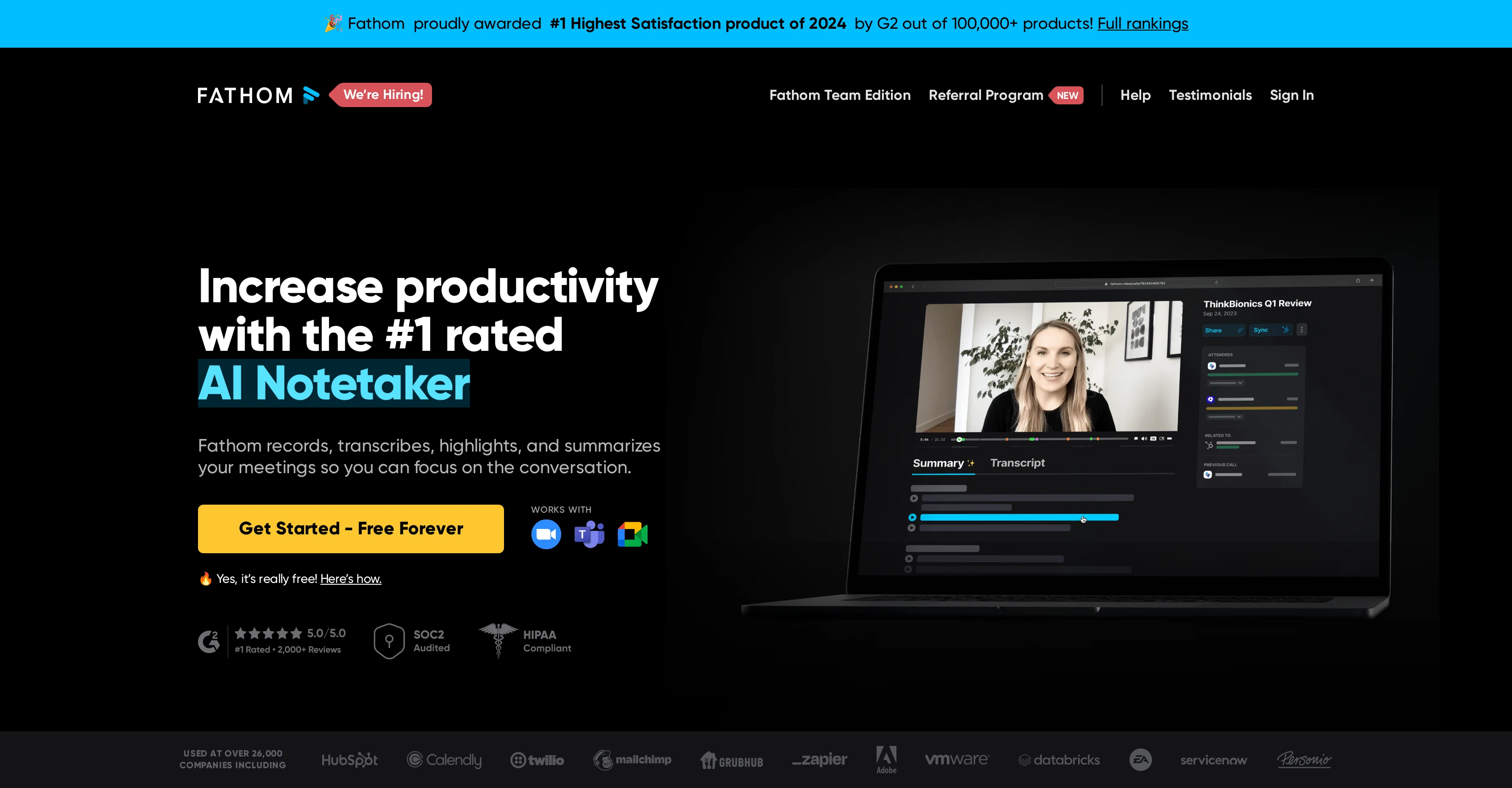
Fathom AI Notetaker is an artificial intelligence-based tool designed to revolutionize note-taking during meetings. It focuses on instantly summarizing meetings, allowing users to concentrate on the conversations instead of documenting the details.
The tool works by recording, transcribing, highlighting, and summarizing key points discussed during meetings. After the meeting, Fathom provides summaries which are ready within a concise timeframe after the meeting's end.In addition to transcription and summary, Fathom also offers the option to share clips from specific parts of meetings, which can be useful for providing context to colleagues or stakeholders.
Further adding to its functionality, Fathom automatically syncs meeting summaries and tasks to the user's Customer Relationship Management (CRM) software, saving users significant time on post-meeting data entry tasks.
Fathom is designed to be compatible with multiple video conferencing platforms and languages, currently supporting 28 globally spoken ones, making it a flexible tool for international teams or businesses.The tool also integrates with a variety of popular workplace tools, enabling users to easily copy/paste summaries and action items into Slack, Google Docs, Gmail, or other task management programs.
Client feedback highlights the tool's efficiency, ease of use, and its ability to aid in productivity and overall conversation engagement during meetings.
Enhanced Summary Templates: Introduced 14 AI-generated call summary templates and 5 deal summary formats tailored for various meeting types.
Automated Action Items: Fathom now automatically identifies and assigns action items discussed during meetings.
Email Draft Generation: The tool can generate follow-up email drafts based on the identified action items.
Multilingual Support: Summaries can be translated into multiple languages, including Spanish, Portuguese, German, French, Italian, and Dutch.
Customizable Summaries: Users have the ability to customize summary templates to suit their specific needs, adjusting for tone, detail, and content.
Help other people by letting them know if this AI was useful.
Add your own prompts and outputs to help others understand how to use this AI.
Screenshot gallery
Pros & Cons
Pros
+Automates note-taking
+Zoom calls compatibility
+Records conversations
+Transcribes conversations
+Summarizes meetings
+Can highlight conversations
+Auto-syncs notes to CRM
+Shareable conversation highlights
+Multi-language support (seven languages)
+Secure with end-to-end encryption
+Regular third party penetration testing
+Free for personal use
+Task management integration
+Video conferencing compatibility
+Supports 28 languages
+CRM integration
+Copy-paste option for summaries
+Workspace tools integration
+Screens share and conversation segmenting
+Quick post-meeting summaries
+Accurate summaries
+Helps increase productivity
+Awarded #1 Highest Satisfaction product
+Team-centric functionality
+Detailed note-taking
+Time saver for data entries
+Share video clips from meetings
+Multi-platform compatibility
+Suitable for international teams
+Users save 20 mins per meeting
+Meeting summaries, tasks automatically synced
+Compatible with Slack, Google Docs, Gmail
+Voice distinguish feature
+Immediate result shareability
+Ready-to-send summaries
+Realtime note marking and sharing
+Focus on conversation, not notes
+Improved customer interaction
+Confirmation before time ends
+Data entry elimination
+Auto transcribes
+Easy action item capturing
+Hassle free video recording
+Data-organizing features
+Dashboard for revisiting previous meetings
+Instant transcript accessibility
+Helps avoid meeting burnout
+Single-click annotation
+Free cloud storage
Cons
−Limited platform compatibility
−Only integrates with CRM
−Lacks application with non-Zoom calls
−No built-in reminders
−Limited collaborative features
−No real-time editing
−No independent task manager
−Doesn't support offline usage
−Depends on video conferencing software
−Not fully customizable
A Professional Framework to Evaluate Fathomv2.5
When considering Fathomv2.5 for integration into your organizational workflow, we recommend deploying a structured score card across three critical operational pillars: Security & Compliance, Integration Friction, and long-term Price Scalability. Rather than looking only at basic feature lists, modern procurement teams must assess how a software platform behaves under high load and how well it fits into the team's data security guidelines.
1. Security and Database Compliance
Depending on your operating region and field, ensure that Fathomv2.5 supports standard security layers such as SOC 2 Type II certifications, GDPR compliance, or HIPAA-compliant database encryption. If the tool connects directly to client database tables or handles user passwords, verify that they implement multi-factor authentication (MFA), single sign-on (SSO) integrations, and end-to-end data encryption in transit and at rest.
2. API Coverage and Custom Integrations
Siloed data is the primary cause of operational friction. Evaluate if Fathomv2.5 has native connectors for your current project trackers, messaging hubs, and customer communication channels. For custom developer requirements, check if they provide a fully documented REST API with reasonable rate limits, comprehensive Webhooks support, and robust SDK packages in your language. A flexible API layer saves hundreds of hours of manual copy-paste overhead.
3. Total Cost of Ownership (TCO)
SaaS pricing packages are often deceptively simple. When reviewing Fathomv2.5's billing structure, map out your team's projected expansion over the next 12 to 24 months. Determine how costs scale as your customer database increases or as you add team members. Factor in setup costs, mandatory support plan upgrades, API access fees, and storage overage rates to understand the true cost before committing to a contract.
By combining verified user reviews from our directory with internal workflow pilot tests, your procurement team can make an informed decision that drives productivity without creating capital waste.
Features of Fathomv2.5
Meeting Summarizer
AI Notetaker
Productivity Improvement
Multi Language Support
Meeting Highlights
Transcription Service
Free + From $19/Mo
SaaS1to10 verified reviews for Fathomv2.5
Overall rating
★★★★★5.0
Based on 21 reviews
★★★★★5.01 months ago
“Review”
I recently started using @Napkin AI, and I couldn't be more impressed! This tool is incredibly user-friendly and intuitive, making it easy to generate clear visual representations from text. Moreover, the interface is clean and visually appealing, which enhances the overall user experience. @Napkin AI is a fantastic companion. Highly recommended for anyone looking to elevate their creative process!
Jobin Mathew
★★★★★5.01 months ago
“Review”
Only available on the iphone... doesn't seem super intuitive to use.
Mental Forge Media
★★★★★5.01 months ago
“Review”
The most humanly AI i have used so far but the problem is as soon as you start piling up messages in single chat session , it starts getting slow and at some point it starts freezing and also uses a lot of resources. For time being its okay to do 3 4 messages but as soon as we continue it has messages limitation and also starts getting very very slow . For the price of £18 per month this is unacceptable and with the newly introduced feature called project, if we start new chat within the project we cannot continue with the context we provided in other chats within same project. There are lot of improvements for them to work on. And to start with the its speed and its price
Bibash Katel
★★★★★5.01 months ago
“Review”
I tried NovelGPT a template in @Agentgpt and it did an excellent job writing the first two episodes of my novel complete with character descriptions, setting,plot points and well I think you get the point. Great tool can't wait to see it out of beta.
Kelli Crose
★★★★★5.01 months ago
“Review”
after playing around with it for a bit, i am now aware of how much i need this. i can already feel the hours of sleep coming back to me <3
Bru no no no
★★★★★5.01 months ago
“Review”
I wasn't able to use this one (I have my API key)
Pauline LeBlanc
★★★★★5.01 months ago
“Review”
It is the ease of use for me. @DataSquirrel is fast, the UI is super intuitive, and the guided analysis feature is highly convenient. I have officially moved from uploading CSV files from Google sheet to @DataSquirrel. Within minutes, I can visualize my data and interpreting it becomes super simple.
Aakriti Mahajan
★★★★★5.01 months ago
“Review”
Really like how it finds connection in the content that I save. I don't think any other tool can do that.
amix ffx
★★★★★5.01 months ago
“Review”
State of the Art
Dmitry G.
★★★★★5.01 months ago
“Review”
An amazing app, I love the share feature and the comment section summaries
Silvia Cho
★★★★★5.01 months ago
“Review”
I'm still testing the tool yet it looks very promising. I tested it with a 5.5k words Academic text that I had previously red. I tested the Key points feature, it does work!
Ivana González
★★★★★5.01 months ago
“Review”
Makes it easy to get started with a presentation if you have an outline, but as soon as you want more control, you're better off using Google Slides. @Gamma's feature that I used the most was image generation - you can select among a variety of models (Ideogram, Flux, DALL-E, but not Midjourney), and it shows 3 variations to choose from. Performance is slow and a little janky, even in Chrome. Prompts and settings are often not respected - e.g. you set it to "preserve text" and just generate slides, and it goes onto dumping an entire 3 paragraphs of text in one slide. You can't overlay text over images (e.g. for image attribution), and there's no precise positioning control, or grouping elements. No way to control table layout, e.g. to have two images slide-by-side in full bleed mode. I tried @Gamma for a new presentation, but next time I need to make a presentation, I'll go back to Google Slides and generate images independently.
Dan Dascalescu
★★★★★5.01 months ago
“Review”
Such a great place to start out!
Helli Lang
★★★★★5.01 months ago
“Review”
I tried using it but the website has too many bugs.
João Neiva
★★★★★5.01 months ago
“Review”
O GPT faz uma análise melhor e mais personalizada.
Vinicius Vilela
★★★★★5.01 months ago
“Review”
As the service was in beta-testing stage, I created there a dozen of AI-generated courses for free. I wanted to use them. Those courses remained in my account as they started subscription tiers. But recently I have found out that they were deleted. The support didn't answer to my e-mail at all.
Oldfag TV
★★★★★5.02 months ago
“Review”
its very good
Dennis Müller
★★★★★5.02 months ago
“Review”
The live AI feed during meetings is a game changer. All AI summaries and action items are also emailed to you and your team right away.
Sean
★★★★★5.02 months ago
“Review”
good multilingual transcription helps with active listening
Dmitriy Grankin
★★★★★5.02 months ago
“Review”
Quick thought after seeing @Convo. Meeting notes tools are a crowded $10 SaaS category. But a tool that helps sales reps answer questions and handle objections live sits in a completely different value tier. That shift alone can change pricing and conversion dynamics significantly.
Paul
★★★★★5.02 months ago
“Review”
Its a promising project and works well so far. Wishing them all the best and godspeed.