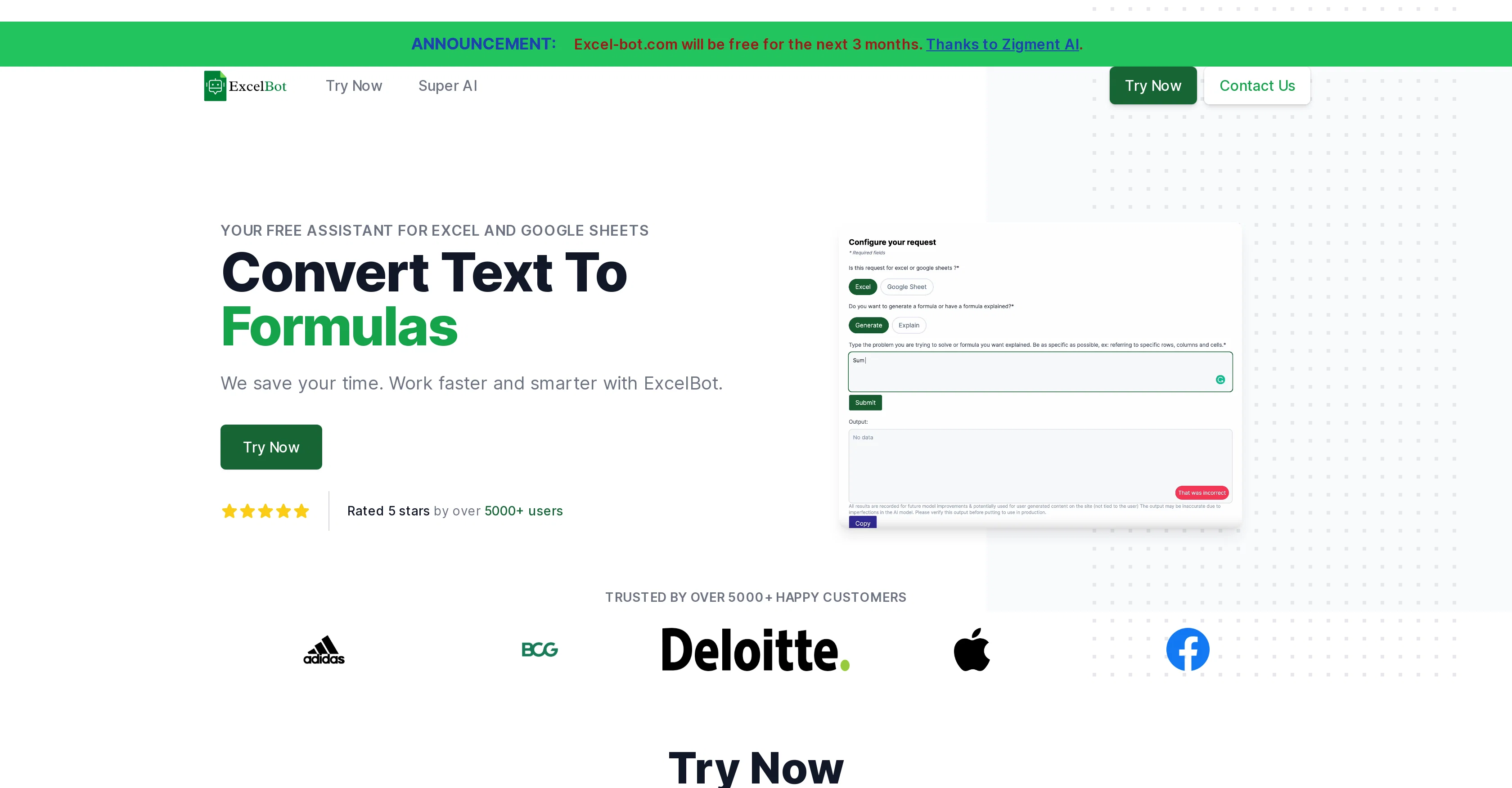
Excel Bot AI assistant is a tool designed to assist users with Excel formulas. Its main functionality lies in converting formulas to text, and vice versa, aiming to streamline the process of managing and understanding complex Excel calculations.
The platform is intended to save time and increase efficiency for its users by automatizing laborious tasks. Apart from formula conversion, Excel Bot also supports Excel and Google Sheets, making it versatile for different spreadsheet software users.
Built by the Zigment AI team, Excel Bot is capable of customization, potentially spanning to various business needs beyond just spreadsheet management.
Apart from individual users, Excel Bot has garnered positive feedback from a substantial number of businesses, as it supports automation for sales, marketing and more.
This free AI assistant offers its services for a range of business types and sizes. Despite primarily being developed for Excel tasks, there are implications of it expanding its capabilities beyond, leaning towards being a comprehensive AI for business automation.
Please note that while it is free to use, there may be additional services or extended capacities that come with a cost.
Help other people by letting them know if this AI was useful.
Add your own prompts and outputs to help others understand how to use this AI.
Screenshot gallery
Pros & Cons
Pros
+Supports Excel and Google Sheets
+Converts formulas to text
+Automates laborious tasks
+Customizable for business needs
+Supports business automation
+Versatile for different businesses
+Supports sales and marketing automation
+Can understand complex calculations
+Good for data analysis
+Works for individuals and businesses
+Free to use
+Cost-effective extended services
+High user rating
+Excellent customer feedback
+Potential for task expansion beyond Excel
+Time-saving for spreadsheet tasks
+Possible improvements in work efficiency
+Supports business intelligence tasks
Cons
−Limited to spreadsheets
−No offline mode
−No multiple language support
−Advanced features not free
−Limited to Excel, Google Sheets
−Limited customization
−No collaborative features
A Professional Framework to Evaluate Excel Bot AI assistant
When considering Excel Bot AI assistant for integration into your organizational workflow, we recommend deploying a structured score card across three critical operational pillars: Security & Compliance, Integration Friction, and long-term Price Scalability. Rather than looking only at basic feature lists, modern procurement teams must assess how a software platform behaves under high load and how well it fits into the team's data security guidelines.
1. Security and Database Compliance
Depending on your operating region and field, ensure that Excel Bot AI assistant supports standard security layers such as SOC 2 Type II certifications, GDPR compliance, or HIPAA-compliant database encryption. If the tool connects directly to client database tables or handles user passwords, verify that they implement multi-factor authentication (MFA), single sign-on (SSO) integrations, and end-to-end data encryption in transit and at rest.
2. API Coverage and Custom Integrations
Siloed data is the primary cause of operational friction. Evaluate if Excel Bot AI assistant has native connectors for your current project trackers, messaging hubs, and customer communication channels. For custom developer requirements, check if they provide a fully documented REST API with reasonable rate limits, comprehensive Webhooks support, and robust SDK packages in your language. A flexible API layer saves hundreds of hours of manual copy-paste overhead.
3. Total Cost of Ownership (TCO)
SaaS pricing packages are often deceptively simple. When reviewing Excel Bot AI assistant's billing structure, map out your team's projected expansion over the next 12 to 24 months. Determine how costs scale as your customer database increases or as you add team members. Factor in setup costs, mandatory support plan upgrades, API access fees, and storage overage rates to understand the true cost before committing to a contract.
By combining verified user reviews from our directory with internal workflow pilot tests, your procurement team can make an informed decision that drives productivity without creating capital waste.
Features of Excel Bot AI assistant
Excel Automation
Excel Formula
Formula Conversion
Spreadsheet Management
AI Assistant
Complex Calculation
From $99/Mo
SaaS1to10 verified reviews for Excel Bot AI assistant
Overall rating
★★★★★5.0
Based on 15 reviews
★★★★★5.02 months ago
“Review”
It's sad to see people want to try your tool out but you have no free sample for them. This may be the best tool out there, but, as mentioned, going through with the AI for minutes to explain what you want, then being prompted to pay, without even knowing if it CAN create something, is discouraging. I hope we can get a free sample or preview at one point, im interested in this one.
Ron Jayson
★★★★★5.02 months ago
“Review”
B12 exceeded my expectations especially after I tried a few similar tools. Signing up took under a minute and because I offer a very specific set of services as a consultant, I didn't expect the AI to be able to capture my work, but it did a great job with creating content for me. I only had to make a few edits, add my bio, and was able to publish that same day. Now I get lots of compliments on my site and I've even tried their other tools like email marketing, which is great because the emails match my site's appearance. Overall I would recommend B12 as an effective, affordable, and easy to use website solution.
Katie G
★★★★★5.02 months ago
“Review”
This is the first slide creator I found that actually creates an outline, and nice looking slides with images. The one negative/con is it takes yoursubject and title and generates an outline, but it doesn't allow you to put in your own outline
Robert Scott
★★★★★5.02 months ago
“Review”
Hi Lachy, Thank you for bringing this issue to our attention and for your patience. We understand the importance of a seamless experience and are committed to improving our software continuously. We've issued a software update which resolves the issue and are extending additional free use as a token of our appreciation. We're confident in our product's ability to deliver superior formula and VBA code generation. Your feedback is invaluable as we strive to provide the best tool on the market.
Excel Master
★★★★★5.02 months ago
“Review”
It is not free. So i couldnt test anything
Isa Venancio
★★★★★5.02 months ago
“Review”
It's genius. Amazing tool. PDF generation might be improved, but apart from that is amazing.
Aleksander Lukashou
★★★★★5.02 months ago
“Review”
This tool i found is super cool, I created 5 books from this tool to sell them online, which gives me great profit. I am creating more valuable books to spread knowledge, and earn some bucks as well 🤑.
Bilal Ashraf
★★★★★5.02 months ago
“Review”
Alternative for fast academic writing
Ivan Taslim
★★★★★5.02 months ago
“Review”
O GPT faz uma análise melhor e mais personalizada.
Vinicius Vilela
★★★★★5.02 months ago
“Review”
after playing around with it for a bit, i am now aware of how much i need this. i can already feel the hours of sleep coming back to me <3
Bru no no no
★★★★★5.02 months ago
“Review”
this is a banger tool
Curran Van Waarde
★★★★★5.02 months ago
“Review”
unclear what is in, no trial
Nadja Petranovskaja
★★★★★5.02 months ago
“Review”
@TabTabTab has been so useful to me since starting a company!
Francois Laberge
★★★★★5.02 months ago
“Review”
I use Sourcetable for quick data analysis and visualizations with natural-language queries. I'm working with Excel files and our Postgres database. It feels like an AI analyst built into a spreadsheet for turning raw data into clear reports. (Like ChatGPT + Excel, but better.)
Eoin McMillan
★★★★★5.02 months ago
“Review”
SheetAI was very handy in sorting, fixing and all sorts of tools. This tool is also well documented, so if you need help figuring something out, chances are they will have the info you need.
Jorelle Joseph
Pricing
Starting Price
From $7.00/user/month
Pricing may vary based on team size and features selected.