5.02 months ago
“Review”
Seems very promising, except I want to try it by myself. I don’t want a demo. Also, I’d like to know the costs before I commit to anything.
kanawati

Transform 3D models into production drawings instantly
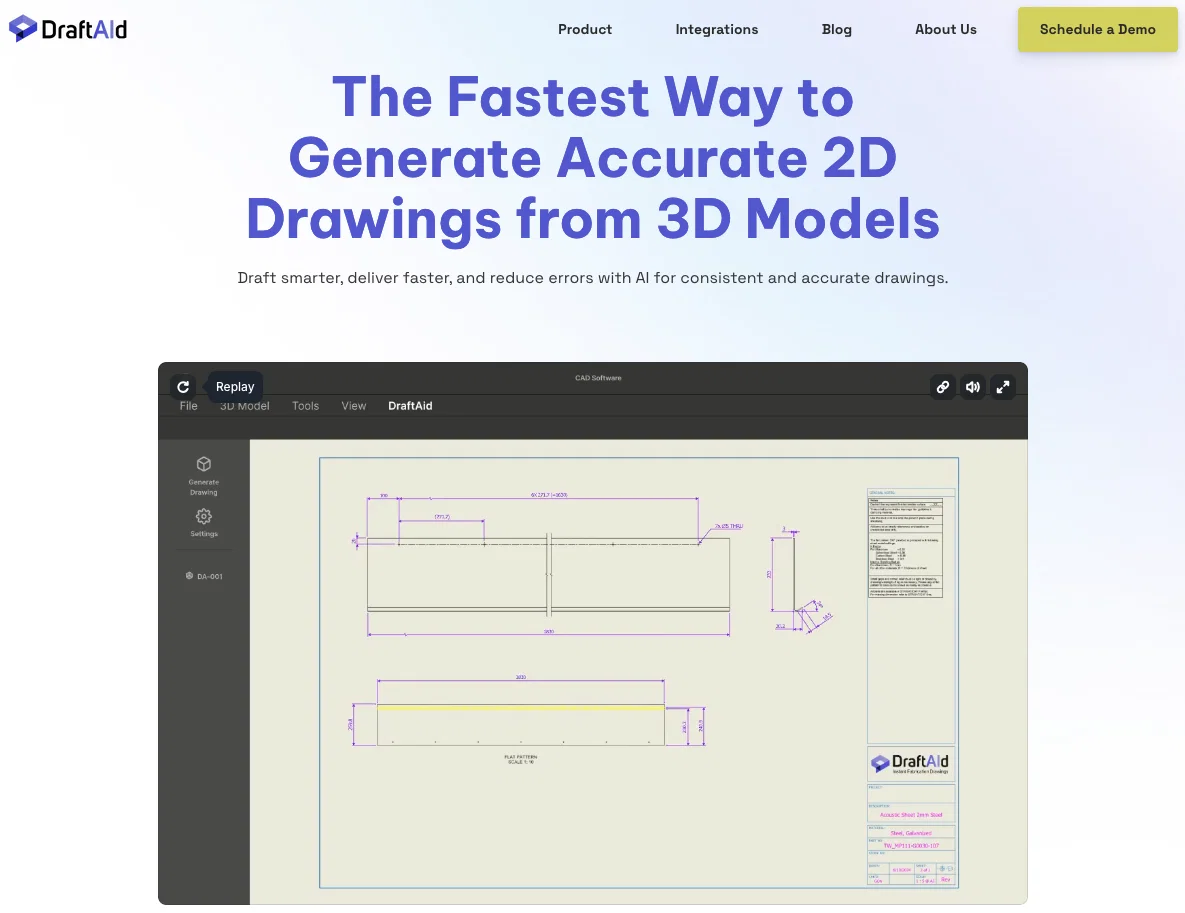
DraftAid is a tool designed to streamline the fabrication drawing process by utilizing advanced AI technology. It targets the inefficiencies of traditional methods such as lengthy fabrication times, misallocation of engineering expertise, and susceptibility to human error. DraftAid automates the creation of fabrication drawings from 3D models, greatly reducing the time required and ensuring precision and consistency. It works with all major 3D modeling software and is designed to free designers from trivial and repetitive work. DraftAid is easily integrable with existing CAD software, enhancing current workflows without the need for disruptive changes or extensive retraining. It offers extensive customization options to align with specific project requirements, ensuring consistently accurate and high-quality drawings. The tool allows for a one-click initiation of the drawing process and provides an option for quick review of the automatically generated drawings before finalization. Help other people by letting them know if this AI was useful. Add your own prompts and outputs to help others understand how to use this AI.
When considering DraftAid for integration into your organizational workflow, we recommend deploying a structured score card across three critical operational pillars: Security & Compliance, Integration Friction, and long-term Price Scalability. Rather than looking only at basic feature lists, modern procurement teams must assess how a software platform behaves under high load and how well it fits into the team's data security guidelines.
Depending on your operating region and field, ensure that DraftAid supports standard security layers such as SOC 2 Type II certifications, GDPR compliance, or HIPAA-compliant database encryption. If the tool connects directly to client database tables or handles user passwords, verify that they implement multi-factor authentication (MFA), single sign-on (SSO) integrations, and end-to-end data encryption in transit and at rest.
Siloed data is the primary cause of operational friction. Evaluate if DraftAid has native connectors for your current project trackers, messaging hubs, and customer communication channels. For custom developer requirements, check if they provide a fully documented REST API with reasonable rate limits, comprehensive Webhooks support, and robust SDK packages in your language. A flexible API layer saves hundreds of hours of manual copy-paste overhead.
SaaS pricing packages are often deceptively simple. When reviewing DraftAid's billing structure, map out your team's projected expansion over the next 12 to 24 months. Determine how costs scale as your customer database increases or as you add team members. Factor in setup costs, mandatory support plan upgrades, API access fees, and storage overage rates to understand the true cost before committing to a contract.
By combining verified user reviews from our directory with internal workflow pilot tests, your procurement team can make an informed decision that drives productivity without creating capital waste.
Overall rating
Based on 17 reviews
Seems very promising, except I want to try it by myself. I don’t want a demo. Also, I’d like to know the costs before I commit to anything.
kanawati
Generating captions was super fast like seconds. Wish they had Anton font though
bob miller
This is a gamechanger!
Jezza Beard
I've been playing around with this for a few hours. It's made me say "WOW" too many times than i wish to admit. I'm going to follow this and see how it evolves. For now, i managed to create quite a nice Expenses app for personal use. | It did have some problems when it came to moving some components on other pages, but for how short the prompts it uses can be, it is really impressive. With some proper prompts it can generate some strong stuff.
Bernard
Very cool app! Build was fast as, and with a few tweaks I fully launched my website in 1 hour!
Joe Smythe
Reducing manual efforts in first-pass during code-review process helps speed up the "final check" before merging PRs
Sahil Mohan Bansal
Very interesting
Béatrice Duval
This tool i found is super cool, I created 5 books from this tool to sell them online, which gives me great profit. I am creating more valuable books to spread knowledge, and earn some bucks as well 🤑.
Bilal Ashraf
Great tool! Was very helpful in content production
Duck Typer
No other tool quite like this, it's pretty straightforward. Needed to extract a long interview from YouTube and it extracted everything, providing it in different meaningful formats in less than two minutes. Awesome
Juan Sierra
WE USE @D-ID AT THE COLORADO VIRTUAL CREATIVE FACTORY...AND LOVE IT.
Franco Arteseros
When it generates images doesn't give as we want, even it makes mistakes in spelling hahahahah
MOHAN SINGH SODHA
B12 exceeded my expectations especially after I tried a few similar tools. Signing up took under a minute and because I offer a very specific set of services as a consultant, I didn't expect the AI to be able to capture my work, but it did a great job with creating content for me. I only had to make a few edits, add my bio, and was able to publish that same day. Now I get lots of compliments on my site and I've even tried their other tools like email marketing, which is great because the emails match my site's appearance. Overall I would recommend B12 as an effective, affordable, and easy to use website solution.
Katie G
I love it, this software surprisingly colors my black and white family video images and fits this video perfectly. The effect is so stunning.
Harney Zheng
Best in the market for Clipping and Captioning!
Cric ket
your answer is much too general, so useless. You could have just tell me to ask Perplexity.
Ta
Not at all accurate…. The only thing similar between original and generated images were the clothes and accessories… face was absolutely new and unconnected.
Shvetank Sharma
Starting Price
Contact vendor for pricing
Pricing may vary based on team size and features selected.