
Doclingo
Translate documents with AI precision.
Doclingo Overview
What is Doclingo?
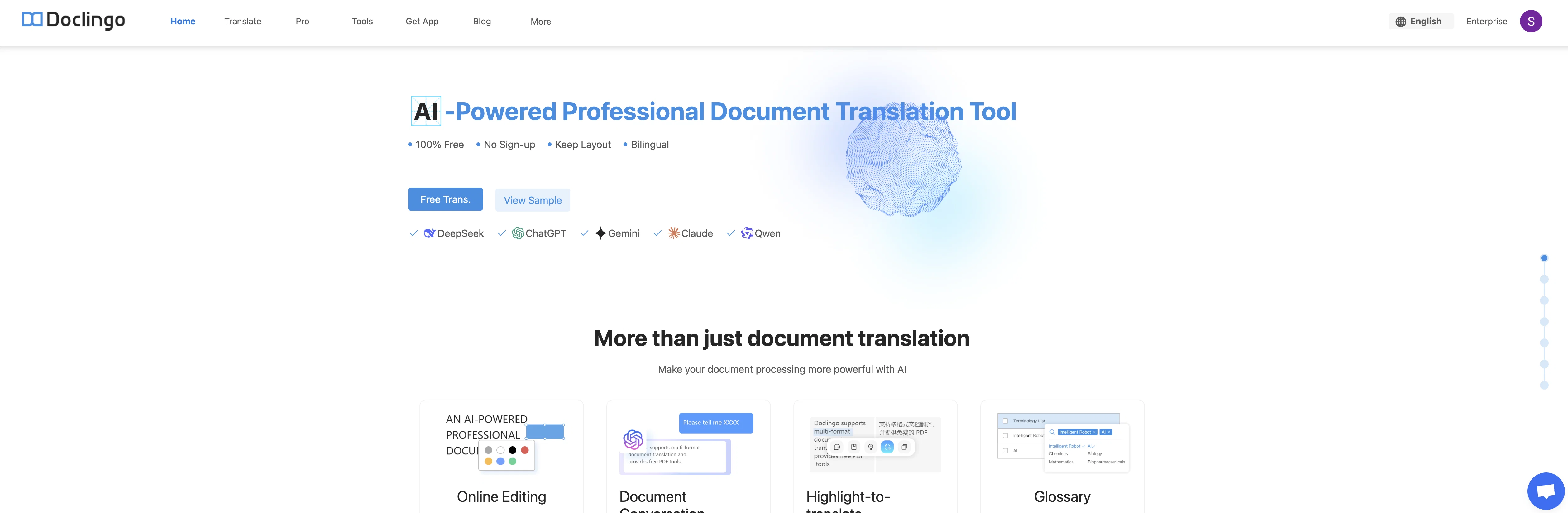
Doclingo is an artificial intelligence-based tool designed to facilitate and enhance varied language translation tasks. Primarily, it offers solutions for document translation, appearing to cater to both individual and enterprise needs. The tool supports a multitude of languages, including but not limited to English, Japanese, French, German, Arabic, Italian, Indonesian, and various forms of Chinese and Indian dialects. More than purely translation, Doclingo also has its own set of professional tools, including an Application Programming Interface (API), designed to streamline work processes and integration into other systems. In terms of accessibility, Doclingo is not confined to a desktop environment as it has its own application available for download, potentially allowing translations on the go. Customer support is provided through an email channel as indicated on the home page. Suffice to say, it requires an updated browser version for optimal experience, encouraging users to upgrade to Chrome or Edge. For a more comprehensive understanding of its product updates, along with more user-focused content, it maintains an active blog on its website. Apart from their suite of tools and features, Doclingo demonstrates commitment to user privacy and terms of service. Help other people by letting them know if this AI was useful. Add your own prompts and outputs to help others understand how to use this AI.
Screenshot gallery
Pros & Cons
Pros
- Multilingual translation tool
- Translation assistance in multiple languages
- Standard & professional translation services
- Mobile application
- Enterprise option availability
- API access
- Support infrastructure (help center, email)
- Accessibility through modern web browsers
- Active blog for updates
- Strong commitment to user privacy
- Detailed terms of service
- Supports individual & enterprise needs
- Provides solutions for document translation
- Professional tools for streamlining processes
- Email-based customer support
- Encourages users to keep browsers updated
- App for on-the-go translations
- Not reliant on desktop environment
Cons
- Limited browser support
- No offline mode
- No JavaScript fallback
- Lacks professional translation accuracy
- No translation memory
- No language pairing control
- Platform-specific mobile app
- Limited API documentation
- No browser plugin support
- No real-time translation
A Professional Framework to Evaluate Doclingo
When considering Doclingo for integration into your organizational workflow, we recommend deploying a structured score card across three critical operational pillars: Security & Compliance, Integration Friction, and long-term Price Scalability. Rather than looking only at basic feature lists, modern procurement teams must assess how a software platform behaves under high load and how well it fits into the team's data security guidelines.
1. Security and Database Compliance
Depending on your operating region and field, ensure that Doclingo supports standard security layers such as SOC 2 Type II certifications, GDPR compliance, or HIPAA-compliant database encryption. If the tool connects directly to client database tables or handles user passwords, verify that they implement multi-factor authentication (MFA), single sign-on (SSO) integrations, and end-to-end data encryption in transit and at rest.
2. API Coverage and Custom Integrations
Siloed data is the primary cause of operational friction. Evaluate if Doclingo has native connectors for your current project trackers, messaging hubs, and customer communication channels. For custom developer requirements, check if they provide a fully documented REST API with reasonable rate limits, comprehensive Webhooks support, and robust SDK packages in your language. A flexible API layer saves hundreds of hours of manual copy-paste overhead.
3. Total Cost of Ownership (TCO)
SaaS pricing packages are often deceptively simple. When reviewing Doclingo's billing structure, map out your team's projected expansion over the next 12 to 24 months. Determine how costs scale as your customer database increases or as you add team members. Factor in setup costs, mandatory support plan upgrades, API access fees, and storage overage rates to understand the true cost before committing to a contract.
By combining verified user reviews from our directory with internal workflow pilot tests, your procurement team can make an informed decision that drives productivity without creating capital waste.
Features of Doclingo
- Document Translation
- Translation
- Language Translation
- Multilingual
- Documents
- Multilingual Support
- Free + From $7.59/Mo
SaaS1to10 verified reviews for Doclingo
Overall rating
Based on 15 reviews
No reviews yet. Be the first to write one.
Pricing
Starting Price
Free plan available
Free tier available with optional paid upgrades.
Where can Doclingo be deployed?
- Cloud, SaaS, Web-Based