5.01 months ago
“Review”
The website is pretty good but there are only a limited number of responses
Probal Roy

AI toolset for Chrome: Boost productivity on any page.
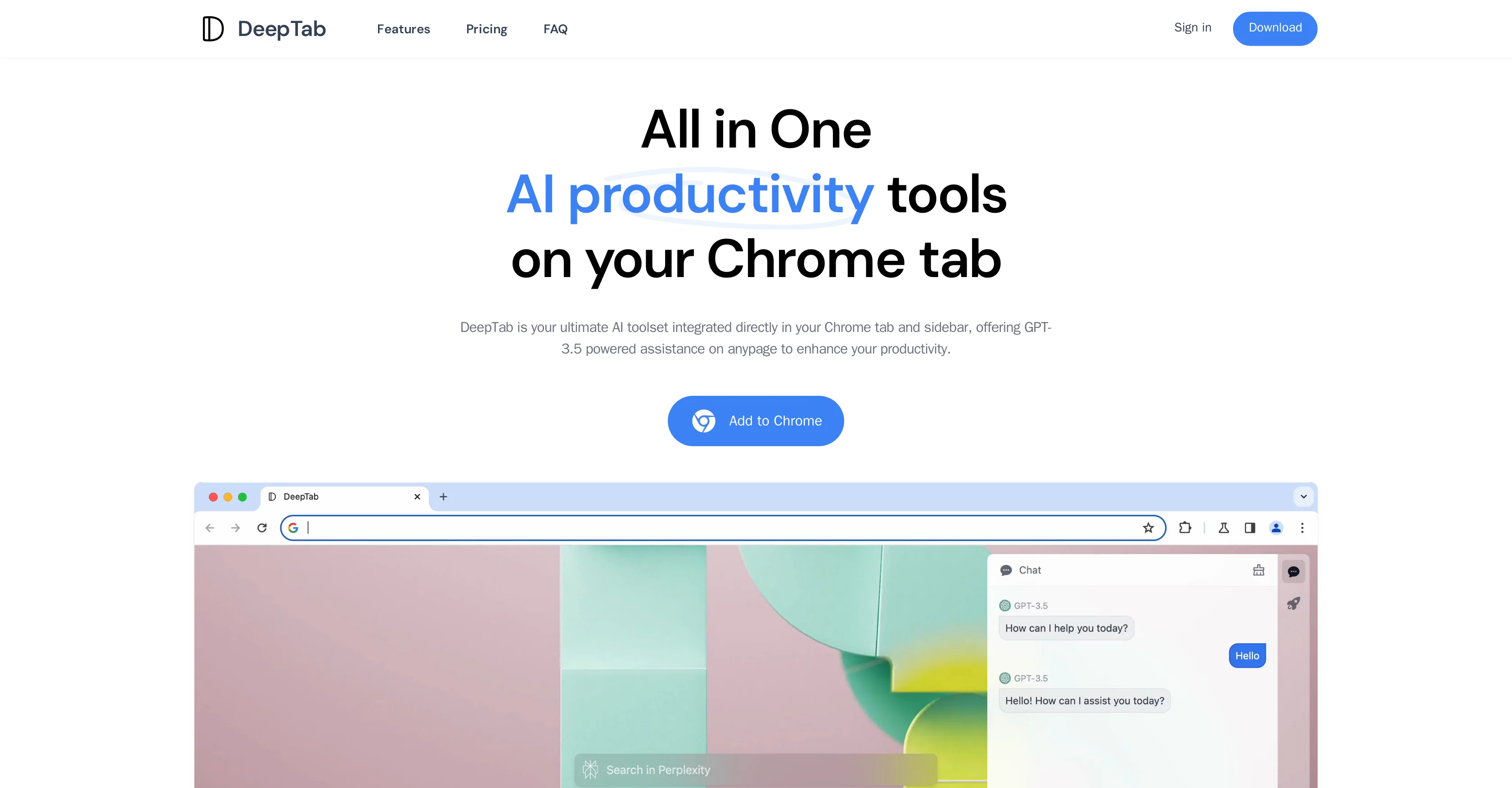
DeepTab is an integrated AI toolset designed to enhance productivity in web browsing. The tool, which embeds into Google Chrome as a tab and sidebar extension, leverages GPT-3.5 for interactive AI assistance on any page. With DeepTab, users have quick access to search capabilities across multiple engines directly from their new tab page, facilitating more efficient browsing and information retrieval. The tool also offers a dynamic daily wallpaper feature that refreshes regularly, making the browsing experience more visually appealing. DeepTab provides an interactive AI chat tool, enabling real-time engagement with AI from the user's tab or sidebar. The tool includes an AI navigation feature, providing a directory of AI-related resources and information to help users streamline their journey through the world of AI. DeepTab offers trial access for new users, and subscriptions for expanded access and features. This tool does not offer refunds due to high GPU processing costs, so users are encouraged to thoroughly evaluate the services during the trial period. Help other people by letting them know if this AI was useful. Add your own prompts and outputs to help others understand how to use this AI.
When considering DeepTab for integration into your organizational workflow, we recommend deploying a structured score card across three critical operational pillars: Security & Compliance, Integration Friction, and long-term Price Scalability. Rather than looking only at basic feature lists, modern procurement teams must assess how a software platform behaves under high load and how well it fits into the team's data security guidelines.
Depending on your operating region and field, ensure that DeepTab supports standard security layers such as SOC 2 Type II certifications, GDPR compliance, or HIPAA-compliant database encryption. If the tool connects directly to client database tables or handles user passwords, verify that they implement multi-factor authentication (MFA), single sign-on (SSO) integrations, and end-to-end data encryption in transit and at rest.
Siloed data is the primary cause of operational friction. Evaluate if DeepTab has native connectors for your current project trackers, messaging hubs, and customer communication channels. For custom developer requirements, check if they provide a fully documented REST API with reasonable rate limits, comprehensive Webhooks support, and robust SDK packages in your language. A flexible API layer saves hundreds of hours of manual copy-paste overhead.
SaaS pricing packages are often deceptively simple. When reviewing DeepTab's billing structure, map out your team's projected expansion over the next 12 to 24 months. Determine how costs scale as your customer database increases or as you add team members. Factor in setup costs, mandatory support plan upgrades, API access fees, and storage overage rates to understand the true cost before committing to a contract.
By combining verified user reviews from our directory with internal workflow pilot tests, your procurement team can make an informed decision that drives productivity without creating capital waste.
Overall rating
Based on 22 reviews
The website is pretty good but there are only a limited number of responses
Probal Roy
Very smooth and effective. It could detect even Hindi language and could summarise pretty reasonably
Pankaj Dixit
Useful to quickly explore the content of and interconnections between research papers. Makes it a more fun process.
Jon Hasworth
It's not even usable anymore, their website is literally a sponsor and that's it
LazyBones The Third
Use full workspaces multiple people can use this ai
Rajkumar Dyagala
Hi thanks for pointing this out, we've checked and can confirm that the thing is in fact doing the thing 🫡
Osum
We will give you guys a go! thanks!
Silent Co
Really amazing! Makes learning content and engaging with things so much easier!
Jamie McDonald
after playing around with it for a bit, i am now aware of how much i need this. i can already feel the hours of sleep coming back to me <3
Bru no no no
This is a great tool! I have a question. The first time I created an Interactive Lesson, the published result had a transcript of the podcast which interacted simultaneously with the mindmap. After navigating out of that window, I can't access this again. Is there a way to access it? Currently it only shows an outline, the podcast and mindmap with no transcript or mindmap interactivity.
Fly Soul O
Zero GPT which is supposed to be covered detects it with 100% certainty. So... No.
Stephan Tual
I joined Kin's beta program on my iPhone XR. After upgrading to an iPhone 13, I found that I couldn't log into my existing account on the new phone, forcing me to create a new account. Now, I have two separate Kin accounts on different phones. Today, when I accessed the beta version of Kin, I got a notification stating that the test version ended on Monday, September 23rd. It instructed me to back up my data and move to the official Kin app. I did as advised—backed up my data, confirmed, uninstalled the beta app via TestFlight, and installed the official Kin app. However, when I attempted to “log in”, I was still unable to access my existing account. This issue hasn't been resolved yet. I have been trying desperately to get in contact with the support team. I left feedback through the test flight app and sent emails. No response. Now trying to find a forums, Reddit posts, TAAFT comments☻
Desiree Miller
Really like how it finds connection in the content that I save. I don't think any other tool can do that.
amix ffx
O GPT faz uma análise melhor e mais personalizada.
Vinicius Vilela
It is not free. So i couldnt test anything
Isa Venancio
I tried using it but the website has too many bugs.
João Neiva
I want to become a genius
Palash Kumar Khanra
Used it for PPT generation and performed extremely well, especially the numbers and data part.
Salina Hook
I’ve been using @Collate to go through technical PDFs, and it’s been surprisingly handy. Summarizing docs and being able to ask questions directly saves me time, especially when I’m skimming through research or API references. No sign-ups, works offline, and everything stays on my device — which I appreciate.
Harman
Miro has massively improved how we collaborate and execute. The AI features have made a real difference in day-to-day productivity, helping us structure ideas quickly and get to decisions faster. What really surprised me is the new prototyping feature: it’s now much easier to turn a workshop board into an actual prototype and iterate with the team. If you’re running product work, workshops, roadmaps, or even GTM planning, Miro is worth it.
Joran Hofman
Works well and connects with my apps easily. I’m considering using it for daily reports and posts
Ron Hardman
Great tool! Was very helpful in content production
Duck Typer
Starting Price
Free plan available
Free tier available with optional paid upgrades.


