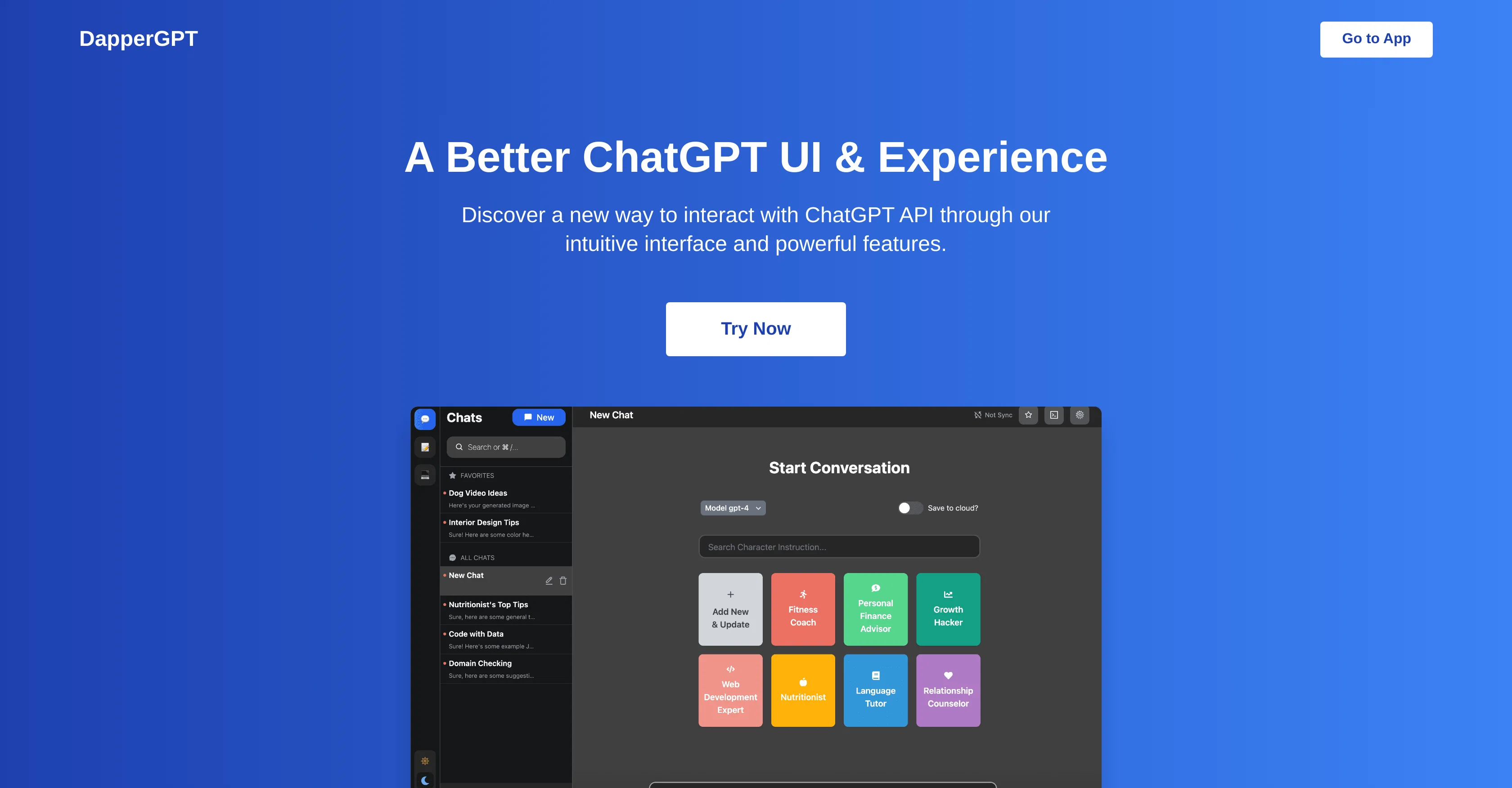
DapperGPT is an enhanced user interface for ChatGPT. The tool provides an intuitive layout to interact with the ChatGPT API, boasting a multitude of powerful features.
From creating AI-powered notes to implementing AI-driven Chrome extensions, DapperGPT has significantly amplified the way users experience ChatGPT. Key features of the tool include a smart search function, an option to pin favorite chats, and the facility to create images.
It also supports character instructions and provides a library to manage prompts effectively. Significantly, the tool offers voice-to-text and text-to-voice features, allowing users to communicate with the system more interactively.DapperGPT raises the usability scale by seamlessly integrating with popular online platforms through autofill capabilities.
It does not have limitations on the number of chats a user can have, the constraints being only the limit of an individual's OpenAI API key and their browser storage capacity.While DapperGPT's basic features are available for free, premium features are unlocked with a one-time purchase or yearly plan.
These premium features offer additional tools, including enhanced customization and cloud sync.Users need a valid OpenAI API key to avail themselves of the service.
While the software doesnt store API keys to the cloud by default, it maintains rigorous security measures for those who opt-in, conducting regular security audits and implementing industry-standard encryption methods.DapperGPT is not currently available for self-hosting but it is continuously updated and enhanced to meet user requirements.
Help other people by letting them know if this AI was useful.
Add your own prompts and outputs to help others understand how to use this AI.
Screenshot gallery
Pros & Cons
Pros
+Enhanced UI for ChatGPT
+API interaction facilitation
+Intuitive chatbot creation
+Chrome extension integration
+Efficient smart search
+PinSync feature
+Unlimited chat capability
+Voice-to-text feature
+Text-to-voice feature
+Autofill capabilities integration
+Effective prompt management
+Image generation capability
+Character instructions support
+Free basic features
+Premium features available
+Security measures integration
+Regular security audits
+Industry-standard encryption methods
+Continuous updates
+Not self-hosting required
+Cloud sync in premium
+Team features in premium
Cons
−Premium features not free
−Not self-hostable
−Relies on browser storage
−Limited by API key limit
−No multi-language support
−No offline functionality
−No mobile app version
−Lack of detailed documentation
A Professional Framework to Evaluate DapperGPT
When considering DapperGPT for integration into your organizational workflow, we recommend deploying a structured score card across three critical operational pillars: Security & Compliance, Integration Friction, and long-term Price Scalability. Rather than looking only at basic feature lists, modern procurement teams must assess how a software platform behaves under high load and how well it fits into the team's data security guidelines.
1. Security and Database Compliance
Depending on your operating region and field, ensure that DapperGPT supports standard security layers such as SOC 2 Type II certifications, GDPR compliance, or HIPAA-compliant database encryption. If the tool connects directly to client database tables or handles user passwords, verify that they implement multi-factor authentication (MFA), single sign-on (SSO) integrations, and end-to-end data encryption in transit and at rest.
2. API Coverage and Custom Integrations
Siloed data is the primary cause of operational friction. Evaluate if DapperGPT has native connectors for your current project trackers, messaging hubs, and customer communication channels. For custom developer requirements, check if they provide a fully documented REST API with reasonable rate limits, comprehensive Webhooks support, and robust SDK packages in your language. A flexible API layer saves hundreds of hours of manual copy-paste overhead.
3. Total Cost of Ownership (TCO)
SaaS pricing packages are often deceptively simple. When reviewing DapperGPT's billing structure, map out your team's projected expansion over the next 12 to 24 months. Determine how costs scale as your customer database increases or as you add team members. Factor in setup costs, mandatory support plan upgrades, API access fees, and storage overage rates to understand the true cost before committing to a contract.
By combining verified user reviews from our directory with internal workflow pilot tests, your procurement team can make an informed decision that drives productivity without creating capital waste.
Features of DapperGPT
Chatbot
ChatGPT API
OpenAI API Key
User Interface
Text To Voice
Voice To Text
Free + From $23.40/Mo
SaaS1to10 verified reviews for DapperGPT
Overall rating
★★★★★5.0
Based on 13 reviews
★★★★★5.02 months ago
“Review”
As the service was in beta-testing stage, I created there a dozen of AI-generated courses for free. I wanted to use them. Those courses remained in my account as they started subscription tiers. But recently I have found out that they were deleted. The support didn't answer to my e-mail at all.
Oldfag TV
★★★★★5.02 months ago
“Review”
Fantastic features, build by an excellent developer; I really love the way some UI implementations have been done. Btw, it supports ALL models, including O1 mini, Claude, etc. The description is out dated
WillemvG
★★★★★5.02 months ago
“Review”
Beautiful//videos
Tanu singh
★★★★★5.02 months ago
“Review”
Did not work, keeps on thinking
Frank van Tussenbroek
★★★★★5.02 months ago
“Review”
An amazing app, I love the share feature and the comment section summaries
Silvia Cho
★★★★★5.02 months ago
“Review”
After my first use, I think it's surprisingly good. The only drawback so far is the PDF export option for the report which is formatless.
Alejandro Correa
★★★★★5.02 months ago
“Review”
BEST AI CO-PILOT FOR YOUR DAY TODAT WORK ON THE INTERNET IT'S FOR EVERYONE
Aryan Patil
★★★★★5.02 months ago
“Review”
It's sad to see people want to try your tool out but you have no free sample for them. This may be the best tool out there, but, as mentioned, going through with the AI for minutes to explain what you want, then being prompted to pay, without even knowing if it CAN create something, is discouraging. I hope we can get a free sample or preview at one point, im interested in this one.
Ron Jayson
★★★★★5.02 months ago
“Review”
threw our docs and a few old support questions into @Chatbase and it cooked a pretty decent bot. answered the basic stuff without me babysitting it, and setup was way less annoying than expected. still had to tighten a couple vague replies, but it could definitely make the inbox quieter.
Liam Therrien
★★★★★5.02 months ago
“Review”
@FlowGPT was great... up until the point where all my history disappeared, I stopped being able to see content, and I was unable to do anything without their ever helpful "something went wrong" error message. I'm glad I didn't pay for their currency... it would have all be lost.
David Holden
★★★★★5.02 months ago
“Review”
This app is awesome because it has two cool features. First, it lets you chat with an AI that talks like a real person, perfect for customer service or just having fun conversations. The second feature lets you create amazing artwork instantly using AI. The app is super easy to use, and you don’t even need to sign up. Plus, it’s a free mobile app, so you can take it anywhere! It’s a fun, creative tool for everyone.
Tahir
★★★★★5.02 months ago
“Review”
Athena has been a useful product for travel and product recommendations. Additionally, it has helped me with my daily tasks.