5.02 months ago
“Review”
Instantly goes live without hassle
E

Learn music production by doing, not Googling.
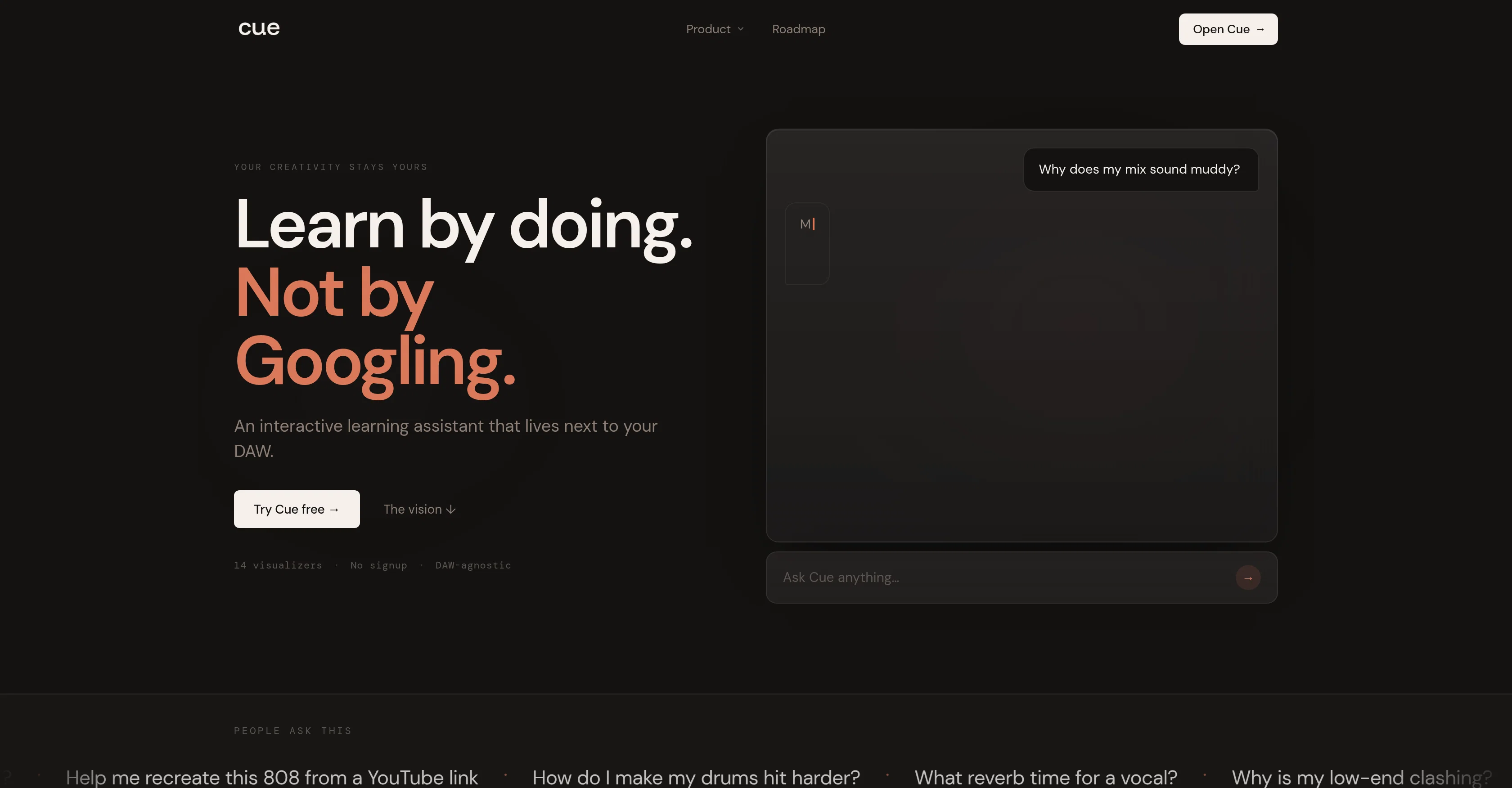
Cue is an interactive learning assistant designed specifically for music producers. Its primary objective is to aid in learning different aspects of music production such as mixing, arrangement, sound design, EQ, and compression. The unique feature of Cue is its ability to sit alongside any Digital Audio Workstation (DAW), functioning as an aiding tool while music production is going on. It supports various DAWs like Ableton, Logic, FL Studio, and Pro Tools. Cue offers a distinctive experience by visually demonstrating the tasks rather than merely providing theoretical instructions. It does not generate music automatically nor make creative decisions, thereby preserving the user's creativity. It merely offers guidance to help the user understand the intricacies of their own creative decisions. Its services include EQ Frequency balance, Compressor Dynamics control, Reverb Space and Depth, Transient Attack and Punch, Synth Sound Design, and more. Unlike other platforms that disrupt user flow, Cue aims to provide real-time learning without affecting the user's workflow, preserving the user's in-the-moment creativity. It is also designed to remember the user's genre, BPM, key from session to session, and provides specifically tailored advice. Help other people by letting them know if this AI was useful. Add your own prompts and outputs to help others understand how to use this AI.
When considering Cue for integration into your organizational workflow, we recommend deploying a structured score card across three critical operational pillars: Security & Compliance, Integration Friction, and long-term Price Scalability. Rather than looking only at basic feature lists, modern procurement teams must assess how a software platform behaves under high load and how well it fits into the team's data security guidelines.
Depending on your operating region and field, ensure that Cue supports standard security layers such as SOC 2 Type II certifications, GDPR compliance, or HIPAA-compliant database encryption. If the tool connects directly to client database tables or handles user passwords, verify that they implement multi-factor authentication (MFA), single sign-on (SSO) integrations, and end-to-end data encryption in transit and at rest.
Siloed data is the primary cause of operational friction. Evaluate if Cue has native connectors for your current project trackers, messaging hubs, and customer communication channels. For custom developer requirements, check if they provide a fully documented REST API with reasonable rate limits, comprehensive Webhooks support, and robust SDK packages in your language. A flexible API layer saves hundreds of hours of manual copy-paste overhead.
SaaS pricing packages are often deceptively simple. When reviewing Cue's billing structure, map out your team's projected expansion over the next 12 to 24 months. Determine how costs scale as your customer database increases or as you add team members. Factor in setup costs, mandatory support plan upgrades, API access fees, and storage overage rates to understand the true cost before committing to a contract.
By combining verified user reviews from our directory with internal workflow pilot tests, your procurement team can make an informed decision that drives productivity without creating capital waste.
Overall rating
Based on 13 reviews
Instantly goes live without hassle
E
Maybe you don’t have a subscription, so there are no credits on your account, and a lot of features require credits to use.
Span Chen
Ayyyy this thing's actually valid! It starts spitting lyrics right away and they're kinda fire too
Robert Roth
i love it i use it to teach me Italian and ukranian and programing ! and it awesome , because it allows you in the free version send many prints of your screen , not having to explain all the errors by typing diferent from gpt that you can only send 3 photos in the free version. i also use @Grok to study i frist make the exercise in my book then i take a photo of my exercise then i ask it to see if there is any mistake and dissipate my terryble handwriting it understands
fernand Lopes
This is my best bro! I communicate with him like my best friend, he always helps to direct my thoughts and ideas in the right direction, always tells me how to improve something and always gives detailed instructions during the conversation. Thanks to him, I’m launching a new project, in which he helps me take my ideas to a new level, just communication, during which you reassemble your concept and rethink your original idea, because you didn’t know how it would be better and more correct. @DeepSeek is my best assistant today, my creative inspiration, who gives me support and confidence in my business, guiding me to realize my dreams)
Gamer TOTORO
The most humanly AI i have used so far but the problem is as soon as you start piling up messages in single chat session , it starts getting slow and at some point it starts freezing and also uses a lot of resources. For time being its okay to do 3 4 messages but as soon as we continue it has messages limitation and also starts getting very very slow . For the price of £18 per month this is unacceptable and with the newly introduced feature called project, if we start new chat within the project we cannot continue with the context we provided in other chats within same project. There are lot of improvements for them to work on. And to start with the its speed and its price
Bibash Katel
State of the Art
Dmitry G.
still background removing accuracy is required. it only 80% not 100%
Krutika Creations
Went from a C to an A in Cognitive Psychology using @Thea!!
Sarah White
I think it's the best @Image Generator I ever found on the net. It gives more accurate image according to the prompt. And thank you for keeping it for free.
My Sawsiri
Not at all accurate…. The only thing similar between original and generated images were the clothes and accessories… face was absolutely new and unconnected.
Shvetank Sharma
By far the best AI vocal software out there, both in terms of training your own model or using one of theirs (legit artists and generic vocalists). No trial BS, free account tier, commercial use option, etc. 10/10
Wilton Gorske
can't really use the app once without payment, was really disappointed with that. I was excited to use the app, too.
1nVerTed
Starting Price
Free plan available
Free tier available with optional paid upgrades.


