5.02 months ago
“Review”
It allowed me to specify the name and number to call from but the call was received from unknown caller and a number I don't recognize. The female voice also has a pretty whacky personality..
Daniel Setzer

Optimized real-time sales call assistance.
Colibri.AI is a real-time conversation intelligence software that helps sales teams improve their sales calls and close more deals. The platform offers AI-triggered live cue cards, data-driven coaching, and powerful call analytics, and it can be used for legal and transcription purposes as well. Colibri enables its users to create a searchable call library, record, transcribe, analyze and organize their sales calls, and get AI meeting summaries that identify next steps, customer questions, and other key points in meetings automatically. Colibri also helps sales teams to track and analyze the topics that matter to them, offers real-time battle cards for competitor mentions, objection handling, and provides reminders and alerts to help sales reps stay on track. Additionally, Colibri offers smart checklists to help reps follow talk tracks and hold high-quality meetings with prospects. With Conversation Intelligence and Team Performance Analytics, users can get trending topics insights to understand market signals and build data-driven selling strategies, and measure key metrics related to script adherence, talk-to-listen ratio, customer sentiment, and more. Colibri also offers a native app for Zoom that helps reps access call templates, contextual battle cards, and take notes without leaving the Zoom meeting. Finally, Colibri automatically logs calls and syncs meeting notes with the sales team’s CRM. Help other people by letting them know if this AI was useful. Add your own prompts and outputs to help others understand how to use this AI.
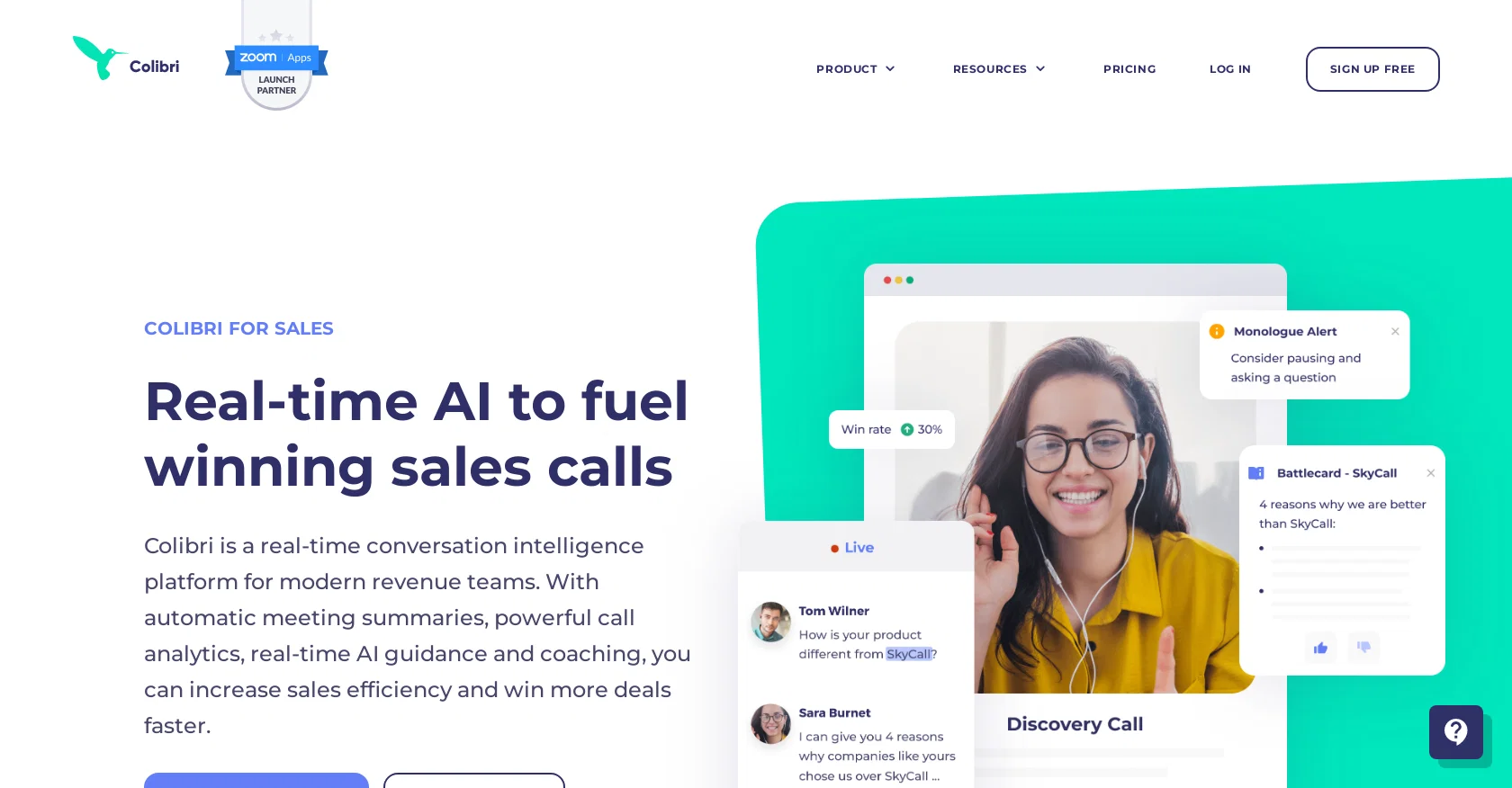
When considering Colibri.ai for integration into your organizational workflow, we recommend deploying a structured score card across three critical operational pillars: Security & Compliance, Integration Friction, and long-term Price Scalability. Rather than looking only at basic feature lists, modern procurement teams must assess how a software platform behaves under high load and how well it fits into the team's data security guidelines.
Depending on your operating region and field, ensure that Colibri.ai supports standard security layers such as SOC 2 Type II certifications, GDPR compliance, or HIPAA-compliant database encryption. If the tool connects directly to client database tables or handles user passwords, verify that they implement multi-factor authentication (MFA), single sign-on (SSO) integrations, and end-to-end data encryption in transit and at rest.
Siloed data is the primary cause of operational friction. Evaluate if Colibri.ai has native connectors for your current project trackers, messaging hubs, and customer communication channels. For custom developer requirements, check if they provide a fully documented REST API with reasonable rate limits, comprehensive Webhooks support, and robust SDK packages in your language. A flexible API layer saves hundreds of hours of manual copy-paste overhead.
SaaS pricing packages are often deceptively simple. When reviewing Colibri.ai's billing structure, map out your team's projected expansion over the next 12 to 24 months. Determine how costs scale as your customer database increases or as you add team members. Factor in setup costs, mandatory support plan upgrades, API access fees, and storage overage rates to understand the true cost before committing to a contract.
By combining verified user reviews from our directory with internal workflow pilot tests, your procurement team can make an informed decision that drives productivity without creating capital waste.
Overall rating
Based on 9 reviews
It allowed me to specify the name and number to call from but the call was received from unknown caller and a number I don't recognize. The female voice also has a pretty whacky personality..
Daniel Setzer
dont have option to scrap in bulk, then is useless
Leandro Conti
Still in closed beta
Leandro Conti
Easy to implement into my workflow and helps save time reviewing and drafting various legal documents
Meaghan Hounslow
After my first use, I think it's surprisingly good. The only drawback so far is the PDF export option for the report which is formatless.
Alejandro Correa
So very useful
BDG 100 % Winning
has been an absolute game changer. Easy to use and offers the flexibility of enterprise level integrations at a fraction of the cost of some other tools. Training models are easy.
navin jeno
Great! I think @AI Lawyer is the best service I've ever seen. Perfect use. Prompting helps in the work
Yuri Gerasimov
filters my spam calls
Robin Haw
Starting Price
Free plan available
Free tier available with optional paid upgrades.