5.01 months ago
“Review”
When I want to sign up on the @Ideogram website with "Continue with Google" and press it, the sentence "Please choose an option to continue" appears below the banner and no action happens. Anybody can help me?
Michael Ryan

Convert images to insightful conversations.
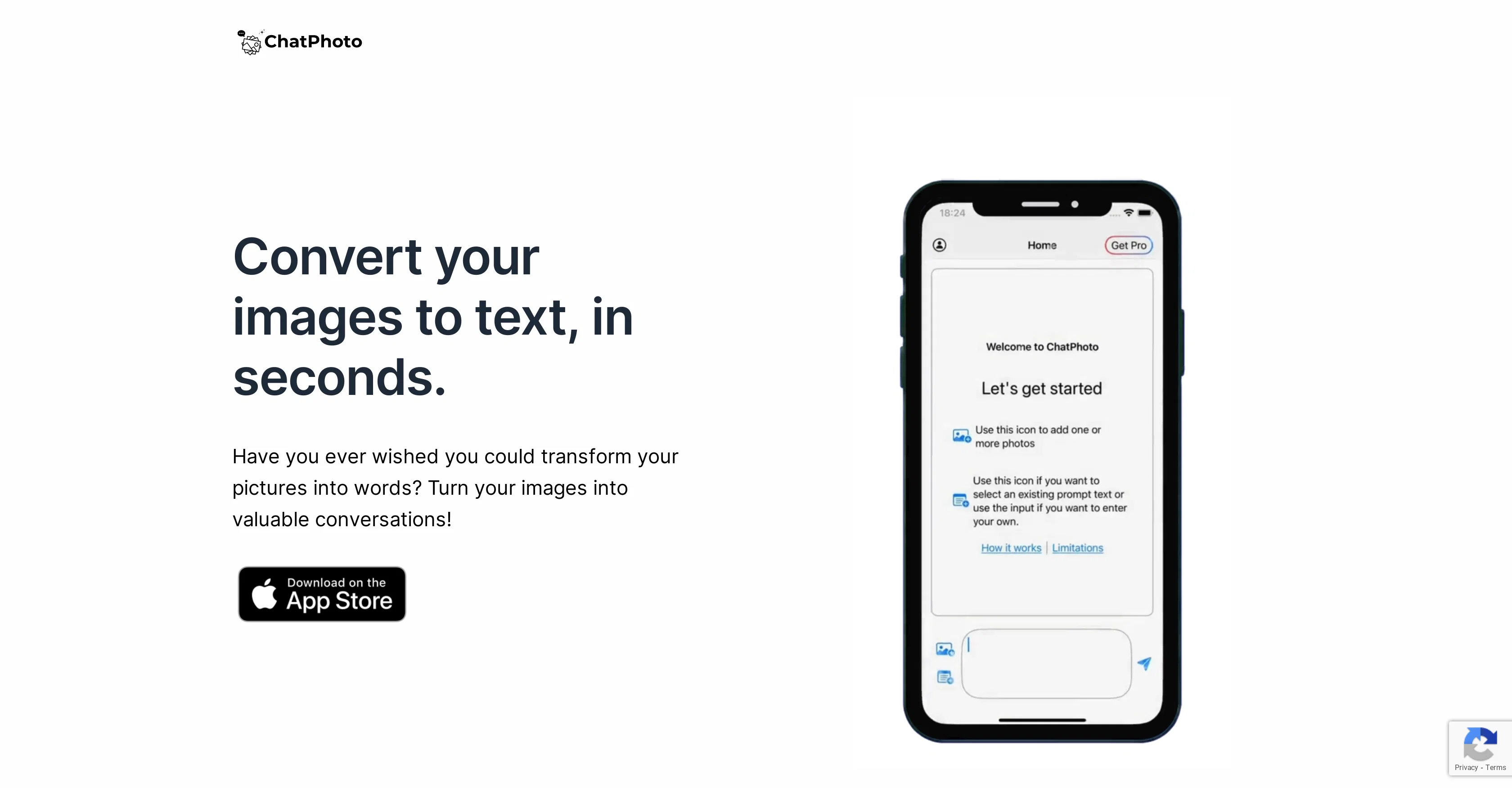
ChatPhoto: AI Image To Text is an AI tool built to convert images to text and facilitate interactive image-related discussions. Users can ask questions about the images they upload, and the AI delivers detailed answers. This tool has the ability to interpret and translate not only words in an image but also to provide useful details or unique responses about places or items within a photo. The ChatPhoto AI digs deep into the visual elements of an image to provide these insights.This tool encourages users to explore their surroundings in a new way, turning an ordinary photo into something more informative or narrative-driven. This feature can be helpful for creating captions for social media posts or generating stories about a photo. ChatPhoto supports multiple languages, enabling users to interact with their images in their preferred language, thus making the tool accessible to users worldwide. Additionally, ChatPhoto differentiates itself from similar tools such as iOS Live Text by enabling users to convert not only text images but also non-text photos into conversable material. This tool has an array of applications, where users can ask specific questions and receive responses based on the image content.A significant aspect of ChatPhoto's functionality is its ability to chat in multiple languages, making it accessible to users regardless of their linguistic backgrounds. Also, ChatPhoto provides its services free of charge up to four messages per month. However, to access more features like chatting with multiple photos or unlimited messages, users can opt into a premium subscription. Help other people by letting them know if this AI was useful. Add your own prompts and outputs to help others understand how to use this AI.
When considering ChatPhoto for integration into your organizational workflow, we recommend deploying a structured score card across three critical operational pillars: Security & Compliance, Integration Friction, and long-term Price Scalability. Rather than looking only at basic feature lists, modern procurement teams must assess how a software platform behaves under high load and how well it fits into the team's data security guidelines.
Depending on your operating region and field, ensure that ChatPhoto supports standard security layers such as SOC 2 Type II certifications, GDPR compliance, or HIPAA-compliant database encryption. If the tool connects directly to client database tables or handles user passwords, verify that they implement multi-factor authentication (MFA), single sign-on (SSO) integrations, and end-to-end data encryption in transit and at rest.
Siloed data is the primary cause of operational friction. Evaluate if ChatPhoto has native connectors for your current project trackers, messaging hubs, and customer communication channels. For custom developer requirements, check if they provide a fully documented REST API with reasonable rate limits, comprehensive Webhooks support, and robust SDK packages in your language. A flexible API layer saves hundreds of hours of manual copy-paste overhead.
SaaS pricing packages are often deceptively simple. When reviewing ChatPhoto's billing structure, map out your team's projected expansion over the next 12 to 24 months. Determine how costs scale as your customer database increases or as you add team members. Factor in setup costs, mandatory support plan upgrades, API access fees, and storage overage rates to understand the true cost before committing to a contract.
By combining verified user reviews from our directory with internal workflow pilot tests, your procurement team can make an informed decision that drives productivity without creating capital waste.
Overall rating
Based on 20 reviews
When I want to sign up on the @Ideogram website with "Continue with Google" and press it, the sentence "Please choose an option to continue" appears below the banner and no action happens. Anybody can help me?
Michael Ryan
This is my best bro! I communicate with him like my best friend, he always helps to direct my thoughts and ideas in the right direction, always tells me how to improve something and always gives detailed instructions during the conversation. Thanks to him, I’m launching a new project, in which he helps me take my ideas to a new level, just communication, during which you reassemble your concept and rethink your original idea, because you didn’t know how it would be better and more correct. @DeepSeek is my best assistant today, my creative inspiration, who gives me support and confidence in my business, guiding me to realize my dreams)
Gamer TOTORO
Would be better if they let you use your own text as an option.
William Lowe
Accuracy nice. Free
Álvaro Sánchez Román
I rarely leave reviews, but Elsa amazed me. After a few weeks of using it, I'm still excited. Props, guys.
Anton
Hi there! The tool works just fine, all you need to do is copy the text you want to rewrite and paste it in the little prompt box, where it says "Enter your prompt here". Click "Generate" and you're done!
Antonia Mitrea
Very interesting
Béatrice Duval
Really like how it finds connection in the content that I save. I don't think any other tool can do that.
amix ffx
This tool i found is super cool, I created 5 books from this tool to sell them online, which gives me great profit. I am creating more valuable books to spread knowledge, and earn some bucks as well 🤑.
Bilal Ashraf
I already have another transcription tool, but this one is much better. I love the different features such as the summary, quiz, and chapters. It does a great job of them. I've only done one transcript so far to try it out, but I'm truly impressed and am going to grab another code. A couple things that would make it even better are: - the ability to rename the files and organize them through folders. - the ability to download a copy of the other features as well as the transcript. Copying and pasting it works, but doesn't keep the format.
dunn
Went from a C to an A in Cognitive Psychology using @Thea!!
Sarah White
The website is pretty good but there are only a limited number of responses
Probal Roy
🌟🌟🌟🌟🌟 This AI prompt generation tool is exceptional! It vividly brought to life the jungle scene I envisioned, capturing every detail with remarkable accuracy. The natural expressions, vibrant colors, and serene atmosphere were perfectly rendered. Highly recommended for creative projects!
Sukul Das PANIKA
2 times I tried and it threw error. it is not clear how to use it.
marcelo prizmic
your answer is much too general, so useless. You could have just tell me to ask Perplexity.
Ta
I think it's the best @Image Generator I ever found on the net. It gives more accurate image according to the prompt. And thank you for keeping it for free.
My Sawsiri
A non brainer to use.
Godwin Onye
First time I have tried it. I think it is terrific!
Paul M. Horowitz
its good, but uses a credit system and needs premuim
Panchito (Phillip Tarrillo)
This is a text extraction service. Not image to text.
Michael Watson
Starting Price
Free plan available
Free tier available with optional paid upgrades.


