5.01 months ago
“Review”
@KeywordSearch creates AI Ad Targeting audiences for YouTube
Aleric Heck

AI-Powered data analyst on your phone starting with Shopify
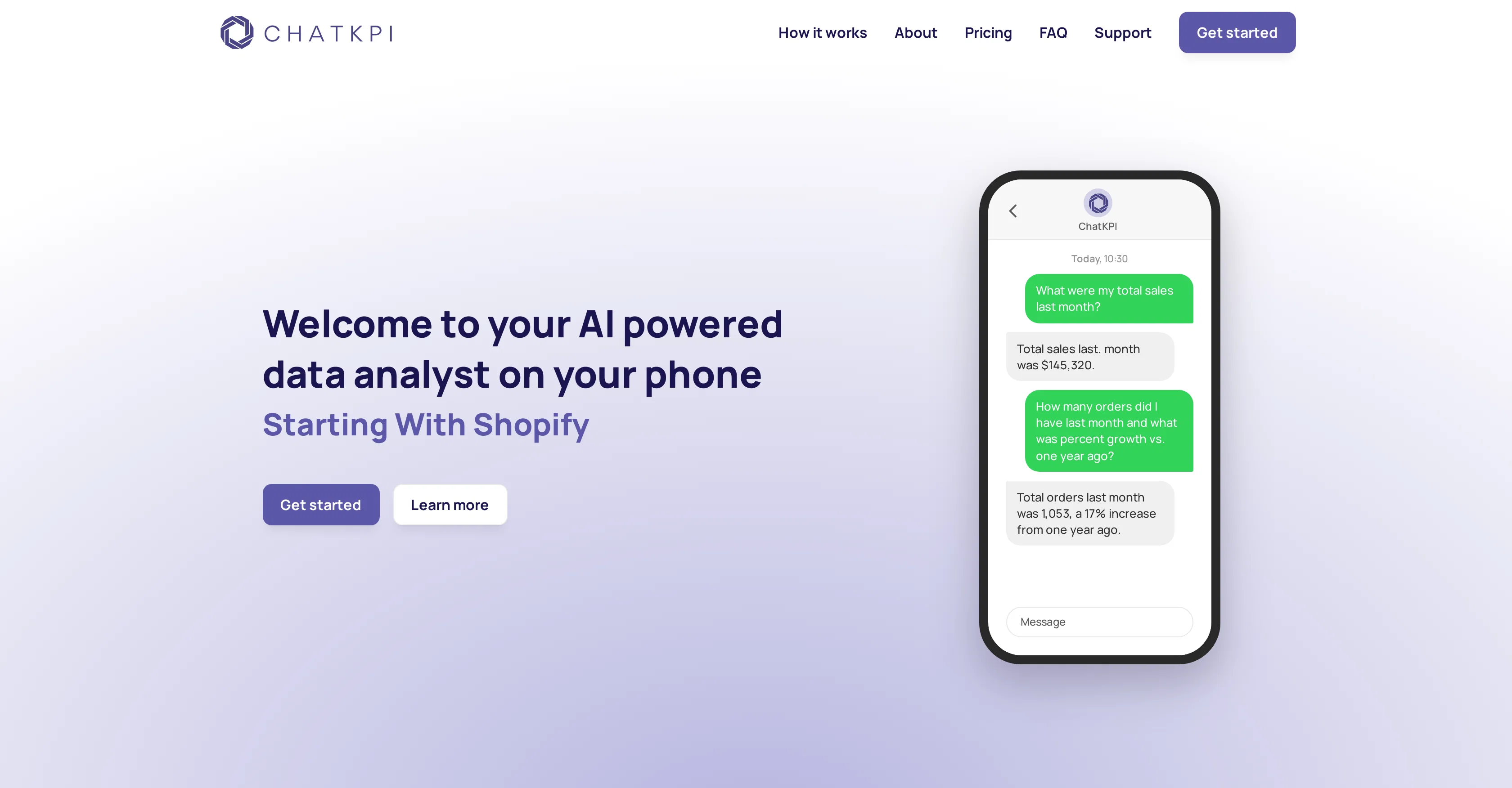
ChatKPI serves as a virtual AI analyst, tailored specifically for Shopify business owners. Kicking off with Shopify, it provides a platform for tracking sales trends, identifying popular products, and understanding customer behaviors. The tool offers real-time insights which can be accessed anytime and anywhere, through easy-to-use conversational interfaces such as texting. It features enhanced conversational analytics allowing users to ask questions in the same way they would text a friend, simplifying data access. It uses natural language processing with large language models like ChatGPT for clear and understandable responses. This aids in driving business growth and performance by providing personalized business metrics and insights. The tool also supports the provision of frequently asked questions making it easier for users to understand its working. Their aim is not only to provide details about your business but also empower the users to make smarter, data-driven decisions. Help other people by letting them know if this AI was useful. Add your own prompts and outputs to help others understand how to use this AI.
When considering ChatKPI for integration into your organizational workflow, we recommend deploying a structured score card across three critical operational pillars: Security & Compliance, Integration Friction, and long-term Price Scalability. Rather than looking only at basic feature lists, modern procurement teams must assess how a software platform behaves under high load and how well it fits into the team's data security guidelines.
Depending on your operating region and field, ensure that ChatKPI supports standard security layers such as SOC 2 Type II certifications, GDPR compliance, or HIPAA-compliant database encryption. If the tool connects directly to client database tables or handles user passwords, verify that they implement multi-factor authentication (MFA), single sign-on (SSO) integrations, and end-to-end data encryption in transit and at rest.
Siloed data is the primary cause of operational friction. Evaluate if ChatKPI has native connectors for your current project trackers, messaging hubs, and customer communication channels. For custom developer requirements, check if they provide a fully documented REST API with reasonable rate limits, comprehensive Webhooks support, and robust SDK packages in your language. A flexible API layer saves hundreds of hours of manual copy-paste overhead.
SaaS pricing packages are often deceptively simple. When reviewing ChatKPI's billing structure, map out your team's projected expansion over the next 12 to 24 months. Determine how costs scale as your customer database increases or as you add team members. Factor in setup costs, mandatory support plan upgrades, API access fees, and storage overage rates to understand the true cost before committing to a contract.
By combining verified user reviews from our directory with internal workflow pilot tests, your procurement team can make an informed decision that drives productivity without creating capital waste.
Overall rating
Based on 23 reviews
@KeywordSearch creates AI Ad Targeting audiences for YouTube
Aleric Heck
Did not work, keeps on thinking
Frank van Tussenbroek
A little biased, but I think it's great.
Dawson Whitfield
superb, e gratis, merge blana, in EN se aude ideal
jon doe
After my first use, I think it's surprisingly good. The only drawback so far is the PDF export option for the report which is formatless.
Alejandro Correa
typed in my prompts and boooooom. clean descriptions in secs lol. handy if you suck at writing (like me). lowkey a cheat code (no san andreas)
Liam Therrien
im not receiving the code in my email
aiden shop
Very cool app! Build was fast as, and with a few tweaks I fully launched my website in 1 hour!
Joe Smythe
I tried NovelGPT a template in @Agentgpt and it did an excellent job writing the first two episodes of my novel complete with character descriptions, setting,plot points and well I think you get the point. Great tool can't wait to see it out of beta.
Kelli Crose
It's genius. Amazing tool. PDF generation might be improved, but apart from that is amazing.
Aleksander Lukashou
I joined Kin's beta program on my iPhone XR. After upgrading to an iPhone 13, I found that I couldn't log into my existing account on the new phone, forcing me to create a new account. Now, I have two separate Kin accounts on different phones. Today, when I accessed the beta version of Kin, I got a notification stating that the test version ended on Monday, September 23rd. It instructed me to back up my data and move to the official Kin app. I did as advised—backed up my data, confirmed, uninstalled the beta app via TestFlight, and installed the official Kin app. However, when I attempted to “log in”, I was still unable to access my existing account. This issue hasn't been resolved yet. I have been trying desperately to get in contact with the support team. I left feedback through the test flight app and sent emails. No response. Now trying to find a forums, Reddit posts, TAAFT comments☻
Desiree Miller
B12 exceeded my expectations especially after I tried a few similar tools. Signing up took under a minute and because I offer a very specific set of services as a consultant, I didn't expect the AI to be able to capture my work, but it did a great job with creating content for me. I only had to make a few edits, add my bio, and was able to publish that same day. Now I get lots of compliments on my site and I've even tried their other tools like email marketing, which is great because the emails match my site's appearance. Overall I would recommend B12 as an effective, affordable, and easy to use website solution.
Katie G
As the service was in beta-testing stage, I created there a dozen of AI-generated courses for free. I wanted to use them. Those courses remained in my account as they started subscription tiers. But recently I have found out that they were deleted. The support didn't answer to my e-mail at all.
Oldfag TV
I think it's the best @Image Generator I ever found on the net. It gives more accurate image according to the prompt. And thank you for keeping it for free.
My Sawsiri
I really like @DataLine, but I'm kinda biased cause I built it.
Rami Awar
The website is pretty good but there are only a limited number of responses
Probal Roy
O GPT faz uma análise melhor e mais personalizada.
Vinicius Vilela
I really value the sentiment analysis tool—it simplifies understanding customer feedback by picking up on their emotions. Plus, the way it groups comments into topics is super helpful for decision-making.
Prakhar Pratap Mall
Immo currently best solution if you want to convert / enchant your how-to tutorials to more professional!
asusi zuppa
Created a dashboard using my Excel file and it gave insights I didn’t even expect. It can read any kind of Excel file no matter the template. I can even check the accuracy by tracing back which column the data came from Great tool. highly recommended!!
Anubhav Pandey
Signed up for a pro account for Google Drive integration. Works great! Saves me a lot of manual excel work.
Thu Ha Vu
It is the ease of use for me. @DataSquirrel is fast, the UI is super intuitive, and the guided analysis feature is highly convenient. I have officially moved from uploading CSV files from Google sheet to @DataSquirrel. Within minutes, I can visualize my data and interpreting it becomes super simple.
Aakriti Mahajan
Super useful tool that’s reduced my job by 80%
Harishma Reghu
Starting Price
Free plan available
Free tier available with optional paid upgrades.


