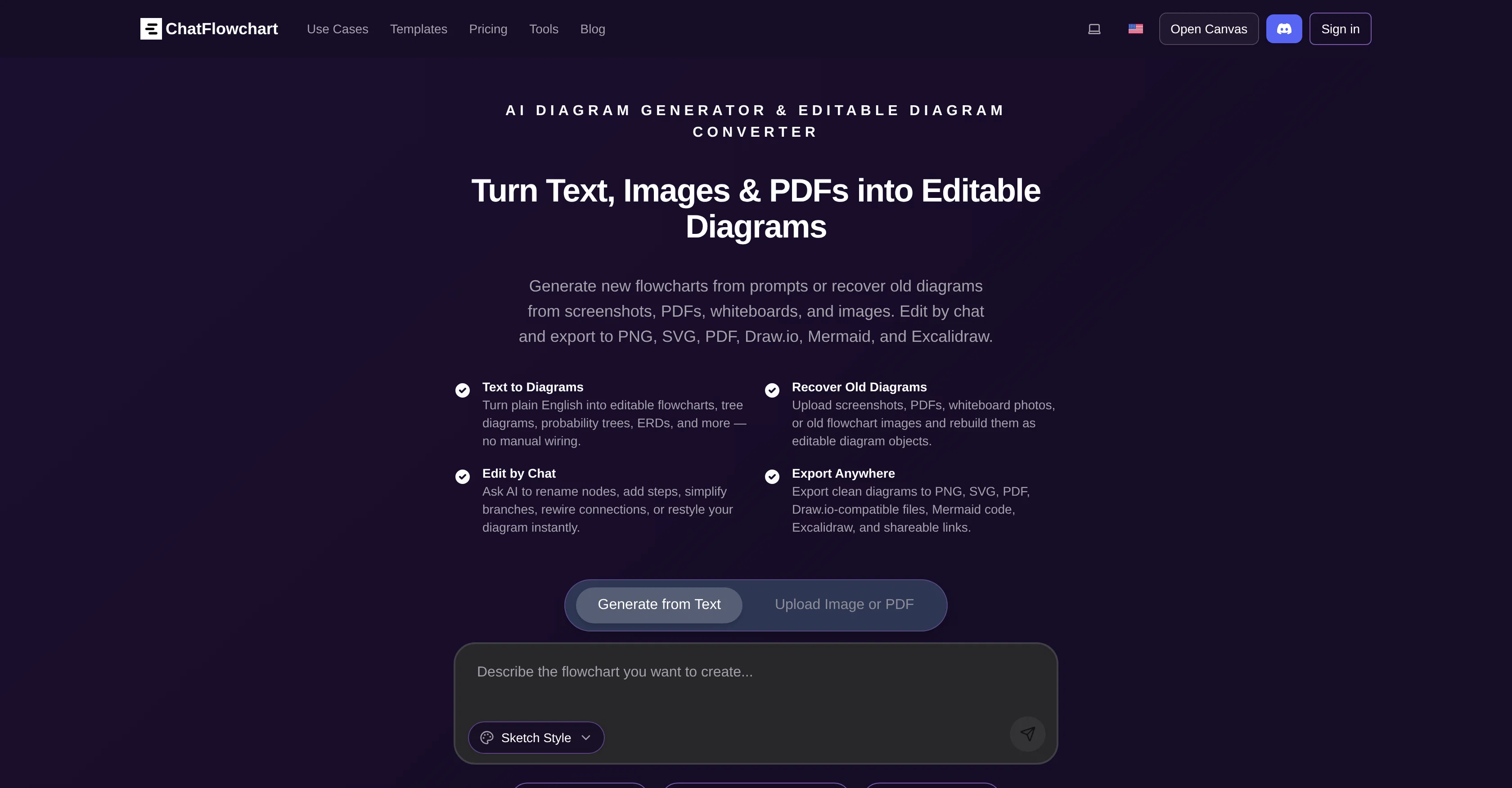
ChatFlowchart is a comprehensive AI-powered tool that transforms text, images, PDFs, screenshots, and whiteboards into editable flowcharts and diagrams.
It enables the generation of new flowcharts from prompts or restoration of previous diagrams from a variety of sources. By converting English-text into multiple diagram types, it eliminates manual wiring.
The tool is devised with the ability to recreate old diagrams into editable versions by uploading images such as screenshots, PDFs, whiteboard photos, etc.
Amending diagrams is made easy with chat features like renaming nodes, adjusting steps, refining branches, rearranging connections, and revamping diagram styles.
The generated or modified diagrams can be exported in diverse formats including PNG, SVG, PDF, Draw.io, Mermaid, Excalidraw, or shareable links. Moreover, diagrams can be developed from text, converted from images into flowcharts, or exported as flowchart animation videos.
The program includes a feature that turns a paragraph, bullet list, or rough notes into a clean flowchart instantly. It also allows users to generate flowchart videos to explain workflows or present systems visually.
Furthermore, the AI-system facilitates making flowcharts online in four easy steps without sign-up requirements and credit card details. Additionally, one can convert any image into a neat, editable flowchart instantly.
Help other people by letting them know if this AI was useful.
Add your own prompts and outputs to help others understand how to use this AI.
Screenshot gallery
Pros & Cons
Pros
+Converts text to diagrams
+Instant flowchart construction
+Offers multiple diagram types
+Recreates old diagrams
+Processes screenshots and PDFs
+Easy diagram amendment
+Exports to various formats
+Create flowchart animation videos
+Eliminates manual wiring
+No sign-up required
+No credit card details required
+Reformats whiteboard photos
+Works with English text
+Renames nodes
+Adjusts steps in diagrams
+Refines branches
+Rearranges connections
+Revamps diagram styles
+Turns bullet-lists to flowcharts
+Converts rough notes to flowcharts
+Paragraph to flowchart transformation
+Generates flowchart videos
+Online flowchart creation
+Image to flowchart conversion
+Chat feature for editing
+Free-style flowchart generator
+Supports flows, trees and roles
+Regenerates flowcharts from canvas
+Works with JPG/PNG images
+Reformats scans and photos
+No need to redraw
+Export and editing of diagrams
+Features converters for rebuilding
+Recovers old diagrams
+Compatible with Draw.io
+Edits Mermaid code
+Technical Flowchart Maker
+Generates UML sequence diagrams
+Generates Hasse diagrams
+Creates probability tree diagrams
+Venn diagram creation
+Generates UML class diagrams
+Auto-fill and style diagrams
+Edits diagrams via natural language
+Modifies diagrams via chat
+Data privacy guaranteed
+Optional self-hosting
+10+ diagram types support
+Automated layout and styling
+Shares, comments, tracks versions
Cons
−Lacks offline functionality
−No collaborative editing
−No multilingual support
−Limited template options
−No API for integration
−Limited diagram types
−No advanced text formatting
−No version history
−No built-in tutorial
−Cannot control exported resolution
A Professional Framework to Evaluate ChatFlowchart
When considering ChatFlowchart for integration into your organizational workflow, we recommend deploying a structured score card across three critical operational pillars: Security & Compliance, Integration Friction, and long-term Price Scalability. Rather than looking only at basic feature lists, modern procurement teams must assess how a software platform behaves under high load and how well it fits into the team's data security guidelines.
1. Security and Database Compliance
Depending on your operating region and field, ensure that ChatFlowchart supports standard security layers such as SOC 2 Type II certifications, GDPR compliance, or HIPAA-compliant database encryption. If the tool connects directly to client database tables or handles user passwords, verify that they implement multi-factor authentication (MFA), single sign-on (SSO) integrations, and end-to-end data encryption in transit and at rest.
2. API Coverage and Custom Integrations
Siloed data is the primary cause of operational friction. Evaluate if ChatFlowchart has native connectors for your current project trackers, messaging hubs, and customer communication channels. For custom developer requirements, check if they provide a fully documented REST API with reasonable rate limits, comprehensive Webhooks support, and robust SDK packages in your language. A flexible API layer saves hundreds of hours of manual copy-paste overhead.
3. Total Cost of Ownership (TCO)
SaaS pricing packages are often deceptively simple. When reviewing ChatFlowchart's billing structure, map out your team's projected expansion over the next 12 to 24 months. Determine how costs scale as your customer database increases or as you add team members. Factor in setup costs, mandatory support plan upgrades, API access fees, and storage overage rates to understand the true cost before committing to a contract.
By combining verified user reviews from our directory with internal workflow pilot tests, your procurement team can make an informed decision that drives productivity without creating capital waste.
Features of ChatFlowchart
No Sign Up
EditableDiagrams
FlowchartCreation
InstantFlowchartConstruction
DiagramReconstruction
DocumentConversion
Free + From $9.99/Mo
SaaS1to10 verified reviews for ChatFlowchart
Overall rating
★★★★★5.0
Based on 2 reviews
★★★★★5.02 months ago
“Review”
I use AI Flowchart Generator to create flowcharts for my blog posts. It’s incredibly easy to use and saves me so much time. Now, I can turn my text to flowchart and make my posts more interesting and helpful for readers!
wang shiwei
★★★★★5.02 months ago
“Review”
👋 Hey, I'm the founder of Flowova! We built this because we were tired of spending hours dragging boxes in traditional flowchart tools. A few things you might not know: - Works with anything — text, images, PDFs, Word, PPT, Excel, even photos of whiteboard sketches - 40+ themes designed for presentations - Full Mermaid code support for developers Happy to answer any questions! 🚀