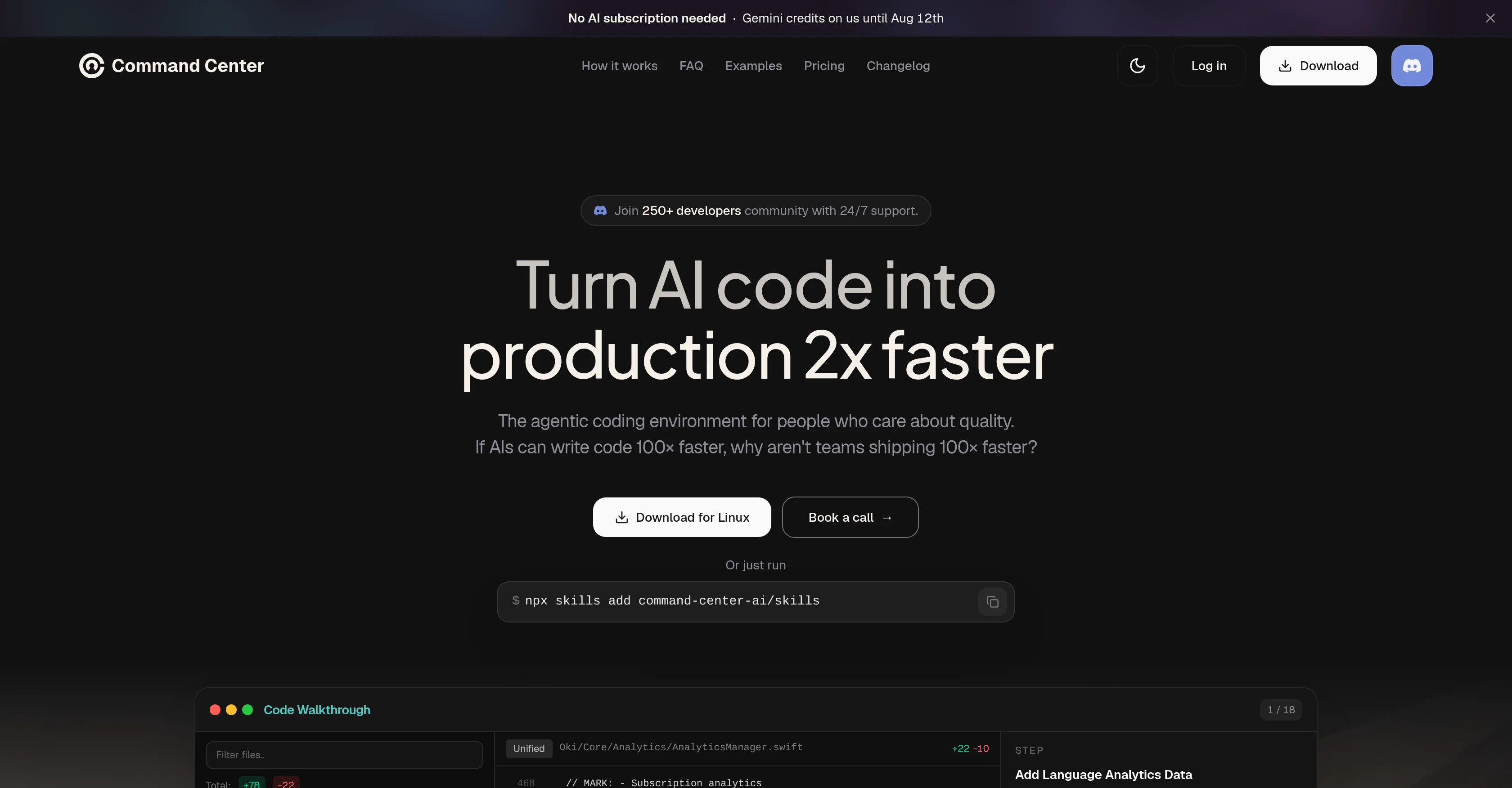
Command Center is an AI-based tool designed to streamline and enhance the process of AI coding. It allows users to run multiple AI agents in parallel without chaos, efficiently reviewing AI edits before converting AI scripts into production-ready code.
This unified coding environment is committed to promoting quality and reducing time spent on coding. In addition to its core functions, the tool incorporates features such as pre-merge refactors, walkthroughs, and large AI changes management which aim to turn complex changes into easy-to-follow guides.
Also, it helps in identifying and fixing maintainability issues and even evolving the AI code into a readable, usable form. Suitable for complex engineering tasks, Command Center involves multiple coding agents like Claude Code, Codex, OpenCode and others, facilitating seamless work without jumping between tools.
The tool not only generates and assimilates code but provides context, assisting users to understand what each change entails and how it relates within the entirety of the code.
Moreover, Command Center also facilitates planning and executing tasks and helps in catching and cleaning up AI code, ensuring delivery of production-ready code.
Help other people by letting them know if this AI was useful.
Add your own prompts and outputs to help others understand how to use this AI.
Screenshot gallery
Pros & Cons
Pros
+Code review efficiency
+Unified coding environment
+Promotes coding quality
+Time-efficient coding
+Pre-merge refactors
+Complex change management
+Identifies maintainability issues
+Code evolution support
+Suitable for complex tasks
+Integration of multiple agents
+Seamless agent switching
+Contextualizes code
+Assists with task planning
+Delivery of production-ready code
+Efficient email marketing
+Speedy code generation
+Compatible with Claude Code
+Compatible with Codex
+Compatible with OpenCode
+Guided code walkthroughs
+Community support 24/7
+Platform agnostic
+Real-time code refinement
+Inbuilt task execution
+Refactor before merge
+Multi-agent workflow management
+Practical examples provided
+Transparent pricing
+Frequent updates
+Fast code walkthroughs
+Maintainability check availability
+Readable code generation
+Usable code generation
+High delivery speed
+Secure code privacy
+Wide compatibility range
+Inbuilt OpenCode version
+Affordable pricing plans
+Accommodates multiple workspaces
+Google, GitHub login
+Context preservation
+Quick PR reading
+Efficient feedback capture
+Integrated refactor agent
+Efficient bug fixing
+Logical code arrangement
Cons
−No offline mode
−No version history
−Multiple workspaces premium
−Tasks cannot be saved
−No mobile functionality
−Limited walkthroughs in free
−Refactoring limits on free
−Sign in required
−No code privacy guarantees
A Professional Framework to Evaluate Command Center
When considering Command Center for integration into your organizational workflow, we recommend deploying a structured score card across three critical operational pillars: Security & Compliance, Integration Friction, and long-term Price Scalability. Rather than looking only at basic feature lists, modern procurement teams must assess how a software platform behaves under high load and how well it fits into the team's data security guidelines.
1. Security and Database Compliance
Depending on your operating region and field, ensure that Command Center supports standard security layers such as SOC 2 Type II certifications, GDPR compliance, or HIPAA-compliant database encryption. If the tool connects directly to client database tables or handles user passwords, verify that they implement multi-factor authentication (MFA), single sign-on (SSO) integrations, and end-to-end data encryption in transit and at rest.
2. API Coverage and Custom Integrations
Siloed data is the primary cause of operational friction. Evaluate if Command Center has native connectors for your current project trackers, messaging hubs, and customer communication channels. For custom developer requirements, check if they provide a fully documented REST API with reasonable rate limits, comprehensive Webhooks support, and robust SDK packages in your language. A flexible API layer saves hundreds of hours of manual copy-paste overhead.
3. Total Cost of Ownership (TCO)
SaaS pricing packages are often deceptively simple. When reviewing Command Center's billing structure, map out your team's projected expansion over the next 12 to 24 months. Determine how costs scale as your customer database increases or as you add team members. Factor in setup costs, mandatory support plan upgrades, API access fees, and storage overage rates to understand the true cost before committing to a contract.
By combining verified user reviews from our directory with internal workflow pilot tests, your procurement team can make an informed decision that drives productivity without creating capital waste.
Features of Command Center
AI Coding
Production Ready Code
AI Generated Code
Code Efficiency
AI Agents
Code Review
From $19/Mo
SaaS1to10 verified reviews for Command Center
Overall rating
★★★★★5.0
Based on 14 reviews
★★★★★5.01 months ago
“Review”
For professional copy the constraint is usually voice consistency across a team rather than raw output. Is there a way to hold a house style - words the brand avoids, claims it is not allowed to make, the reading level it writes to - and enforce it across everyone using the account? That is the part manual editing never manages to keep up with.
Seonix AI
★★★★★5.02 months ago
“Review”
@Mails.ai is a lifesaver for my email outreach. The platform lets me connect unlimited email accounts and upload unlimited leads, which is amazing. But the real standouts are their warmup features - both Email Warmup and Campaign Warmup. These train the email service provider's algorithm to recognize my emails as inbox worthy, not promotional, which is crucial. The added bonus is their Email Verification tool, which helps ensure I'm sending to valid addresses. And the AI Writer? That's the icing on the cake. It's been a game changer for both my email marketing and cold outreach. Definitely worth checking out!
Felice Jones
★★★★★5.02 months ago
“Review”
The app offers useful free features. I'm curious about the paid ones, like background replacement, but overall it works quickly and is reliable.
Daniel Garaiacu
★★★★★5.02 months ago
“Review”
Voice clone sounds really good and the lip sync is the most accurate I've seen. Look forward to seeing how this product progresses. Pricing is good imo, especially since others don't have voice clone or lip sync with the translation. The editor is also really useful for checking the transcripts and translations. I think it's the best editor out of all the ones I have tested.
James Harvey
★★★★★5.02 months ago
“Review”
Best AI powered course builder! Love it!
Katya Komarova
★★★★★5.02 months ago
“Review”
im not receiving the code in my email
aiden shop
★★★★★5.02 months ago
“Review”
I completely agree with the previous comment. I first purchased the $5 package and then upgraded to the Pro package, hoping to create videos longer than 3.5 minutes. However, I was disappointed to find out that I needed to purchase the $99 package to create longer videos. It was not clear that the 5000 characters of script only equated to 3.5 minutes of video. To make things worse, the company has a strict no-refund policy, which feels unfair. They seem more focused on taking your money than providing quality service. I would highly recommend avoiding this service at all costs.
Yannis P.
★★★★★5.02 months ago
“Review”
"Brilliant AI solution—making life easier."
Catherine Leblanc
★★★★★5.02 months ago
“Review”
@KeywordSearch creates AI Ad Targeting audiences for YouTube
Aleric Heck
★★★★★5.02 months ago
“Review”
Fantastic tool for anyone who is looking to promote their personal brand and gain followers on Linkedin with no experience. The tool has a lot of potential to grow and as someone who has recently purchased the tool I'm hoping for more topics in settings.
Ed Soltani
★★★★★5.02 months ago
“Review”
Really like how it finds connection in the content that I save. I don't think any other tool can do that.
amix ffx
★★★★★5.02 months ago
“Review”
No other tool quite like this, it's pretty straightforward. Needed to extract a long interview from YouTube and it extracted everything, providing it in different meaningful formats in less than two minutes. Awesome
Juan Sierra
★★★★★5.02 months ago
“Review”
I already have another transcription tool, but this one is much better. I love the different features such as the summary, quiz, and chapters. It does a great job of them. I've only done one transcript so far to try it out, but I'm truly impressed and am going to grab another code. A couple things that would make it even better are: - the ability to rename the files and organize them through folders. - the ability to download a copy of the other features as well as the transcript. Copying and pasting it works, but doesn't keep the format.
dunn
★★★★★5.02 months ago
“Review”
An amazing app, I love the share feature and the comment section summaries
Silvia Cho
Pricing
Starting Price
Contact vendor for pricing
Pricing may vary based on team size and features selected.