
CaptionKit
Create subtitles for videos effortlessly.
CaptionKit Overview
What is CaptionKit?
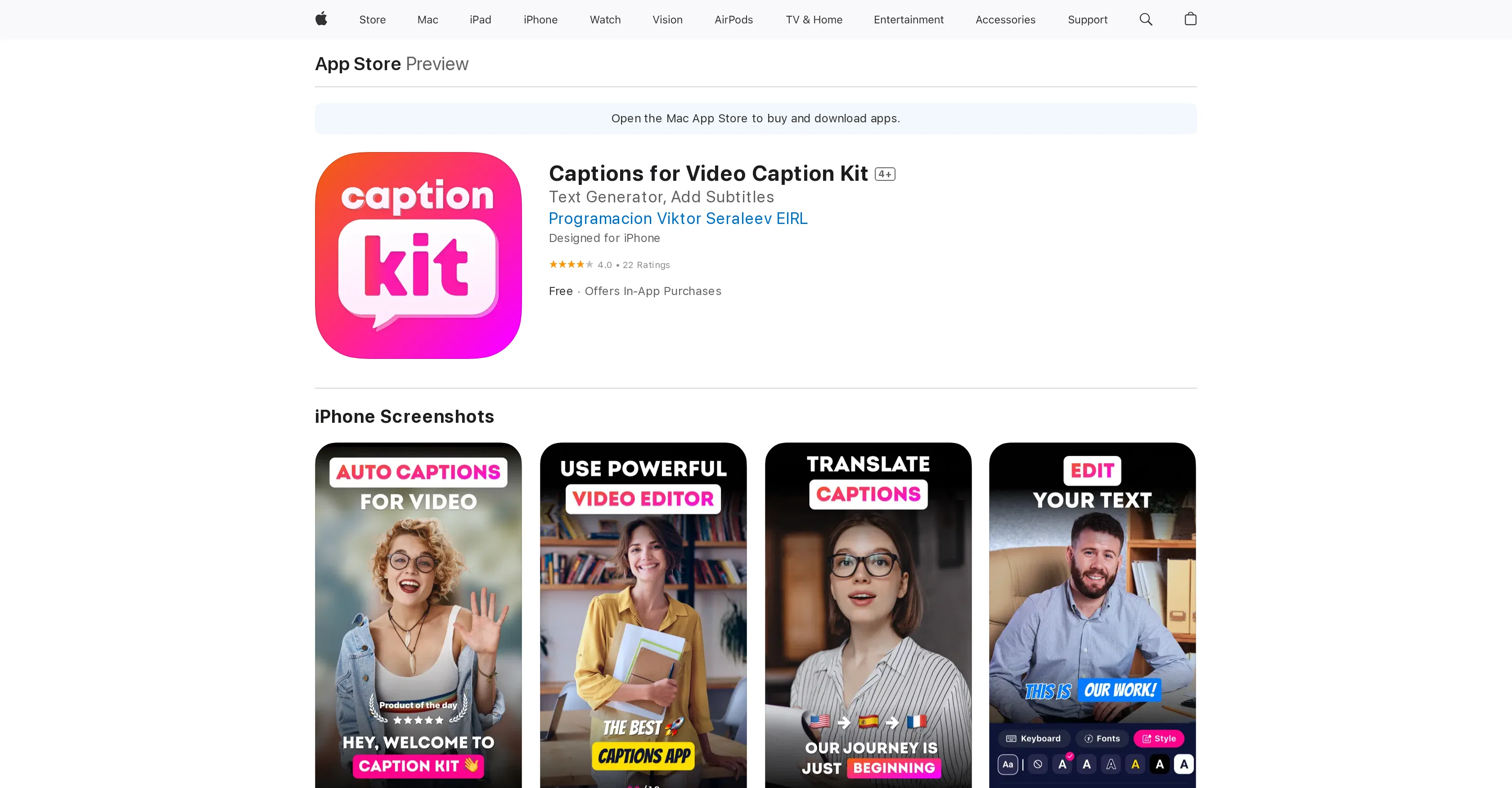
CaptionKit is an AI-powered tool designed to create and customize subtitles for videos. This app allows users to add subtitles to their video content in a few simple steps and supports a wide range of languages, making it versatile for various user types across the globe. A standout feature of CaptionKit is its precision in text recognition, as it uses proprietary AI technology to ensure maximum accuracy. CaptionKit offers a selection of more than 20 ready-made subtitle templates, along with a text editor for customizing font, color, outline, background, and even adding shadows to subtitles. Additionally, users can choose from various subtitle animations to enhance their videos. This tool also provides an option to translate subtitles into different languages, making it a convenient choice for creators aiming to reach a global audience. Users can preview their videos before publishing to see how the captions will appear on different social media platforms like Instagram or TikTok. The tool also equips users with functionality to add and adjust background music. CaptionKit caters to content creators, influencers, and anyone seeking to enhance their video content with professional-quality subtitles. Help other people by letting them know if this AI was useful. Add your own prompts and outputs to help others understand how to use this AI.
Screenshot gallery
Pros & Cons
Pros
- Precision in text recognition
- Supports multiple languages
- 20+ subtitle templates
- Customizable font
- Customizable color
- Outline customization
- Background customization
- Shadow addition to subtitles
- Subtitle animations available
- Translation of subtitles
- Preview before publishing
- Social media platform optimization
- Background music addition
- Volume adjustment for audio
- Ideal for content creators
- Appeals to Global Audience
- New-Timing feature
- Manual duration control
- Merge and split functions
- Segmentation and analysis in distribution
- Eliminates dangling words
- Improved synchronization
- In-app purchases
- More than 100 languages supported
- Reusable subtitle styles
Cons
- No Android support
- In-app purchases required
- Limited template selection
- Requires iOS 16.4 or later
- Data linked to User Identity
- Compatibility dependent on Apple devices
- Features tied to visionOS
- Limited language options
- Privacy concerns
- Potential data tracking across apps
A Professional Framework to Evaluate CaptionKit
When considering CaptionKit for integration into your organizational workflow, we recommend deploying a structured score card across three critical operational pillars: Security & Compliance, Integration Friction, and long-term Price Scalability. Rather than looking only at basic feature lists, modern procurement teams must assess how a software platform behaves under high load and how well it fits into the team's data security guidelines.
1. Security and Database Compliance
Depending on your operating region and field, ensure that CaptionKit supports standard security layers such as SOC 2 Type II certifications, GDPR compliance, or HIPAA-compliant database encryption. If the tool connects directly to client database tables or handles user passwords, verify that they implement multi-factor authentication (MFA), single sign-on (SSO) integrations, and end-to-end data encryption in transit and at rest.
2. API Coverage and Custom Integrations
Siloed data is the primary cause of operational friction. Evaluate if CaptionKit has native connectors for your current project trackers, messaging hubs, and customer communication channels. For custom developer requirements, check if they provide a fully documented REST API with reasonable rate limits, comprehensive Webhooks support, and robust SDK packages in your language. A flexible API layer saves hundreds of hours of manual copy-paste overhead.
3. Total Cost of Ownership (TCO)
SaaS pricing packages are often deceptively simple. When reviewing CaptionKit's billing structure, map out your team's projected expansion over the next 12 to 24 months. Determine how costs scale as your customer database increases or as you add team members. Factor in setup costs, mandatory support plan upgrades, API access fees, and storage overage rates to understand the true cost before committing to a contract.
By combining verified user reviews from our directory with internal workflow pilot tests, your procurement team can make an informed decision that drives productivity without creating capital waste.
Features of CaptionKit
- Subtitle Creation
- Video Editing
- Content Creation
- Video Customization
- Text Recognition
- AI Technology
- Free + From $5.99/Mo
SaaS1to10 verified reviews for CaptionKit
Overall rating
Based on 24 reviews
No reviews yet. Be the first to write one.
Pricing
Starting Price
Free plan available
Free tier available with optional paid upgrades.
Where can CaptionKit be deployed?
- Cloud, SaaS, Web-Based