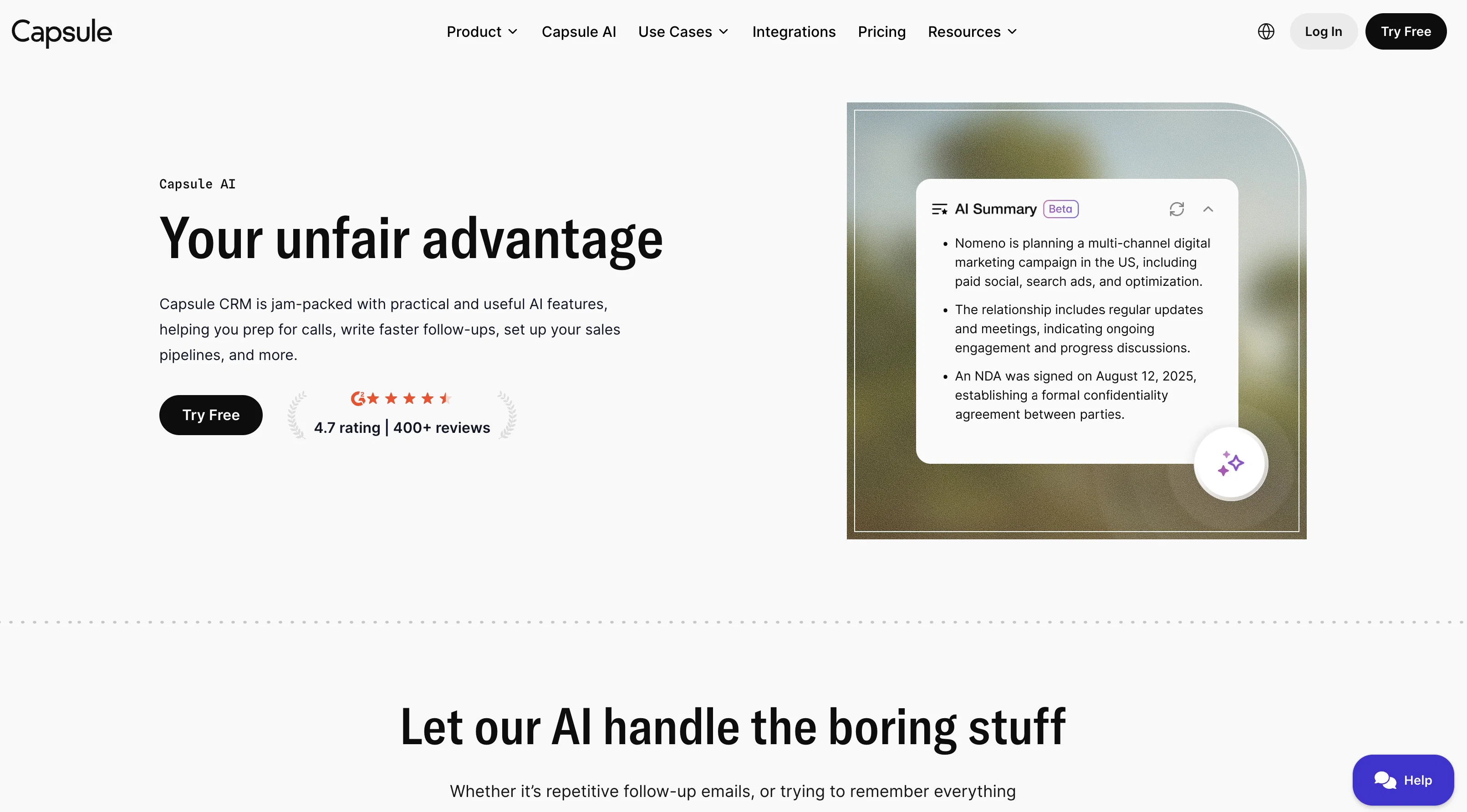
Capsule CRM's AI features are tools designed to optimize and enhance your workday by automating tasks and providing useful insights. The platform enables you to better manage customer relations and drive business efficiency with several functions.
First, 'AI Summaries' gathers information from your contacts recent activities and notes to generate a convenient and comprehensive summary just in time for your calls.
Secondly, repetitive tasks like follow-up emails are handled by 'AI Email Assist', allowing you to draft quick updates and routine replies with ease. Another feature named 'AI Sales Pipeline Generator' enables the construction of an optimal sales pipeline based on specific desires and business needs.
Lastly, 'AI Business & Contact Enrichment' fills in company-specific data (such as revenue, headcount, industry, etc.) into your records, hence reducing the time-consuming process of information gathering.
These AI features offer a practical and efficient way to manage customer relationships, drive business growth, and increase overall productivity.
Help other people by letting them know if this AI was useful.
Add your own prompts and outputs to help others understand how to use this AI.
Screenshot gallery
Pros & Cons
Pros
+Reduces manual data gathering
+Maximizes work efficiency
+Comprehensive customer data summaries
+Quick draft follow-up emails
+Customizable sales pipeline
+Automated company-specific data insertion
+Centralized customer interaction view
+On-brand email generation
Cons
−Lacks customization options
−Limited predictive analytics
−No third-party integrations
−No multi-language support
−Email Assist limited to follow-ups
−Sales Pipeline Generator lacks flexibility
−Enrichment data accuracy unknown
−No real-time updates
−No offline mode
A Professional Framework to Evaluate Capsule AI
When considering Capsule AI for integration into your organizational workflow, we recommend deploying a structured score card across three critical operational pillars: Security & Compliance, Integration Friction, and long-term Price Scalability. Rather than looking only at basic feature lists, modern procurement teams must assess how a software platform behaves under high load and how well it fits into the team's data security guidelines.
1. Security and Database Compliance
Depending on your operating region and field, ensure that Capsule AI supports standard security layers such as SOC 2 Type II certifications, GDPR compliance, or HIPAA-compliant database encryption. If the tool connects directly to client database tables or handles user passwords, verify that they implement multi-factor authentication (MFA), single sign-on (SSO) integrations, and end-to-end data encryption in transit and at rest.
2. API Coverage and Custom Integrations
Siloed data is the primary cause of operational friction. Evaluate if Capsule AI has native connectors for your current project trackers, messaging hubs, and customer communication channels. For custom developer requirements, check if they provide a fully documented REST API with reasonable rate limits, comprehensive Webhooks support, and robust SDK packages in your language. A flexible API layer saves hundreds of hours of manual copy-paste overhead.
3. Total Cost of Ownership (TCO)
SaaS pricing packages are often deceptively simple. When reviewing Capsule AI's billing structure, map out your team's projected expansion over the next 12 to 24 months. Determine how costs scale as your customer database increases or as you add team members. Factor in setup costs, mandatory support plan upgrades, API access fees, and storage overage rates to understand the true cost before committing to a contract.
By combining verified user reviews from our directory with internal workflow pilot tests, your procurement team can make an informed decision that drives productivity without creating capital waste.
Features of Capsule AI
API
CRM
AI Powered CRM
Customer Relationship Management
Workday Optimization
Task Automation
From $17/Mo
SaaS1to10 verified reviews for Capsule AI
Overall rating
★★★★★5.0
Based on 6 reviews
★★★★★5.02 months ago
“Review”
Still surprised these guys haven't made a full release yet, its already has a lot of features than I thought it would - I personally use their hostedgpt for organizing my threads the interface is much better than chatgpt but they didnt add a settings features to it yet - for chatbot building its fully flesh-out couldnt have choosen a better service!
Starter Plan
★★★★★5.02 months ago
“Review”
We built Stella to help decode verbal and nonverbal behaviour during video calls into clear next steps. It auto-notes, summarizes, and flags where attention rose or dropped—then points to the exact clip to coach the rep. We’ve tightened discovery and sped up follow-ups without rewatching meetings.
David Simak
★★★★★5.02 months ago
“Review”
Hi there, I’m Alix, co-founder of Invent. We’re building the future of Customer Support UX, where humans and AI truly collaborate. Would love to read&hear your thoughts. DM for any questions. We ship fast!
Alix Gallardo
★★★★★5.02 months ago
“Review”
AI figured out the target audience, product benefits, and visual direction. I just picked an option and got a full gallery. The output is clean, aesthetic, not too AI-ish Would be better if I could upload more than one photo. one image feels a bit limited
Meoow Art
★★★★★5.02 months ago
“Review”
TDGesk's multi-account messaging feature is highly efficient and user-friendly. It simplifies communication across multiple accounts, saving time and effort. Highly recommended for businesses seeking streamlined messaging solutions.
Zhang Xiaotong
★★★★★5.02 months ago
“Review”
Love this CRM. No fields to configure or pipeline to define, it just does everything for you.
Mr Abier
Pricing
Starting Price
From $15.00/user/month
Pricing may vary based on team size and features selected.