5.01 months ago
“Review”
Nice interface, but no good at PDF answers, especially tables data.
hifive szu

Get quick AI insights from your data.
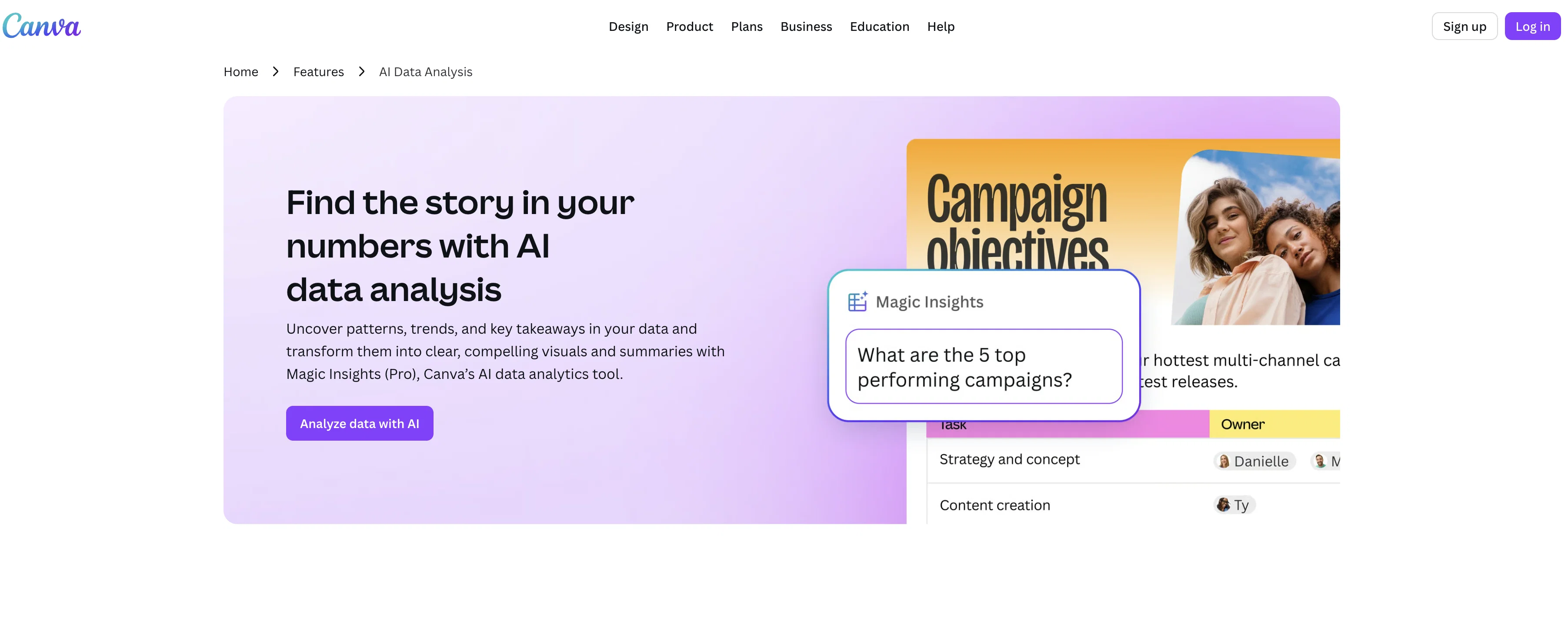
Magic Insights is Canva's AI-driven data analysis tool. It is designed for discovering patterns and trends in data, and transforming them into digestible summaries and visually compelling graphics. Magic Insights equips users with the capability to interpret their logged data without the need for manual perusal or in-depth statistical knowledge. The tool automatically scans respective data for meaningful insights, significantly reducing the time one might ordinarily dedicate to data interpretation. Moreover, it enables users to query their data in plain language and provides insights within seconds. In addition to data analysis, Magic Insights generates instant charts that effectively communicate data stories, which can be integrated seamlessly into any Canva design or layout. This can be beneficial for various applications, including presentations and social posts with a data-driven focus. Besides data analysis, users can also locate suitable formulas for their calculations using Magic Formulas, and have the option to transform raw data into visually appealing charts with Magic Charts. The tool is also easy to operate, with multiple practical features such as data set selection, AI-powered insight generation and a feature to directly apply the insights to users' designs. Help other people by letting them know if this AI was useful. Add your own prompts and outputs to help others understand how to use this AI.
When considering Canva's Magic Insights for integration into your organizational workflow, we recommend deploying a structured score card across three critical operational pillars: Security & Compliance, Integration Friction, and long-term Price Scalability. Rather than looking only at basic feature lists, modern procurement teams must assess how a software platform behaves under high load and how well it fits into the team's data security guidelines.
Depending on your operating region and field, ensure that Canva's Magic Insights supports standard security layers such as SOC 2 Type II certifications, GDPR compliance, or HIPAA-compliant database encryption. If the tool connects directly to client database tables or handles user passwords, verify that they implement multi-factor authentication (MFA), single sign-on (SSO) integrations, and end-to-end data encryption in transit and at rest.
Siloed data is the primary cause of operational friction. Evaluate if Canva's Magic Insights has native connectors for your current project trackers, messaging hubs, and customer communication channels. For custom developer requirements, check if they provide a fully documented REST API with reasonable rate limits, comprehensive Webhooks support, and robust SDK packages in your language. A flexible API layer saves hundreds of hours of manual copy-paste overhead.
SaaS pricing packages are often deceptively simple. When reviewing Canva's Magic Insights's billing structure, map out your team's projected expansion over the next 12 to 24 months. Determine how costs scale as your customer database increases or as you add team members. Factor in setup costs, mandatory support plan upgrades, API access fees, and storage overage rates to understand the true cost before committing to a contract.
By combining verified user reviews from our directory with internal workflow pilot tests, your procurement team can make an informed decision that drives productivity without creating capital waste.
Overall rating
Based on 25 reviews
Nice interface, but no good at PDF answers, especially tables data.
hifive szu
I got some top quality results after learning how to prompt songs 🤩
Claes Lanng
Fantastic tool for anyone who is looking to promote their personal brand and gain followers on Linkedin with no experience. The tool has a lot of potential to grow and as someone who has recently purchased the tool I'm hoping for more topics in settings.
Ed Soltani
They're dreaming if they think I'd give them my credit card info just for a free trial. Most useless thing ever...
Noeffen Way
Really like how it finds connection in the content that I save. I don't think any other tool can do that.
amix ffx
Such a great place to start out!
Helli Lang
This tool i found is super cool, I created 5 books from this tool to sell them online, which gives me great profit. I am creating more valuable books to spread knowledge, and earn some bucks as well 🤑.
Bilal Ashraf
awesome, beets relationships...
Robert Shumway
Suppppeeeeerrr! Wowwww! @Mindsmith is absolutely fantastic! It is incredibly useful, easy to use, and very professional.
Claudia Scilletta
State of the Art
Dmitry G.
Looks great, helps my family a lot!
mikew12044@lofiey.com
superb, e gratis, merge blana, in EN se aude ideal
jon doe
WE USE @D-ID AT THE COLORADO VIRTUAL CREATIVE FACTORY...AND LOVE IT.
Franco Arteseros
I tried using it but the website has too many bugs.
João Neiva
It's sad to see people want to try your tool out but you have no free sample for them. This may be the best tool out there, but, as mentioned, going through with the AI for minutes to explain what you want, then being prompted to pay, without even knowing if it CAN create something, is discouraging. I hope we can get a free sample or preview at one point, im interested in this one.
Ron Jayson
O GPT faz uma análise melhor e mais personalizada.
Vinicius Vilela
Instantly goes live without hassle
E
@Cursor is underrated.
Vanessa
I really value the sentiment analysis tool—it simplifies understanding customer feedback by picking up on their emotions. Plus, the way it groups comments into topics is super helpful for decision-making.
Prakhar Pratap Mall
Immo currently best solution if you want to convert / enchant your how-to tutorials to more professional!
asusi zuppa
Created a dashboard using my Excel file and it gave insights I didn’t even expect. It can read any kind of Excel file no matter the template. I can even check the accuracy by tracing back which column the data came from Great tool. highly recommended!!
Anubhav Pandey
Signed up for a pro account for Google Drive integration. Works great! Saves me a lot of manual excel work.
Thu Ha Vu
It is the ease of use for me. @DataSquirrel is fast, the UI is super intuitive, and the guided analysis feature is highly convenient. I have officially moved from uploading CSV files from Google sheet to @DataSquirrel. Within minutes, I can visualize my data and interpreting it becomes super simple.
Aakriti Mahajan
Super useful tool that’s reduced my job by 80%
Harishma Reghu
It works! It is fast and you have many choices for the background. Also the pricing seems to be ok
Fabio Ferraris
Starting Price
Free plan available
Free tier available with optional paid upgrades.


