5.02 months ago
“Review”
It doesn't make much sense...
Lincoln Kern
Your conversational AI-powered design assistant.
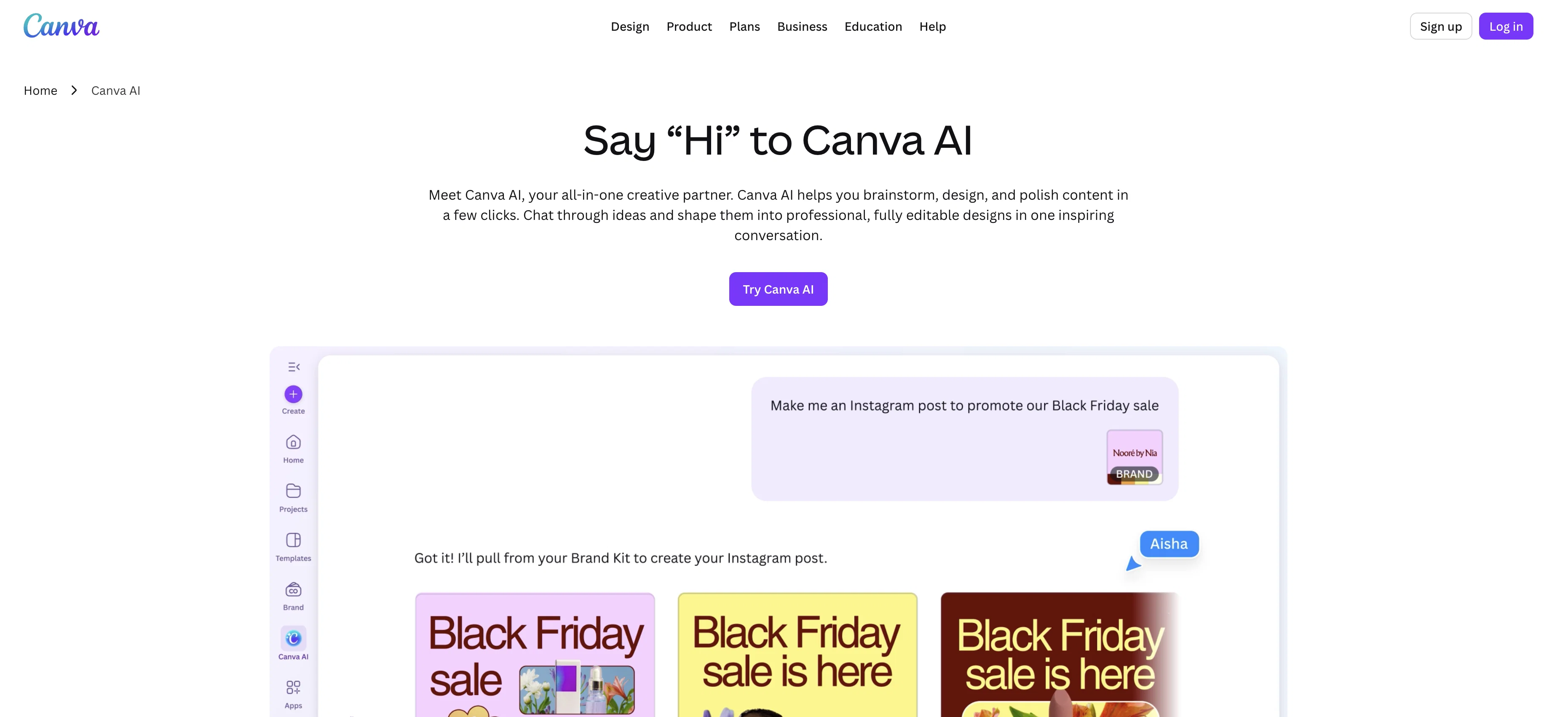
Canva AI is a conversational AI-powered assistant designed to streamline and support the creative process. The tool blends text, voice, and visual capabilities into one interactive, user-friendly platform, enabling users to brainstorm, design, and finesse content. Users can communicate with Canva AI using natural language with text or voice commands, making its utilization akin to having a conversation with a team member. The AI-powered solution is also designed to understand users' creative goals and context, thereby enhancing the quality of output. It provides personalized feedback and offers tools to refine designs, ensuring users have full control over their creative projects. Canva AI also incorporates brand elements automatically by connecting to the user's Brand Kit, ensuring consistency across designs. This feature enables teams to focus more on creative creation. Moreover, the tool enables collaboration, allowing users to tag @Canva in the comments to generate ideas, images, and text, or get help refining their work. Canva AI places considerable emphasis on safety and privacy, with multi-layered safeguards to protect users from unseemly content. It offers adjustable AI access controls, content precautions, and privacy configurations to ensure ethical and responsible use. Designed to blend seamlessly into creative workflows, Canva AI seeks to eliminate the need to switch between apps, thereby fostering an uninterrupted creative process. Help other people by letting them know if this AI was useful. Add your own prompts and outputs to help others understand how to use this AI.
When considering Canva AI Assistant for integration into your organizational workflow, we recommend deploying a structured score card across three critical operational pillars: Security & Compliance, Integration Friction, and long-term Price Scalability. Rather than looking only at basic feature lists, modern procurement teams must assess how a software platform behaves under high load and how well it fits into the team's data security guidelines.
Depending on your operating region and field, ensure that Canva AI Assistant supports standard security layers such as SOC 2 Type II certifications, GDPR compliance, or HIPAA-compliant database encryption. If the tool connects directly to client database tables or handles user passwords, verify that they implement multi-factor authentication (MFA), single sign-on (SSO) integrations, and end-to-end data encryption in transit and at rest.
Siloed data is the primary cause of operational friction. Evaluate if Canva AI Assistant has native connectors for your current project trackers, messaging hubs, and customer communication channels. For custom developer requirements, check if they provide a fully documented REST API with reasonable rate limits, comprehensive Webhooks support, and robust SDK packages in your language. A flexible API layer saves hundreds of hours of manual copy-paste overhead.
SaaS pricing packages are often deceptively simple. When reviewing Canva AI Assistant's billing structure, map out your team's projected expansion over the next 12 to 24 months. Determine how costs scale as your customer database increases or as you add team members. Factor in setup costs, mandatory support plan upgrades, API access fees, and storage overage rates to understand the true cost before committing to a contract.
By combining verified user reviews from our directory with internal workflow pilot tests, your procurement team can make an informed decision that drives productivity without creating capital waste.
Overall rating
Based on 16 reviews
It doesn't make much sense...
Lincoln Kern
very good image
Bristan “Capesterre” Carbier
Hey I made this because another tool I found didn’t work lol
stablereligion
Needs to learn about different art schools, imo: doesn’t seem to understand the concept of cubism.
Catherine Karaguézian
The art is whimsical and fun. The style is absolutely a joy to work with and I love how the characters look. The only struggle I have is for the prompt to understand what I want. I understand you have to be absolutely explicit with your instructions, but when I ask for a mother hugging two of her children, I get the children hugging each other instead or the mother is hugging only one child. I am unsure how to get the three to hug at once. But the style is on point. Keep up the good work!
MD
There were no aristocratic Asians and Africans in ancient Rome.
Sándor Gajdos
still background removing accuracy is required. it only 80% not 100%
Krutika Creations
your answer is much too general, so useless. You could have just tell me to ask Perplexity.
Ta
Hi TAAFT! I'm Henry, the founder of CartoMind. CartoMind offers a fully automated AI workflow to help you quickly organize text content and generate the perfect infographics to match. 【Why did I build this?】 When creating infographics with AI today, users are often forced to choose between two extremes. You either use generic AI image SaaS tools that trap you in complex prompt engineering and steep design learning curves with zero knowledge management, or you use products like NotebookLM. While they are fantastic for knowledge management, their infographic generation is just an afterthought, lacking design freedom and rich templates. 【Here is where CartoMind stands out:】 1. Lightweight knowledge & note management: We support uploading multiple file formats and automatically parsing text, allowing you to freely select the exact knowledge snippets you want to visualize. 2. Fully automated workflow: Based on your selected content, our AI automatically distills the key text elements and instantly matches you with the ideal infographic design from over 500 professional combinations. 3. Massive template library: A rich selection of infographic templates offering a true what-you-see-is-what-you-get experience. 【Who is using it?】 Marketers, educators, social media creators... In fact, anyone who needs to make their domain knowledge "visible" and loves to share it will find it incredibly useful. 【I can't wait for you all to try it out!】
Henry
I can't explain how impressed i am by this. I've seen tools to help you brainstorm ideas, but not one to break your task down into big steps, then little steps for each of these. Plus "games" to help come up with more ideas for your project. I'm excited to use this!
ImpulseOscar
The most humanly AI i have used so far but the problem is as soon as you start piling up messages in single chat session , it starts getting slow and at some point it starts freezing and also uses a lot of resources. For time being its okay to do 3 4 messages but as soon as we continue it has messages limitation and also starts getting very very slow . For the price of £18 per month this is unacceptable and with the newly introduced feature called project, if we start new chat within the project we cannot continue with the context we provided in other chats within same project. There are lot of improvements for them to work on. And to start with the its speed and its price
Bibash Katel
B12 exceeded my expectations especially after I tried a few similar tools. Signing up took under a minute and because I offer a very specific set of services as a consultant, I didn't expect the AI to be able to capture my work, but it did a great job with creating content for me. I only had to make a few edits, add my bio, and was able to publish that same day. Now I get lots of compliments on my site and I've even tried their other tools like email marketing, which is great because the emails match my site's appearance. Overall I would recommend B12 as an effective, affordable, and easy to use website solution.
Katie G
🌟🌟🌟🌟🌟 This AI prompt generation tool is exceptional! It vividly brought to life the jungle scene I envisioned, capturing every detail with remarkable accuracy. The natural expressions, vibrant colors, and serene atmosphere were perfectly rendered. Highly recommended for creative projects!
Sukul Das PANIKA
nice holistic
Amit ImmI
Not at all accurate…. The only thing similar between original and generated images were the clothes and accessories… face was absolutely new and unconnected.
Shvetank Sharma
I think it's the best @Image Generator I ever found on the net. It gives more accurate image according to the prompt. And thank you for keeping it for free.
My Sawsiri
Starting Price
Free plan available
Free tier available with optional paid upgrades.