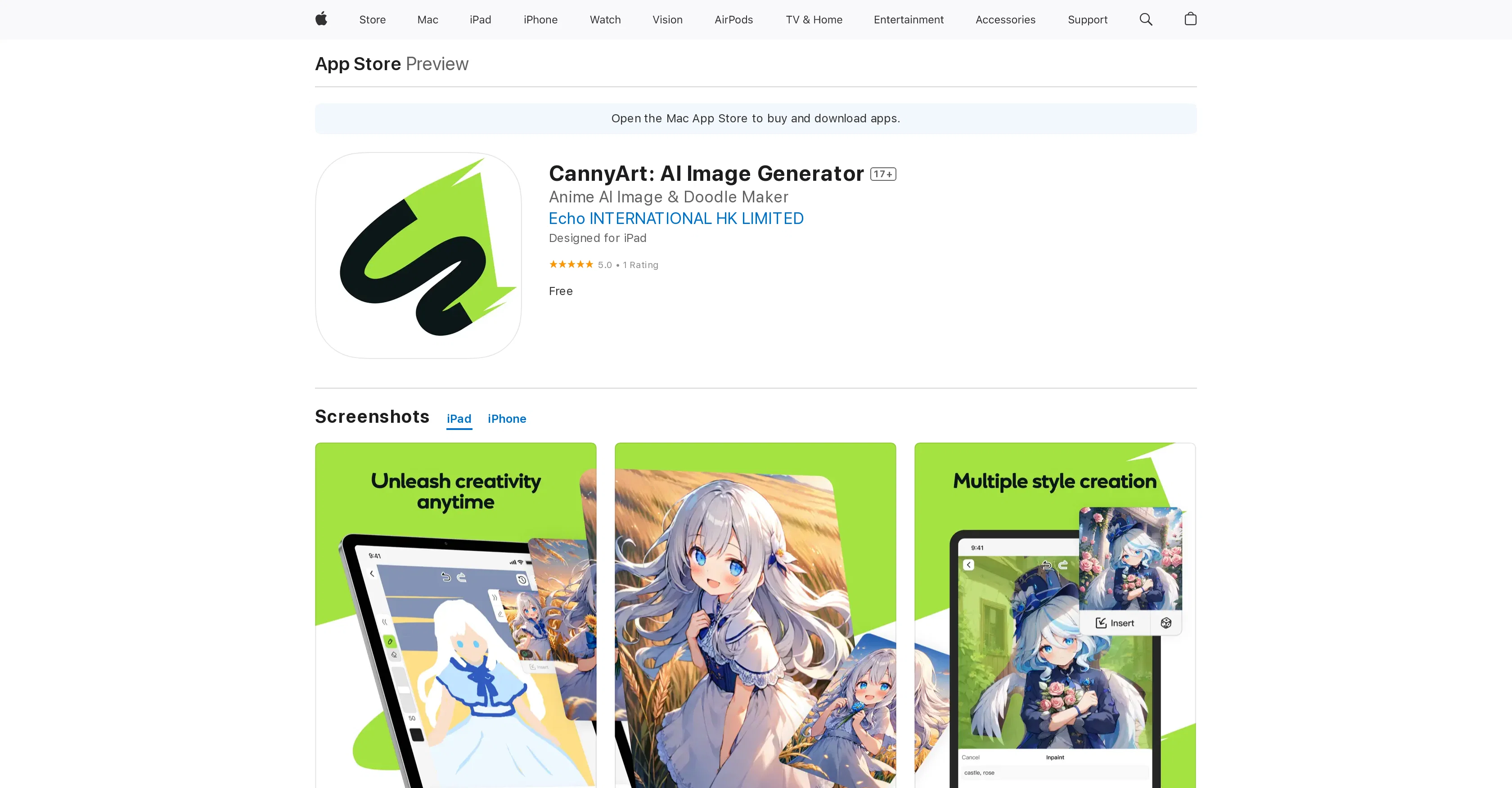
Developed by Echo International HK Limited, CannyArt: AI Image Generator is an AI tool designed for otaku and fan creators. It offers a platform to express one's creativity through doodling and leverages AI to assist in generating the desired images.
It provides user freedom in terms of a vast array of styles and characters to choose from while working in a low-barrier, real-time image generation environment.
Therefore, users can quickly visualize and realize their creative ideas. This tool is especially beneficial for artists interested in anime and other fan-based work, allowing them to create and design with ease.
It features intuitive and user-friendly drawing tools suitable for various artistic styles. The application is designed for iPad and being used all over the world.
Users need to sign up with an Apple ID to use this application. It is important to note that certain features and the user interface might be in languages other than English, but they can be easily translated.
Help other people by letting them know if this AI was useful.
Add your own prompts and outputs to help others understand how to use this AI.
Screenshot gallery
Pros & Cons
Pros
+Designed for otaku creators
+Supports freedom of styles
+Real-time image generation
+Facilitates quick idea visualization
+User-friendly drawing tools
+Specifically for anime creation
+Supports various artistic styles
+Designed for iPad
+Requires only Apple ID
+Supports multiple languages
+Translates non-English languages
+Includes doodling feature
+5.0 User Rating
+Offers creative freedom
+Supports character versatility
+Specifically for fan creators
+Free application
+High-quality image output
+Supports image reference feature
+Supports iOS 14+
+Size: 93.3 MB
+Numerous language support
+Supports macOS 11.0
+Free application
+Designed by Echo International
Cons
−iPad-only
−Requires Apple ID
−Partial non-English interface
−Limited drawing styles
−Not suitable non-anime art
−May collect user data
A Professional Framework to Evaluate CannyArt
When considering CannyArt for integration into your organizational workflow, we recommend deploying a structured score card across three critical operational pillars: Security & Compliance, Integration Friction, and long-term Price Scalability. Rather than looking only at basic feature lists, modern procurement teams must assess how a software platform behaves under high load and how well it fits into the team's data security guidelines.
1. Security and Database Compliance
Depending on your operating region and field, ensure that CannyArt supports standard security layers such as SOC 2 Type II certifications, GDPR compliance, or HIPAA-compliant database encryption. If the tool connects directly to client database tables or handles user passwords, verify that they implement multi-factor authentication (MFA), single sign-on (SSO) integrations, and end-to-end data encryption in transit and at rest.
2. API Coverage and Custom Integrations
Siloed data is the primary cause of operational friction. Evaluate if CannyArt has native connectors for your current project trackers, messaging hubs, and customer communication channels. For custom developer requirements, check if they provide a fully documented REST API with reasonable rate limits, comprehensive Webhooks support, and robust SDK packages in your language. A flexible API layer saves hundreds of hours of manual copy-paste overhead.
3. Total Cost of Ownership (TCO)
SaaS pricing packages are often deceptively simple. When reviewing CannyArt's billing structure, map out your team's projected expansion over the next 12 to 24 months. Determine how costs scale as your customer database increases or as you add team members. Factor in setup costs, mandatory support plan upgrades, API access fees, and storage overage rates to understand the true cost before committing to a contract.
By combining verified user reviews from our directory with internal workflow pilot tests, your procurement team can make an informed decision that drives productivity without creating capital waste.
Features of CannyArt
Anime Art Generation
AI Image Generator
AI Assisted Doodling
AI For Artists
Otaku Culture
Creativity Tool
Free
SaaS1to10 verified reviews for CannyArt
Overall rating
★★★★★5.0
Based on 21 reviews
★★★★★5.01 months ago
“Review”
This app is awesome because it has two cool features. First, it lets you chat with an AI that talks like a real person, perfect for customer service or just having fun conversations. The second feature lets you create amazing artwork instantly using AI. The app is super easy to use, and you don’t even need to sign up. Plus, it’s a free mobile app, so you can take it anywhere! It’s a fun, creative tool for everyone.
Tahir
★★★★★5.01 months ago
“Review”
This ai tool is awesome because I did figure out last Christmas when I was was lucky enough but thanks for sharing a tarot reading. But now I will be using this as often as I can. This may my Christmas a miracle for me.
Lauren music
★★★★★5.01 months ago
“Review”
It's not 100% free. Free users cannot use the music for commercial purposes. It's written in the price list.
TEPA6ANT (Никита Зотов)
★★★★★5.01 months ago
“Review”
I swear this actually saved me a lot. 100% recommend to anyone.
307LLL
★★★★★5.01 months ago
“Review”
Perfect tool, very good work, thank you
RudArt
★★★★★5.01 months ago
“Review”
Thanks for free credits. Please 🙏 adapt for mobile💪
Budget Plusit
★★★★★5.01 months ago
“Review”
This video generator did much better than I expected on complex subjects. Unfortunately, it isn't as free as I wished. I could not iterate my creation to create a resolved result.
Gamaliel yd
★★★★★5.01 months ago
“Review”
typed in my prompts and boooooom. clean descriptions in secs lol. handy if you suck at writing (like me). lowkey a cheat code (no san andreas)
Liam Therrien
★★★★★5.01 months ago
“Review”
the kids really liked it, they started drawing a lot of pictures, trying to bring them to life - it turns out fantastic! it's important that there is one character in the picture
Yulia Boiko
★★★★★5.01 months ago
“Review”
10 MB Limit does limit usability best if .pdf contains NO images.
Steve Bastiman
★★★★★5.01 months ago
“Review”
Great accuracy and easy to crosscheck with the provided hyperlinks to the sources.
Marius Schmitt
★★★★★5.01 months ago
“Review”
Such a great place to start out!
Helli Lang
★★★★★5.01 months ago
“Review”
Suppppeeeeerrr! Wowwww! @Mindsmith is absolutely fantastic! It is incredibly useful, easy to use, and very professional.
Claudia Scilletta
★★★★★5.01 months ago
“Review”
as mentioned before by somebody else, it's great that it's free that's a big plus. quality isn't anything crazy, but it does the job especially with human faces. tried it on a bunch of random stuff like objects, places, animals but the results vary depending on the original image quality. don't expect miracles on super lowres pics. still, the fact that it's 100% free is already good so yeah, that's a 4 starrer in my book
Jason Bowers
★★★★★5.01 months ago
“Review”
Seems to be working now
Aramis
★★★★★5.01 months ago
“Review”
great for making book photos
bappy Chaudhury
★★★★★5.01 months ago
“Review”
I think it's the best @Image Generator I ever found on the net. It gives more accurate image according to the prompt. And thank you for keeping it for free.
My Sawsiri
★★★★★5.02 months ago
“Review”
ok ok, so mini tools are actually more than viable haha. this one in particular gave great results.
Kishan Van
★★★★★5.02 months ago
“Review”
I can't even login so i closed the tab because it was pissing me off!
Lucy Olvera
★★★★★5.02 months ago
“Review”
@AnimeGenius is a recommended AI tool that makes your picture making a pleasure and your life an art. Hurry up and try @AnimeGenius, you will love it!