Bytecapv2.0

5.0(38 reviews)

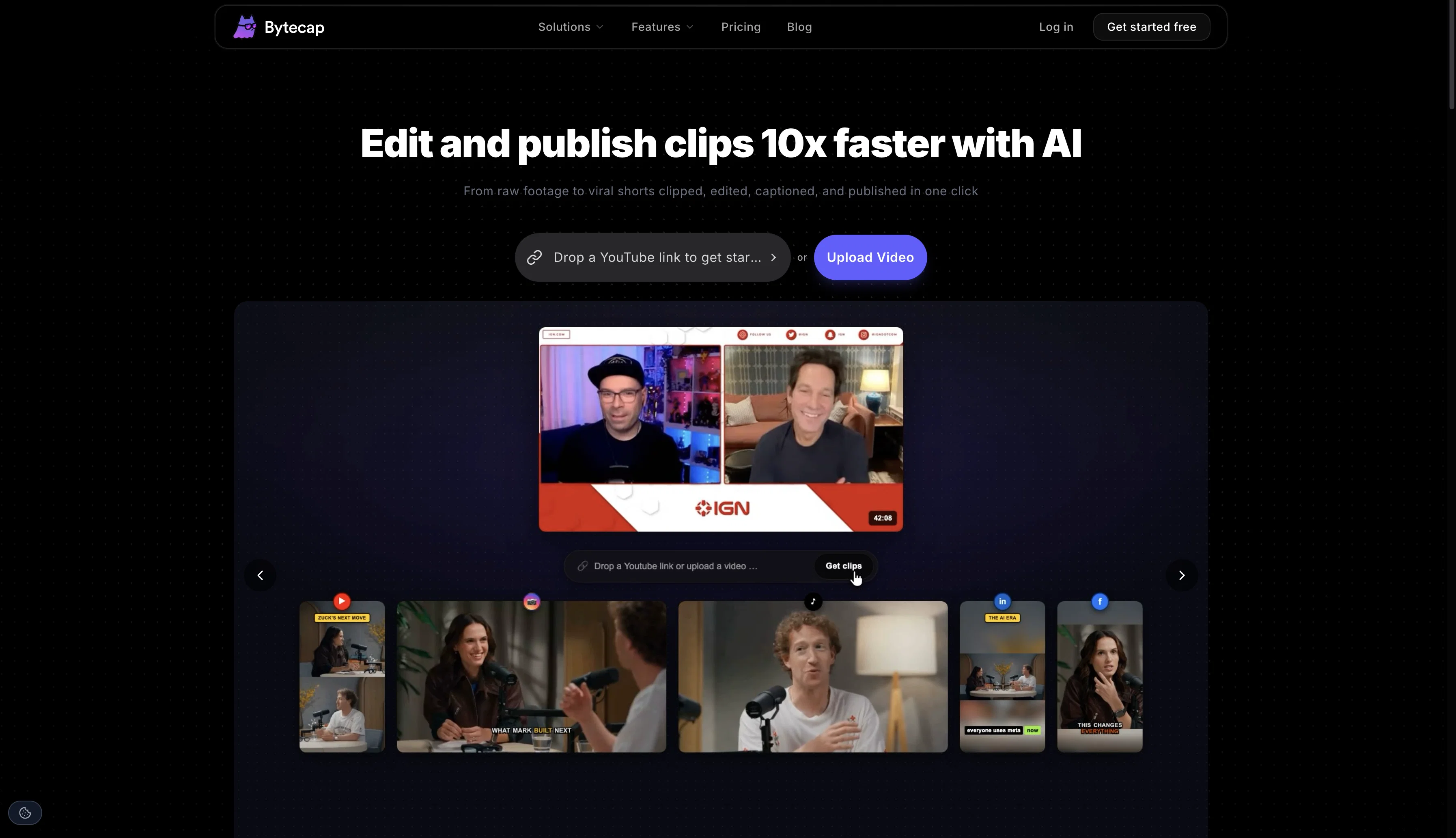
Edit and publish clips 10x faster with AI

Freemium

Bytecapv2.0 Overview

What is Bytecapv2.0?

Bytecap began as a fast, accurate, and customizable AI captioning tool. Now with V2, it has transformed into a complete AI video studio making viral short form videos easier, smarter, and more powerful than ever. Creators, editors, streamers, marketers, and anyone with content to share can now turn videos into scroll stopping shorts in just minutes. ✨ What’s New in Bytecap v2 🎭 Faceless Videos Go viral without showing your face. Create motion style AI image reels (like the trending “talking gorilla” videos), add background footage, captions, voiceovers, and more all in one place. ✂️ Magic Clips Turn long videos into instant highlights. Magic Clips finds the best moments, auto reframes speakers, and delivers ready to post shorts built to capture attention. ⚡ AI Automation Skip the manual work. Publish directly to TikTok and YouTube with one click, and let Bytecap handle the busywork. 🎛 Dynamic Layouts & Resizing Fill, Fit, Split, or Gameplay. Switch layouts instantly and repurpose your content for every platform: TikTok (9:16), Instagram (1:1), Reels (4:3), or YouTube (16:9). 🎶 Smarter Audio & Effects Boost engagement with audio. Add copyright free music, upload your own, and layer trending sound effects perfectly synced to captions. 🏅 Honorable Mentions AI Hook Title - Auto generate scroll stopping titles that hook viewers instantly. AI Reframe — Keep every speaker in frame with smart auto centering and stacking. Advanced Caption Customization — 20+ templates, emojis, speaker detection, and fine tuning options. Quick Repurposing — Resize once, publish everywhere. Simple Editing — Drag and drop controls for captions, layouts, timing, and effects. ⚡ Always Improving Bytecap v2 is just the beginning. The app is updated daily with new features, constant improvements, and smarter AI tools, all designed to make it effortless to create the best videos on the internet. 👉 Start creating with Bytecap v2 today and turn your content into viral videos. Help other people by letting them know if this AI was useful. Add your own prompts and outputs to help others understand how to use this AI.

Screenshot gallery
Bytecapv2.0 screenshot

Pros & Cons

Pros

  • Rapid caption creation
  • Highly accurate speech recognition
  • Interactive platform
  • Caption customization
  • Personalization options
  • Font adjustment
  • Color adjustment
  • Effects customization
  • Caption position control
  • Caption size control
  • Automatic language identification
  • Multilingual support
  • Editable captions post-generation
  • Fast results provision
  • Sync of sounds with captions
  • Enhancement to video content
  • Highly appreciated by professionals
  • Boosts engagement
  • Improves viewership
  • Useful for audience retention
  • Reliable tool
  • Secure processing
  • Efficient for professional captioning
  • Beneficial for video editors
  • Advantageous for content creators
  • Useful for podcasters
  • Optimal for streamers
  • Editable Timestamps
  • Customizable to fit brand
  • Various fonts
  • Variety of colors
  • Impressive effects
  • Strategic caption positioning
  • Availability of customer support
  • Accessibility without technical skills
  • Freeing up creative resources
  • Broadening content reach
  • Syncing sounds feature
  • Brand style matching
  • 99% Accuracy rate
  • Seamless editing
  • Live updates feature
  • Reliable for videos
  • Manipulatable subtitles after creation
  • Support for all devices
  • User-friendly interface
  • Platform independents
  • High Engagement tool
  • Custom branding in captions

Cons

  • Lacks Voice dubbing
  • Lacks real-time captioning
  • No API integration
  • No offline functionality
  • Dependent on internet speed

A Professional Framework to Evaluate Bytecapv2.0

When considering Bytecapv2.0 for integration into your organizational workflow, we recommend deploying a structured score card across three critical operational pillars: Security & Compliance, Integration Friction, and long-term Price Scalability. Rather than looking only at basic feature lists, modern procurement teams must assess how a software platform behaves under high load and how well it fits into the team's data security guidelines.

1. Security and Database Compliance

Depending on your operating region and field, ensure that Bytecapv2.0 supports standard security layers such as SOC 2 Type II certifications, GDPR compliance, or HIPAA-compliant database encryption. If the tool connects directly to client database tables or handles user passwords, verify that they implement multi-factor authentication (MFA), single sign-on (SSO) integrations, and end-to-end data encryption in transit and at rest.

2. API Coverage and Custom Integrations

Siloed data is the primary cause of operational friction. Evaluate if Bytecapv2.0 has native connectors for your current project trackers, messaging hubs, and customer communication channels. For custom developer requirements, check if they provide a fully documented REST API with reasonable rate limits, comprehensive Webhooks support, and robust SDK packages in your language. A flexible API layer saves hundreds of hours of manual copy-paste overhead.

3. Total Cost of Ownership (TCO)

SaaS pricing packages are often deceptively simple. When reviewing Bytecapv2.0's billing structure, map out your team's projected expansion over the next 12 to 24 months. Determine how costs scale as your customer database increases or as you add team members. Factor in setup costs, mandatory support plan upgrades, API access fees, and storage overage rates to understand the true cost before committing to a contract.

By combining verified user reviews from our directory with internal workflow pilot tests, your procurement team can make an informed decision that drives productivity without creating capital waste.

Features of Bytecapv2.0

  • AI Auto Zoom
  • AI B Roll Generator
  • AI Caption Generator
  • AI Clip Generator
  • AI Content Creation
  • AI Faceless Video Generator
  • Free + From $29/Mo

SaaS1to10 verified reviews for Bytecapv2.0

Overall rating

5.0

Based on 38 reviews

5.02 weeks ago

Review

No other tool quite like this, it's pretty straightforward. Needed to extract a long interview from YouTube and it extracted everything, providing it in different meaningful formats in less than two minutes. Awesome

Juan Sierra

5.02 weeks ago

Review

Excellent chatbot, very functional and easy to teach. It took me a while to vary the prompt, but I ended up getting a great result when I put it through a stress test. I give 4 stars because I think this AI can still improve. In any case I recommend it.

Waltdege

5.02 weeks ago

Review

The site has a fantastic presentation and from what we tested the features are perfect. Congratulations to the development team

Tudonumclic Consultoria

5.02 weeks ago

Review

We will give you guys a go! thanks!

Silent Co

5.02 weeks ago

Review

I tested a one-month planner, and it was amazing. Kudos to the team!

EasyDine

5.02 weeks ago

Review

WE USE @D-ID AT THE COLORADO VIRTUAL CREATIVE FACTORY...AND LOVE IT.

Franco Arteseros

5.02 weeks ago

Review

Very cool app! Build was fast as, and with a few tweaks I fully launched my website in 1 hour!

Joe Smythe

5.02 weeks ago

Review

It's sad to see people want to try your tool out but you have no free sample for them. This may be the best tool out there, but, as mentioned, going through with the AI for minutes to explain what you want, then being prompted to pay, without even knowing if it CAN create something, is discouraging. I hope we can get a free sample or preview at one point, im interested in this one.

Ron Jayson

5.02 weeks ago

Review

has been an absolute game changer. Easy to use and offers the flexibility of enterprise level integrations at a fraction of the cost of some other tools. Training models are easy.

navin jeno

5.02 weeks ago

Review

I've been playing around with this for a few hours. It's made me say "WOW" too many times than i wish to admit. I'm going to follow this and see how it evolves. For now, i managed to create quite a nice Expenses app for personal use. | It did have some problems when it came to moving some components on other pages, but for how short the prompts it uses can be, it is really impressive. With some proper prompts it can generate some strong stuff.

Bernard

5.02 weeks ago

Review

B12 exceeded my expectations especially after I tried a few similar tools. Signing up took under a minute and because I offer a very specific set of services as a consultant, I didn't expect the AI to be able to capture my work, but it did a great job with creating content for me. I only had to make a few edits, add my bio, and was able to publish that same day. Now I get lots of compliments on my site and I've even tried their other tools like email marketing, which is great because the emails match my site's appearance. Overall I would recommend B12 as an effective, affordable, and easy to use website solution.

Katie G

5.02 weeks ago

Review

I already have another transcription tool, but this one is much better. I love the different features such as the summary, quiz, and chapters. It does a great job of them. I've only done one transcript so far to try it out, but I'm truly impressed and am going to grab another code. A couple things that would make it even better are: - the ability to rename the files and organize them through folders. - the ability to download a copy of the other features as well as the transcript. Copying and pasting it works, but doesn't keep the format.

dunn

5.02 weeks ago

Review

This tool i found is super cool, I created 5 books from this tool to sell them online, which gives me great profit. I am creating more valuable books to spread knowledge, and earn some bucks as well 🤑.

Bilal Ashraf

5.02 weeks ago

Review

Suppppeeeeerrr! Wowwww! @Mindsmith is absolutely fantastic! It is incredibly useful, easy to use, and very professional.

Claudia Scilletta

5.02 weeks ago

Review

It's genius. Amazing tool. PDF generation might be improved, but apart from that is amazing.

Aleksander Lukashou

5.02 weeks ago

Review

I think it's the best @Image Generator I ever found on the net. It gives more accurate image according to the prompt. And thank you for keeping it for free.

My Sawsiri

5.03 weeks ago

Review

Generating captions was super fast like seconds. Wish they had Anton font though

bob miller

5.03 weeks ago

Review

The caption styles are really nice but id like to see more templates

jammer

5.03 weeks ago

Review

Can i upload my own font?

Neo

5.03 weeks ago

Review

it says I don't have permission to use it, company email. Does it not work in India?

gnana subramanian

5.03 weeks ago

Review

payantt! nothing free

Oliver Carbonne

5.03 weeks ago

Review

Send me a DM if you'd like some starter credits to try out more of @Bytecap. In the captions editor you can "Hide" or Delete" all or parts of the captions.

Ali Mansour

5.03 weeks ago

Review

Not very practical unless you have upgraded. Nice form of captioning but frustrating how they limit the tools additionally there is no tool to exclude some parts of the video from captioning.

Jairo Romero

5.03 weeks ago

Review

Bro, @Bytecap is straight fire. Dropping a full vid and getting hype‑ready clips with captions and AI voice in seconds? Unreal.

Chris Studioz

5.03 weeks ago

Review

I'm glad you were able to make some TikTok clips! Thanks for the feedback on the timeline I'll be sure to refine it.

Ali Mansour

5.03 weeks ago

Review

Worked great for carving my podcast into TikTok clips. captions and voices are on point. I just wish timeline tweaks were finer.

Elisabetta Jindal

5.03 weeks ago

Review

It seems to be working fine on my end now, must've been a temporary issue. Give it another try.

Alexandru Bostina

5.03 weeks ago

Review

Right now, the login system and the forget password authentication is very poor of the @Bytecap. I'm getting multiple error 3403s, forbidden. So, @Bytecap needs to fix that.

NehaShubh Gupta

5.03 weeks ago

Review

It looks like you’re using the Magic Clips tool. Ideally, you should upload a longer video around an hour long so it has enough clip worthy moments to pull from. Anything under 5 minutes usually doesn’t provide enough content for effective clipping.

Ali Mansour

5.03 weeks ago

Review

They only allow videos above 5 mins long. What does that even mean?

Kelechi Chikezie

5.03 weeks ago

Review

this has completely changed my upload schedule. i can turn one 20 minute vlog into 6 shorts in like 15 minutes. my shorts views are actually outperforming my long form now which is crazy

Learning Badave

5.03 weeks ago

Review

the limit is toooooo low

Hamza Bashiri

5.03 weeks ago

Review

Could not generate any videos at all. Lost $19.99 from this site. Could not contact them at all.

Wilfred Reyes

5.03 weeks ago

Review

5 star and Ai is the best to guide anybody Ai helps many things like hardwork is easy due to use of Ai .You help in your study

Mohit Singh

5.03 weeks ago

Review

Misleading! Said you dont need credit card to start for free. when I signed up it was not available and I had to buy credits to try the tool.

Saad Saiyed

5.03 weeks ago

Review

This app is so cool, I use it daily to find trending topics then make a little short video! I’m already seeing results from views on socials like TikTok

Aims Whitter

5.03 weeks ago

Review

Very cool tool that gives me free hours to cut my videos into shorts. Wish to get more referral bonus hours. If it could deal the video faster that would be even better.👍🏻

Siying Bai (Maria)

5.03 weeks ago

Review

@Opus Clip is clutch fr

gregory brooks

Pricing

Starting Price

Free plan available

Free tier available with optional paid upgrades.

Where can Bytecapv2.0 be deployed?

  • Cloud, SaaS, Web-Based

Recommended for you