Blue - ChatGPT for Mac

5.0(19 reviews)

ChatGPT's power, right in your Mac apps.

Free

Blue - ChatGPT for Mac Overview

What is Blue - ChatGPT for Mac?

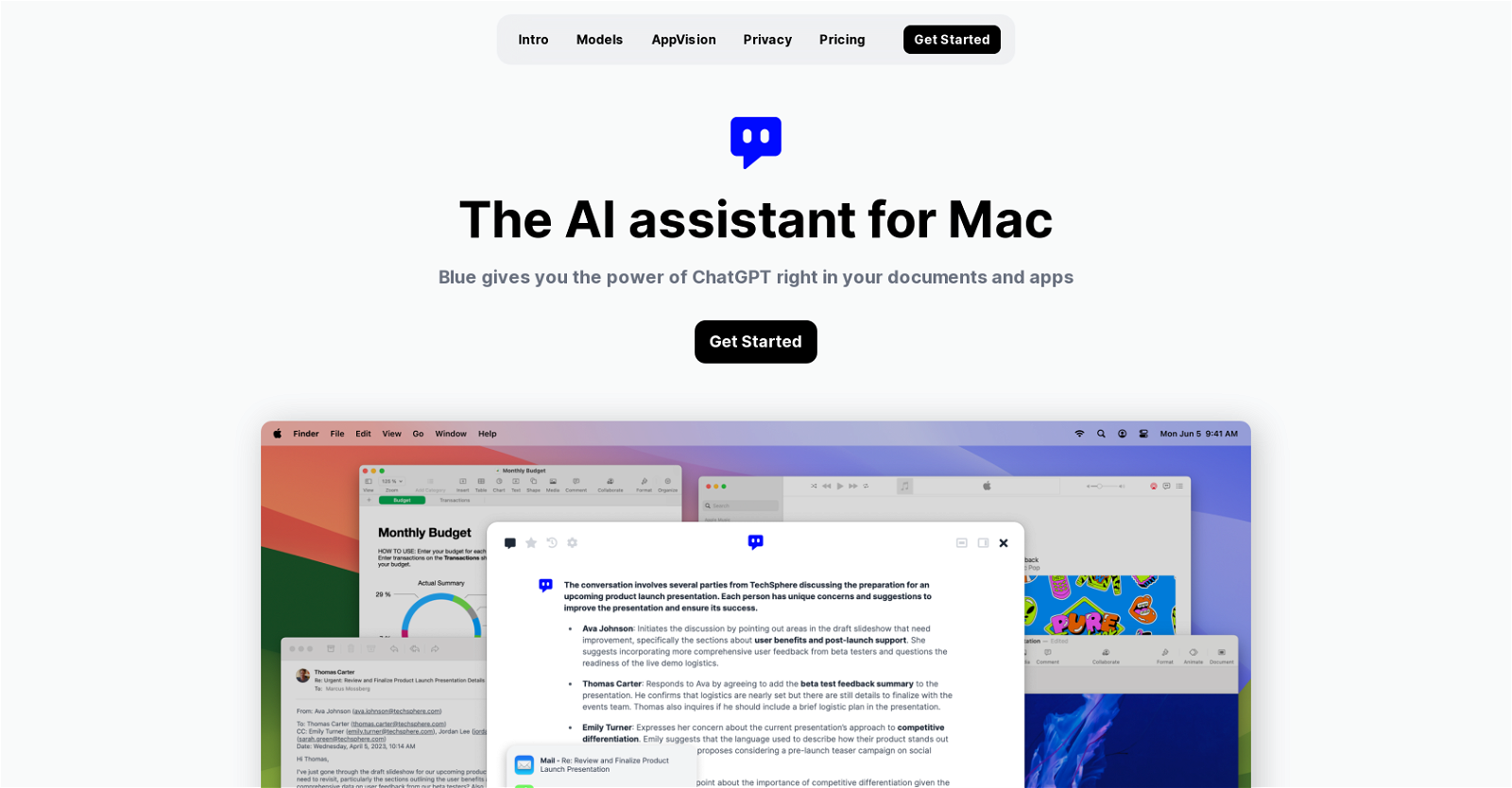
Blue is an AI assistant built for MacOs that integrates the power of ChatGPT into your applications and documents. It is always available on your Mac and can be activated by pressing option + space. Blue can analyze, summarize or translate the content on your screen within seconds, making it a helpful tool in coding, brainstorming, or report writing. It supports in-app interactivity and uses the latest AI models such as GPT-4 for enhanced user experience. Using AppVision, Blue comprehends your data context and provides better assistance by understanding what you're working on. In terms of data privacy, Blue is GDPR-compliant and safe to use in a professional setting; it ensures data is stored on-device and encrypted with AES-256 using your Apple ID. In terms of execution, Blue offers a seamless interaction with your apps and data without the need for browser tabs or copy-pasting. It also uses AppVision to capture intricate spatial information, further enriching the user experience. All your data, including messages and files, are stored and encrypted on your Mac. Blue ensures user data is not used for model development, adhering to strict privacy standards. Powered by Microsoft, this AI assistant is suitable for both individual and professional use and offers different pricing plans. It integrates neatly into your daily workflow, increasing general productivity and task output quality while reducing mundanity. Help other people by letting them know if this AI was useful. Add your own prompts and outputs to help others understand how to use this AI.

Screenshot gallery

Blue - ChatGPT for Mac screenshot

Pros & Cons

Pros

  • MacOS integration
  • Activated with keypress
  • On-screen content analysis
  • Summarizes content
  • Translates content
  • Helpful for coding
  • Aids in brainstorming
  • Assists in reports
  • In-app interactivity
  • GPT-4 model usage
  • Data comprehension with AppVision
  • Functions without browser
  • No copy-pasting required
  • Context-based assistance
  • GDPR compliant
  • On-device data storage
  • AES-256 encryption
  • Data isn't used for development
  • Microsoft powered
  • Individual and professional use
  • Various pricing plans
  • Work productivity increase
  • Enhances task output quality
  • Reduces work mundanity
  • Apple ID security feature
  • Captures spatial information
  • Encrypted messages and files
  • Seamless app interaction
  • Easily integrated workflow
  • Different performance models
  • Automatic model switch
  • AppVision gives better context
  • Intricate spatial capture
  • Understands active application
  • Special focus on privacy
  • Strict data control
  • No external data storage
  • No tracking involved
  • Message processed, data discarded
  • User controlled data toggle
  • EU servers
  • TLS 1.2+ encryption
  • Professional focused privacy
  • EU data stays in EU
  • Third party-free service
  • No cloud storage of data
  • Automatic software updates
  • API key integration
  • GPT-3.5 model usage

Cons

  • Only for MacOS
  • No multi-platform support
  • Limited to GPT-4
  • Reliant on Microsoft
  • Lacks external APIs
  • In-app interactivity limitations
  • AppVision scope limited
  • Data encryption only AES-256
  • Data localisation in EU

A Professional Framework to Evaluate Blue - ChatGPT for Mac

When considering Blue - ChatGPT for Mac for integration into your organizational workflow, we recommend deploying a structured score card across three critical operational pillars: Security & Compliance, Integration Friction, and long-term Price Scalability. Rather than looking only at basic feature lists, modern procurement teams must assess how a software platform behaves under high load and how well it fits into the team's data security guidelines.

1. Security and Database Compliance

Depending on your operating region and field, ensure that Blue - ChatGPT for Mac supports standard security layers such as SOC 2 Type II certifications, GDPR compliance, or HIPAA-compliant database encryption. If the tool connects directly to client database tables or handles user passwords, verify that they implement multi-factor authentication (MFA), single sign-on (SSO) integrations, and end-to-end data encryption in transit and at rest.

2. API Coverage and Custom Integrations

Siloed data is the primary cause of operational friction. Evaluate if Blue - ChatGPT for Mac has native connectors for your current project trackers, messaging hubs, and customer communication channels. For custom developer requirements, check if they provide a fully documented REST API with reasonable rate limits, comprehensive Webhooks support, and robust SDK packages in your language. A flexible API layer saves hundreds of hours of manual copy-paste overhead.

3. Total Cost of Ownership (TCO)

SaaS pricing packages are often deceptively simple. When reviewing Blue - ChatGPT for Mac's billing structure, map out your team's projected expansion over the next 12 to 24 months. Determine how costs scale as your customer database increases or as you add team members. Factor in setup costs, mandatory support plan upgrades, API access fees, and storage overage rates to understand the true cost before committing to a contract.

By combining verified user reviews from our directory with internal workflow pilot tests, your procurement team can make an informed decision that drives productivity without creating capital waste.

Features of Blue - ChatGPT for Mac

  • AI Assistant
  • MacOS
  • Productivity Tool
  • Chatgpt
  • Workflow Integration
  • Data Privacy
  • Free + From $5

SaaS1to10 verified reviews for Blue - ChatGPT for Mac

Overall rating

5.0

Based on 19 reviews

5.01 weeks ago

Review

I already have another transcription tool, but this one is much better. I love the different features such as the summary, quiz, and chapters. It does a great job of them. I've only done one transcript so far to try it out, but I'm truly impressed and am going to grab another code. A couple things that would make it even better are: - the ability to rename the files and organize them through folders. - the ability to download a copy of the other features as well as the transcript. Copying and pasting it works, but doesn't keep the format.

dunn

5.01 weeks ago

Review

An amazing app, I love the share feature and the comment section summaries

Silvia Cho

5.01 weeks ago

Review

I'm still testing the tool yet it looks very promising. I tested it with a 5.5k words Academic text that I had previously red. I tested the Key points feature, it does work!

Ivana González

5.01 weeks ago

Review

your answer is much too general, so useless. You could have just tell me to ask Perplexity.

Ta

5.01 weeks ago

Review

Absolutely! 🙏 When you have God in your life, true peace follows — in mind, heart, and spirit. I recently shared some thoughts on finding balance and positivity in life here → https://ropeherohub.com/

william

5.01 weeks ago

Review

Thanks Michael! At the moment it's through the edition of YAML files that you put in a special folder but an editor is coming out by the end of the week! Are you okay to be notified here when it's out?

Samuel ROY

5.01 weeks ago

Review

excellent to use! very helpful in my content creation journey. the UI is elegant and easy to navigate, plus the founder keeps on shipping new features faster than I can imagine. love the product 👏

Medhansh Malhotra

5.01 weeks ago

Review

It is not free. So i couldnt test anything

Isa Venancio

5.01 weeks ago

Review

This tool i found is super cool, I created 5 books from this tool to sell them online, which gives me great profit. I am creating more valuable books to spread knowledge, and earn some bucks as well 🤑.

Bilal Ashraf

5.01 weeks ago

Review

Suppppeeeeerrr! Wowwww! @Mindsmith is absolutely fantastic! It is incredibly useful, easy to use, and very professional.

Claudia Scilletta

5.01 weeks ago

Review

Really amazing! Makes learning content and engaging with things so much easier!

Jamie McDonald

5.01 weeks ago

Review

As the service was in beta-testing stage, I created there a dozen of AI-generated courses for free. I wanted to use them. Those courses remained in my account as they started subscription tiers. But recently I have found out that they were deleted. The support didn't answer to my e-mail at all.

Oldfag TV

5.01 weeks ago

Review

Beautiful Mac app for locally run AI models plus dozens of different image and text processing nodes. So much you can do in one place and adding new features constantly.

John OBC

5.01 weeks ago

Review

I would highly recommend for researches and students. useful to manage your articles and use AI to get the key points.

Hamed Mousavi

5.01 weeks ago

Review

I joined Kin's beta program on my iPhone XR. After upgrading to an iPhone 13, I found that I couldn't log into my existing account on the new phone, forcing me to create a new account. Now, I have two separate Kin accounts on different phones. Today, when I accessed the beta version of Kin, I got a notification stating that the test version ended on Monday, September 23rd. It instructed me to back up my data and move to the official Kin app. I did as advised—backed up my data, confirmed, uninstalled the beta app via TestFlight, and installed the official Kin app. However, when I attempted to “log in”, I was still unable to access my existing account. This issue hasn't been resolved yet. I have been trying desperately to get in contact with the support team. I left feedback through the test flight app and sent emails. No response. Now trying to find a forums, Reddit posts, TAAFT comments☻

Desiree Miller

5.03 weeks ago

Review

It does give you the option to choose what you want to pay, including trying it out without a set price. Totally fair setup and it's nice that the flexibility is there for users.

Alexandru Bostina

5.03 weeks ago

Review

Very useful for my work!

Frederick Galloway

5.03 weeks ago

Review

Absolutely love @MindMac, I have been giving large amounts of feedback and support to help improve the app for some time now, and the only reason why I am doing that out of my own time, without any incentive is to help the community, but I also want to help this app succeed. Having small developers, like @MindMac's is incredible, to create something as powerful and helpful, for users that do not need a computer science degree just to operate it I find very exciting. The developer listens and actions requests that are helpful, and reasonable, and that is something you won't get with the larger developers for months. Keep it up @MindMac!

Dylan

5.03 weeks ago

Review

I use Bolt every day as my main GPT client. Easier to use than ChatGPT, Daniel has made a great app here 👏 He's also very receptive to feedback, and has taken some of my ideas and bug reports on board 👍 Keep up the good work! Recommended ⭐

James Ivings

Pricing

Starting Price

Free plan available

Free tier available with optional paid upgrades.

Where can Blue - ChatGPT for Mac be deployed?

  • Cloud, SaaS, Web-Based

Recommended for you