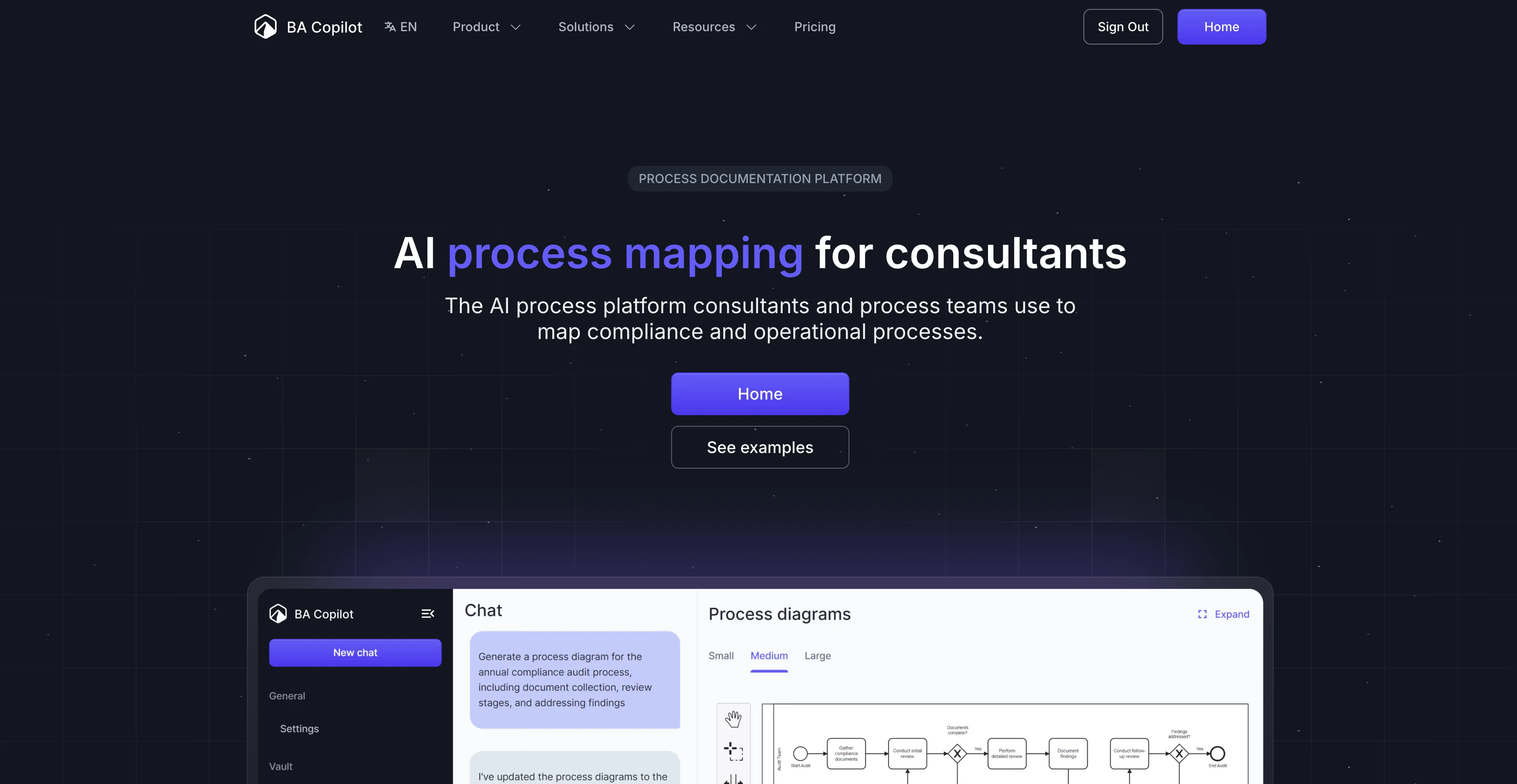
AI Process Map Generator is a tool designed to convert text, images, or documents into process maps. Suitable for consultants, operations teams, and business analysts, it creates process maps in seconds, meaning no more starting from scratch or manual drawing.
Users can also edit diagrams using a mouse, keyboard, or trackpad, and export finished processes as an image or .bpmn file. An additional feature allows users to convert whiteboard sketches into digital BPMN processes instantly, transforming hand-drawn diagrams into professional process maps.
It also supports multiple languages. The AI tool offers auto-documentation capabilities, ensuring that crucial details are not missed or ambiguous. It is capable of automatic generation of SOPs and work instructions.
The tool also offers versioning of process maps, allowing the track changes as processes evolve. It includes a collaboration feature that uses AI and natural language processing to refine and improve your process maps.
Furthermore, it contains a Process Advisor that can spot bottlenecks and inefficiencies and suggests improvements, using industry best practices as a reference.
Security is prioritized with data protection features in place and privacy policies ensuring that user data is neither used for model training nor shared without permission.
Templates and compliance maps are also provided, including a fill-in-the-blanks Standard Operating Procedure template and compliance checklists for various standards and regulations.
Finally, free tools are provided like a full BPMN editor, a swimlane maker, and the symbol reference.
Help other people by letting them know if this AI was useful.
Add your own prompts and outputs to help others understand how to use this AI.
Screenshot gallery
Pros & Cons
Pros
+Instant process maps generation
+Supports text, image, document input
+Drag and drop editing
+Can export as BPMN
+Can export as image
+Transforms whiteboard sketches digitally
+Multiple language support
+Auto-documentation feature
+Automatic SOPs generation
+Version tracking in process maps
+Collaboration tools integrated
+Process Advisor for improvement
+Robust data protection
+Compliance maps provided
+Standard Operating Procedure templates
+BPMN editor included
+Swimlane maker included
+Symbol reference provided
+Efficiency and bottleneck analysis
+Can handle large data
+Not used for model training
+Privacy-friendly user data policy
+Imports hand-drawn diagrams
+Free tools and templates
+Support for various regulations
+Converts text into diagrams
+Workflow optimization capability
+Refinement through natural conversation
+Compliance checklists available
+Automatic work instructions generation
+Drag-drop diagram rearrangement
+Advises using industry practices
+Team sharing potential
+Specific role-based benefits
+Editable BPMN process maps
+Reduces process mapping time
+Process maps from transcripts
+Automatic BPMN semantics understanding
+Interchangeable BPMN editor
+Viewable process mapping examples
+Low ceremony process options
+Can convert procedures into diagrams
+Generates process documentation
+Editable breach-notification maps
+Cursor-control diagram editing
+Exportable as PDF
+Process map play-through generator
Cons
−No offline version
−Lacks mobile app
−Limited export formats
−Limited template variety
−May require steep learning curve
−No integration with other tools
−No real-time collaboration
−Manual editing can be laborious
A Professional Framework to Evaluate BA Copilot
When considering BA Copilot for integration into your organizational workflow, we recommend deploying a structured score card across three critical operational pillars: Security & Compliance, Integration Friction, and long-term Price Scalability. Rather than looking only at basic feature lists, modern procurement teams must assess how a software platform behaves under high load and how well it fits into the team's data security guidelines.
1. Security and Database Compliance
Depending on your operating region and field, ensure that BA Copilot supports standard security layers such as SOC 2 Type II certifications, GDPR compliance, or HIPAA-compliant database encryption. If the tool connects directly to client database tables or handles user passwords, verify that they implement multi-factor authentication (MFA), single sign-on (SSO) integrations, and end-to-end data encryption in transit and at rest.
2. API Coverage and Custom Integrations
Siloed data is the primary cause of operational friction. Evaluate if BA Copilot has native connectors for your current project trackers, messaging hubs, and customer communication channels. For custom developer requirements, check if they provide a fully documented REST API with reasonable rate limits, comprehensive Webhooks support, and robust SDK packages in your language. A flexible API layer saves hundreds of hours of manual copy-paste overhead.
3. Total Cost of Ownership (TCO)
SaaS pricing packages are often deceptively simple. When reviewing BA Copilot's billing structure, map out your team's projected expansion over the next 12 to 24 months. Determine how costs scale as your customer database increases or as you add team members. Factor in setup costs, mandatory support plan upgrades, API access fees, and storage overage rates to understand the true cost before committing to a contract.
By combining verified user reviews from our directory with internal workflow pilot tests, your procurement team can make an informed decision that drives productivity without creating capital waste.
Features of BA Copilot
API
Image To Flowchart
BPMN File Support
Process Map Generation
Business Workflow Optimization
Process Improvement
Free + From $10/Mo
SaaS1to10 verified reviews for BA Copilot
Overall rating
★★★★★5.0
Based on 4 reviews
★★★★★5.01 months ago
“Review”
Really interesting approach with @SquareGen. Quick observation: the product is framed as LLM credit scoring, but lenders don’t buy models — they buy lower default rates. If a lender with a $100M book drops defaults by even 1%, that’s ~$1M saved annually. Positioning around credit loss reduction could massively change the commercial narrative. Happy to share a few thoughts.
Paul
★★★★★5.01 months ago
“Review”
the master tested the power of @Tripo3d and found it worthy. with only words as his weapon, forms took shape in mere moments. though some shapes needed guidance, the path was swift and free of tolls. for those who seek to build without burden, this tool offers much to learn from.
Jan Tang
★★★★★5.01 months ago
“Review”
not bad, sketch-to-outfit works well and is fast. some textures get smoothed. 4/5 would be 5/5 with better fabric detail.
Teresa Hanaan
★★★★★5.01 months ago
“Review”
Just tried the tool and printed my first 3D model, and I’m honestly surprised by how good it came out. It was super easy to use, and the final print matched my reference image perfectly. Congrats to the @Mimetic Labs team for building such a simple but super cool tool.