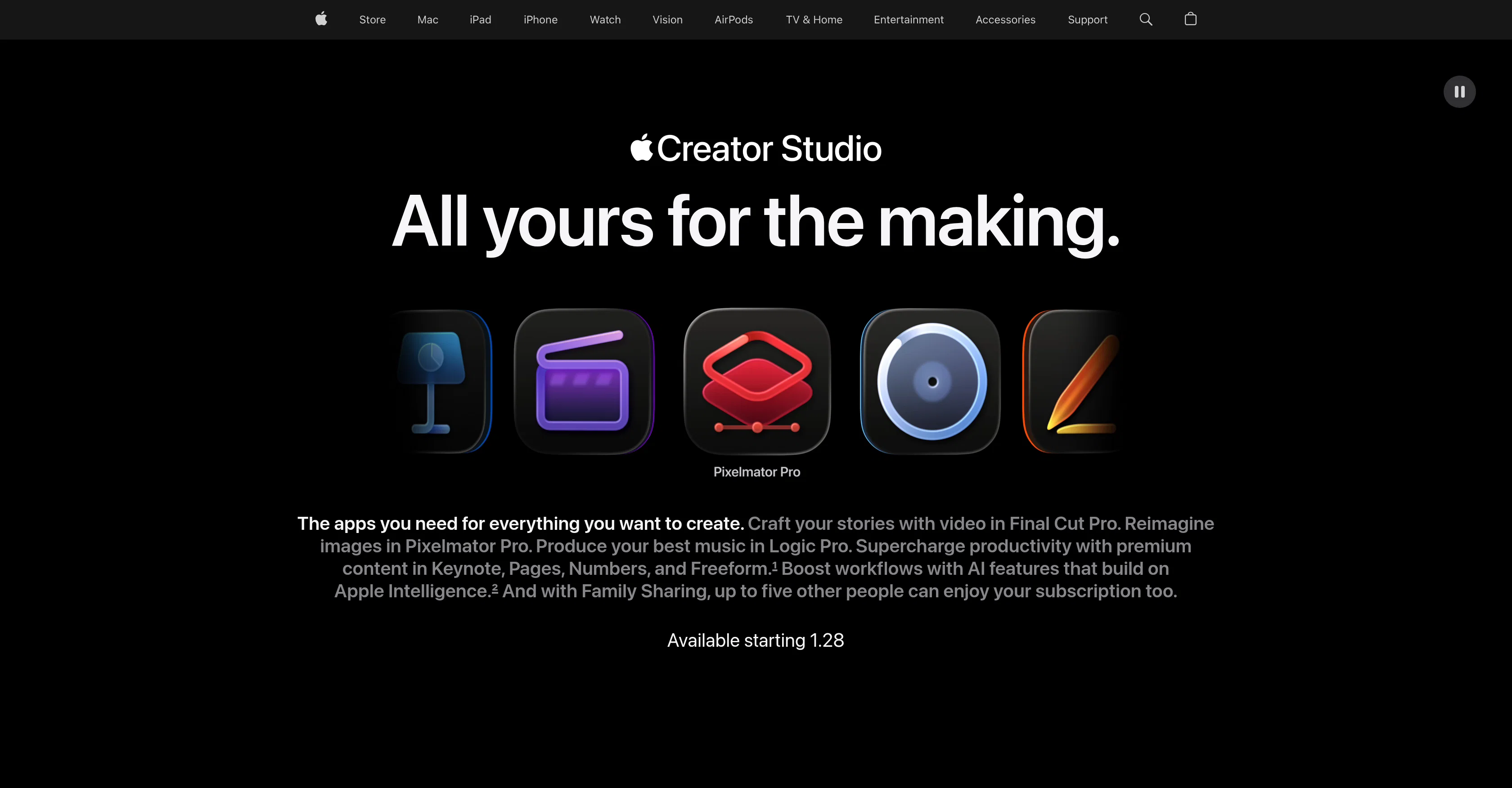
Apple Creator Studio is a suite of applications offered by Apple that enables users to explore a range of creative pursuits. The suite offers tools like Final Cut Pro, Logic Pro, and Pixelmator Pro, each serving a specific purpose in content creation: Final Cut Pro allows users to craft video content with smart, accelerated techniques, designed to create engaging videos.
Pixelmator Pro provides a platform for editing images and creating graphics with the support of powerful AI technology. Logic Pro supports the production of music and sound with tools designed to enhance audio quality and emphasize specific beats.
In addition to these, Apple Creator Studio brings premium content in productivity tools such as Keynote, Pages, Numbers, and Freeform that helps to boost workflows and enhance productivity.
The service supports shared access, allowing multiple people to enjoy the features provided with a single subscription. Tools are supplemented with smart AI features, an extension of Apple's artificial intelligence resources.
This comprehensive suite aims to serve as a single platform for all creative needs, supporting endeavors in video crafting, image editing, music production, and general productivity.
Help other people by letting them know if this AI was useful.
Add your own prompts and outputs to help others understand how to use this AI.
Screenshot gallery
Pros & Cons
Pros
+Final Cut Pro included
+Logic Pro included
+Pixelmator Pro included
+Premium productivity content
+Keynote, Pages, Numbers, Freeform in suite
+Enhanced workflows
+Shared access supported
+Blend of creative applications
+All tools in one platform
+Integrated with Apple Intelligence
+Supports video crafting
+Supports image editing
+Supports music production
+Supports general productivity
+Upgrades traditional content creation
+Intuitive tool design
+Optimized for Mac and iPad
+Facilitates family sharing
+Accompanies Apple Store purchase
+Visual Search in suite
+Transcript Search feature
+Magnetic Timeline for flexible editing
+Beat Detection for music synchronization
+Professionally designed motion graphics
+Integrated Compressor for export optimization
+Fast workflow on Pixelmator Pro
+Nondestructive editing on Pixelmator Pro
+Pixelmator Pro templates and mock-ups
+High typographic control on Pixelmator Pro
+Dedicated Session Players on Logic Pro
+Voice Memos support in Logic Pro
+Integrated Stem Splitter tools in Logic Pro
+Huge Sound Library in Logic Pro
+Comprehensive instruments and effect plugins in Logic Pro
+Generated slides in Keynote
+Content Hub for high-quality media
+Auto Crop feature in Content Hub
+Super Resolution for better image details
+Intuitive remixing features in image editor
Cons
−Only available on Apple platforms
−Subscription-based
−Limited sharing capabilities
−Suite can be overwhelming
−No individual app subscriptions
−Mixed app performance standards
−Complex learning curve
A Professional Framework to Evaluate Apple Creator Studio
When considering Apple Creator Studio for integration into your organizational workflow, we recommend deploying a structured score card across three critical operational pillars: Security & Compliance, Integration Friction, and long-term Price Scalability. Rather than looking only at basic feature lists, modern procurement teams must assess how a software platform behaves under high load and how well it fits into the team's data security guidelines.
1. Security and Database Compliance
Depending on your operating region and field, ensure that Apple Creator Studio supports standard security layers such as SOC 2 Type II certifications, GDPR compliance, or HIPAA-compliant database encryption. If the tool connects directly to client database tables or handles user passwords, verify that they implement multi-factor authentication (MFA), single sign-on (SSO) integrations, and end-to-end data encryption in transit and at rest.
2. API Coverage and Custom Integrations
Siloed data is the primary cause of operational friction. Evaluate if Apple Creator Studio has native connectors for your current project trackers, messaging hubs, and customer communication channels. For custom developer requirements, check if they provide a fully documented REST API with reasonable rate limits, comprehensive Webhooks support, and robust SDK packages in your language. A flexible API layer saves hundreds of hours of manual copy-paste overhead.
3. Total Cost of Ownership (TCO)
SaaS pricing packages are often deceptively simple. When reviewing Apple Creator Studio's billing structure, map out your team's projected expansion over the next 12 to 24 months. Determine how costs scale as your customer database increases or as you add team members. Factor in setup costs, mandatory support plan upgrades, API access fees, and storage overage rates to understand the true cost before committing to a contract.
By combining verified user reviews from our directory with internal workflow pilot tests, your procurement team can make an informed decision that drives productivity without creating capital waste.
Features of Apple Creator Studio
Video Editing
Image Editing
Content Creation
Creative Pursuits
Music Production
Productivity Tools
Free + From $2.99/Mo
SaaS1to10 verified reviews for Apple Creator Studio
Overall rating
★★★★★5.0
Based on 20 reviews
★★★★★5.02 months ago
“Review”
Great App! Comes in handy to generate questionnaires or quizzes out of specific topics from PDFs and scanned notes. If you are looking to boost kids performances either as a parent or a teacher then this is the app. Try it to believe it!
Kiran M
★★★★★5.02 months ago
“Review”
This tool removes all of the prep work of getting an LLM API endpoint running. I can try out ideas quickly and see within minutes whether an endpoint concept actually works. And when it does, moving it into a production app is about as easy as it gets.
Leonie
★★★★★5.02 months ago
“Review”
amazing product
Frederick Abila
★★★★★5.02 months ago
“Review”
I've put about 30-40 hours into SureThing, and it's seriously been a game-changer, basically acting like a virtual COO for my business!
Bonnie
★★★★★5.02 months ago
“Review”
I'm using it to significantly reduce time to make high-quality post. it works much better that regular chatgpt/claude
Islam Midov
★★★★★5.02 months ago
“Review”
@Cursor is underrated.
Vanessa
★★★★★5.02 months ago
“Review”
Absolutely in love. I could create my own custom AI and shared it with my colleuges to get instant support from me, i mean digital AI of me :)
Derek W.
★★★★★5.02 months ago
“Review”
Ideal for stock-watchlist and not missing trade setups that correspond to my strategy.
Builder
★★★★★5.02 months ago
“Review”
The most humanly AI i have used so far but the problem is as soon as you start piling up messages in single chat session , it starts getting slow and at some point it starts freezing and also uses a lot of resources. For time being its okay to do 3 4 messages but as soon as we continue it has messages limitation and also starts getting very very slow . For the price of £18 per month this is unacceptable and with the newly introduced feature called project, if we start new chat within the project we cannot continue with the context we provided in other chats within same project. There are lot of improvements for them to work on. And to start with the its speed and its price
Bibash Katel
★★★★★5.02 months ago
“Review”
State of the Art
Dmitry G.
★★★★★5.02 months ago
“Review”
nice holistic
Amit ImmI
★★★★★5.02 months ago
“Review”
Not at all accurate…. The only thing similar between original and generated images were the clothes and accessories… face was absolutely new and unconnected.
Shvetank Sharma
★★★★★5.02 months ago
“Review”
This tool finally helps me understand what makes a great prompt. It doesn't just give me a better version, it shows me to get there by analyzing why the original prompt is weak and showing what to improve. The difference this makes to the final AI output is incredible. An essential tool for getting more accurate and detailed results, Great Job!
Milo Quinn
★★★★★5.02 months ago
“Review”
This tool i found is super cool, I created 5 books from this tool to sell them online, which gives me great profit. I am creating more valuable books to spread knowledge, and earn some bucks as well 🤑.
Bilal Ashraf
★★★★★5.02 months ago
“Review”
Yup, it is getting wild recently.
Ales Kozelsky
★★★★★5.02 months ago
“Review”
Loving how these AI tools are saving us so much time and effort.
Smart Solution
★★★★★5.02 months ago
“Review”
Has anyone made anything with these tools they could share? Curious about the AI capabilities.
Yerena
★★★★★5.02 months ago
“Review”
great for quick mockups when i need placeholder art. not as robust as some other tools but it's fast and the visuals are clean enough for client presentations. gets the job done without overthinking it
Joana Haseeb
★★★★★5.02 months ago
“Review”
WTF... this thing is actually wiiiildd! everything i've tried came out looking like straight up high quality movie scenes.. i'm actually mind blown... insane..
Chris Studioz
★★★★★5.02 months ago
“Review”
I handle a large number of tasks simultaneously through @VoooAI to complete my creative work, thereby accomplishing the workload equivalent to one month in one day