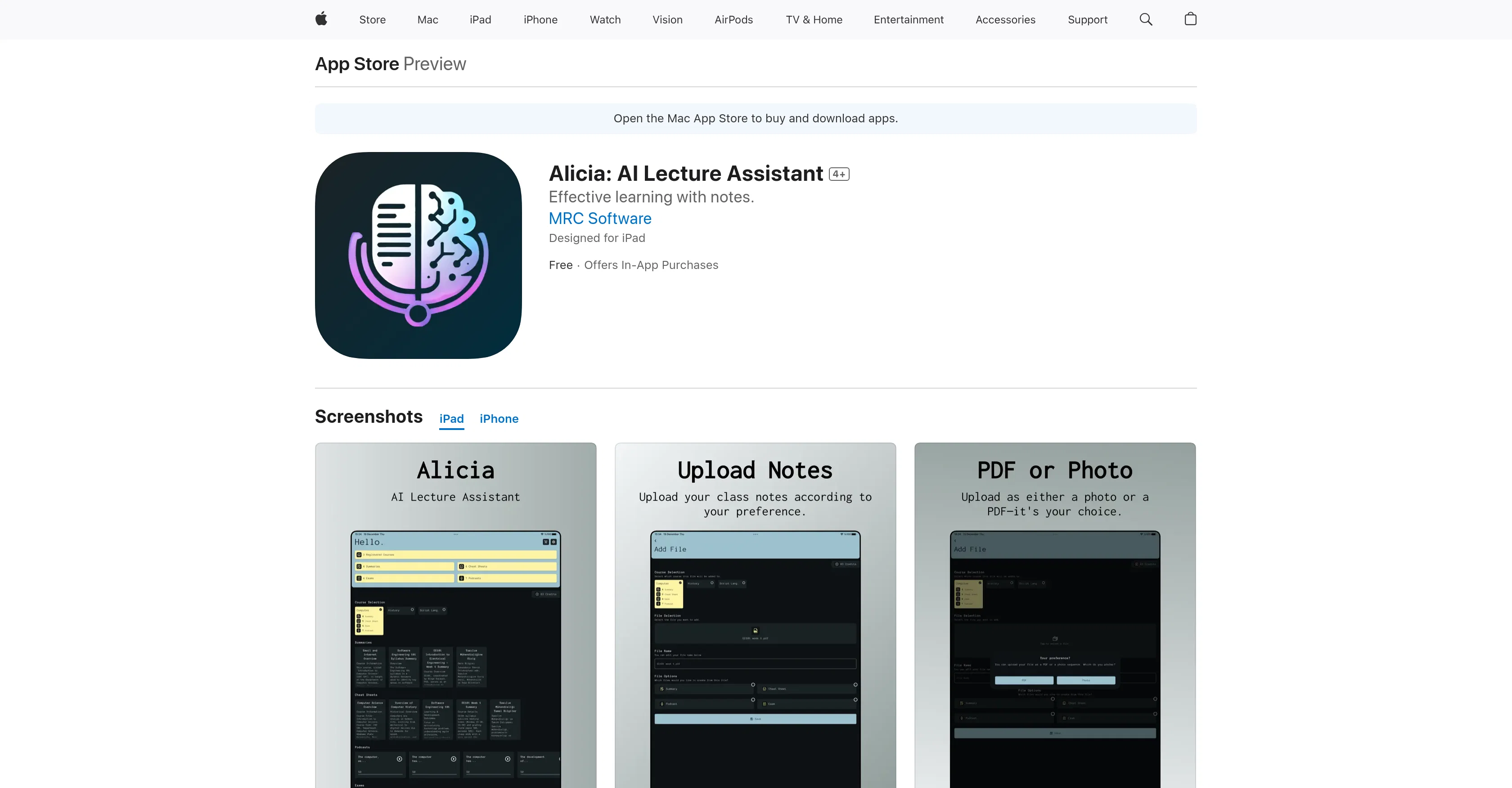
Alicia is an AI-based lecture assistant designed to make studying more effective, enjoyable, and efficient. The tool uses its proprietary AI capabilities to analyze lecture notes and offer learning tools tailored to user needs.
Users can upload notes in PDF or photo format, and Alicia will transform these into summaries, cheat sheets, podcasts, and quizzes. These output formats offer a comprehensive suite of solutions for different studying needs.
The summaries provide a focused look at main topics, streamlining study sessions. Cheat sheets offer a quick reference with critical information compiled concisely.
Podcasts convert important lecture note material into an audio format for learning on the go. Lastly, quizzes based on key points in the notes allow for practice and knowledge reinforcement.
Alicia's versatile toolset caters to unique learning styles and paces, thus making it suitable for students, individuals who prefer organizing notes, and those who love exploring different learning mediums.
Users can effectively prepare for exams, organize lecture notes, and reinforce knowledge with Alicia.
Help other people by letting them know if this AI was useful.
Add your own prompts and outputs to help others understand how to use this AI.
Screenshot gallery
Pros & Cons
Pros
+Analyzes lecture notes
+Creates study aids
+PDF or photo uploads
+Generates note summaries
+Generates cheat sheets
+Produces study podcasts
+Designs practice quizzes
+Caters to unique learning styles
+Efficient exam preparation
+Effective note organization
+Knowledge reinforcement
+Supports different learning mediums
+Lecture note conversion
+Cheatsheet generator
+Effective note summarization
+Podcast generation for studying
+Knowledge testing through quizzes
+Designed for iPad
+Features available in-app purchase
+Multilingual interface
+Not linked to user identity
+Flexible learning
+Visual and audio options
+Tailors learning to user pace
Cons
−In-app purchases required
−Only supports PDF or photo formats
−iOS platform dependent
−Not free-to-use
−Limited language support
−Small developer, potentially less support
−Privacy concerns with data handling
−No web application
−Requires specific OS versions
−May oversimplify complex topics
A Professional Framework to Evaluate Alicia: AI Lecture Assistant
When considering Alicia: AI Lecture Assistant for integration into your organizational workflow, we recommend deploying a structured score card across three critical operational pillars: Security & Compliance, Integration Friction, and long-term Price Scalability. Rather than looking only at basic feature lists, modern procurement teams must assess how a software platform behaves under high load and how well it fits into the team's data security guidelines.
1. Security and Database Compliance
Depending on your operating region and field, ensure that Alicia: AI Lecture Assistant supports standard security layers such as SOC 2 Type II certifications, GDPR compliance, or HIPAA-compliant database encryption. If the tool connects directly to client database tables or handles user passwords, verify that they implement multi-factor authentication (MFA), single sign-on (SSO) integrations, and end-to-end data encryption in transit and at rest.
2. API Coverage and Custom Integrations
Siloed data is the primary cause of operational friction. Evaluate if Alicia: AI Lecture Assistant has native connectors for your current project trackers, messaging hubs, and customer communication channels. For custom developer requirements, check if they provide a fully documented REST API with reasonable rate limits, comprehensive Webhooks support, and robust SDK packages in your language. A flexible API layer saves hundreds of hours of manual copy-paste overhead.
3. Total Cost of Ownership (TCO)
SaaS pricing packages are often deceptively simple. When reviewing Alicia: AI Lecture Assistant's billing structure, map out your team's projected expansion over the next 12 to 24 months. Determine how costs scale as your customer database increases or as you add team members. Factor in setup costs, mandatory support plan upgrades, API access fees, and storage overage rates to understand the true cost before committing to a contract.
By combining verified user reviews from our directory with internal workflow pilot tests, your procurement team can make an informed decision that drives productivity without creating capital waste.
Features of Alicia: AI Lecture Assistant
Education Technology
Study Tool
Lecture Analysis
Learning Styles
Digital Assistant
Note Analysis
Free + From $1.99
SaaS1to10 verified reviews for Alicia: AI Lecture Assistant
Overall rating
★★★★★5.0
Based on 16 reviews
★★★★★5.01 months ago
“Review”
I've tried to find the exact articles via WoS, Google, or Scopus. Despite using a very advised and complicated search query, it was just a waste of time. Perplexity didn't help either. The Jenni AI, which may add useful links when generating text, finds nothing but trash. SciScape gave exactly what I needed from the first query! A couple of fresh relative articles with very exact topics!
Elijah
★★★★★5.01 months ago
“Review”
I joined Kin's beta program on my iPhone XR. After upgrading to an iPhone 13, I found that I couldn't log into my existing account on the new phone, forcing me to create a new account. Now, I have two separate Kin accounts on different phones. Today, when I accessed the beta version of Kin, I got a notification stating that the test version ended on Monday, September 23rd. It instructed me to back up my data and move to the official Kin app. I did as advised—backed up my data, confirmed, uninstalled the beta app via TestFlight, and installed the official Kin app. However, when I attempted to “log in”, I was still unable to access my existing account. This issue hasn't been resolved yet. I have been trying desperately to get in contact with the support team. I left feedback through the test flight app and sent emails. No response. Now trying to find a forums, Reddit posts, TAAFT comments☻
Desiree Miller
★★★★★5.01 months ago
“Review”
Such an impressive platform for all of us who are looking for more efficient ways to do the investigation. @OpenRead has the potential to solve our problems.
Zhuohang Tong
★★★★★5.01 months ago
“Review”
No other tool quite like this, it's pretty straightforward. Needed to extract a long interview from YouTube and it extracted everything, providing it in different meaningful formats in less than two minutes. Awesome
Juan Sierra
★★★★★5.01 months ago
“Review”
Suppppeeeeerrr! Wowwww! @Mindsmith is absolutely fantastic! It is incredibly useful, easy to use, and very professional.
Claudia Scilletta
★★★★★5.01 months ago
“Review”
easy to pick up and you get a few free file imports. it gives you results pretty fast, unfortunately i can't find a way to get back to these, they're locked behind the paid service.
Ron Jayson
★★★★★5.01 months ago
“Review”
Highly recommend it for anyone dealing with high-volume document processing. Simplifies the process of extracting data from multiple PDFs into clean, accurate spreadsheets.
Tarang
★★★★★5.01 months ago
“Review”
Great way to get concrete, organized supervisor-style feedback on papers pre-submission without text generation or ChatGPT-style high-level comments.
TK
★★★★★5.01 months ago
“Review”
Pricing too steep for the offered quality.
Richard Stone
★★★★★5.01 months ago
“Review”
Really like how it finds connection in the content that I save. I don't think any other tool can do that.
amix ffx
★★★★★5.01 months ago
“Review”
Great tool! Was very helpful in content production
Duck Typer
★★★★★5.01 months ago
“Review”
I already have another transcription tool, but this one is much better. I love the different features such as the summary, quiz, and chapters. It does a great job of them. I've only done one transcript so far to try it out, but I'm truly impressed and am going to grab another code. A couple things that would make it even better are: - the ability to rename the files and organize them through folders. - the ability to download a copy of the other features as well as the transcript. Copying and pasting it works, but doesn't keep the format.
dunn
★★★★★5.01 months ago
“Review”
I think it's the best @Image Generator I ever found on the net. It gives more accurate image according to the prompt. And thank you for keeping it for free.
My Sawsiri
★★★★★5.01 months ago
“Review”
Alternative for fast academic writing
Ivan Taslim
★★★★★5.01 months ago
“Review”
I'm still testing the tool yet it looks very promising. I tested it with a 5.5k words Academic text that I had previously red. I tested the Key points feature, it does work!
Ivana González
★★★★★5.01 months ago
“Review”
Went from a C to an A in Cognitive Psychology using @Thea!!
Sarah White
Pricing
Starting Price
Free plan available
Free tier available with optional paid upgrades.
Where can Alicia: AI Lecture Assistant be deployed?