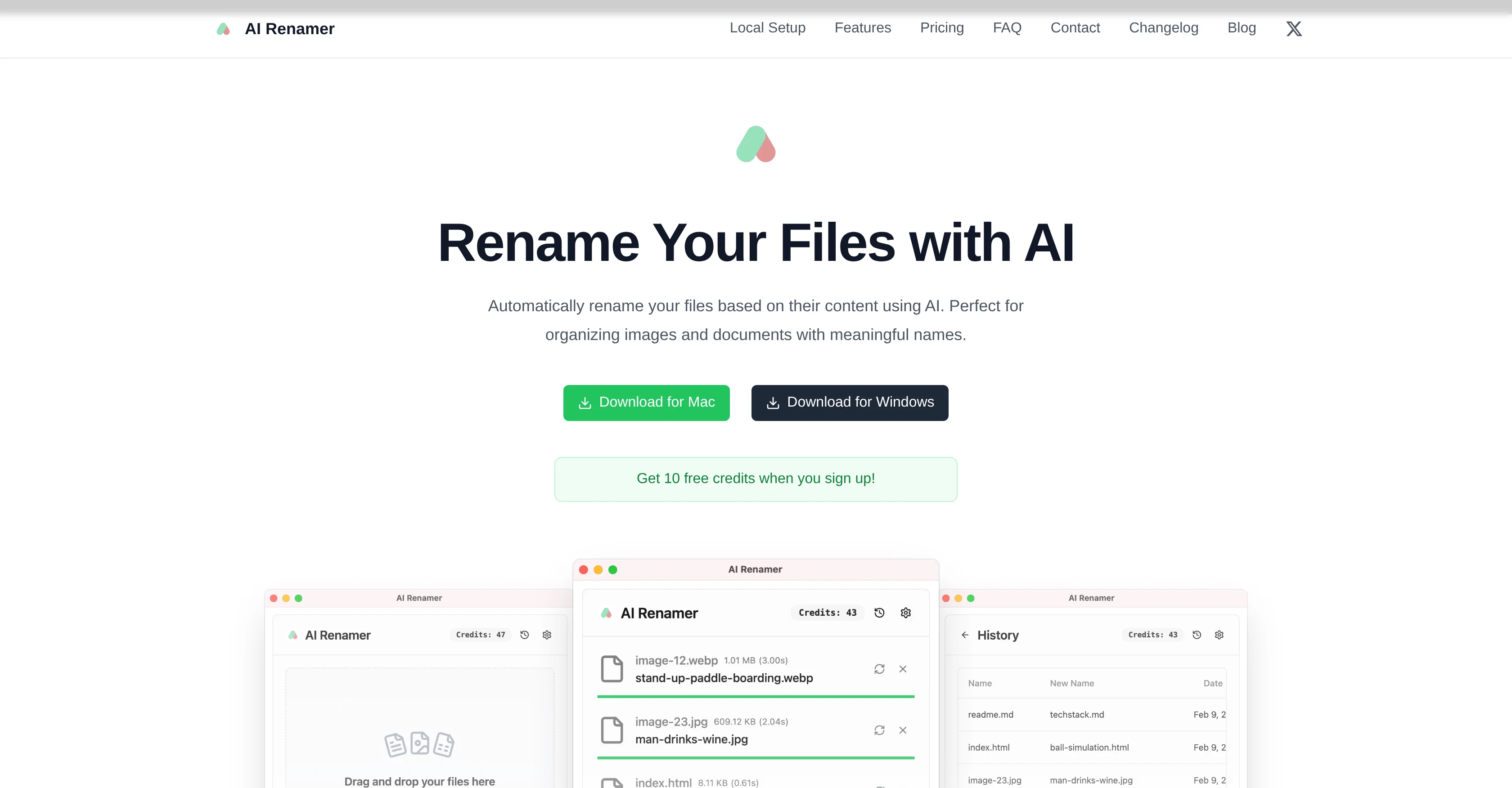
AI Renamer is an advanced tool providing automatic file renaming functionalities based on the content of files. Primarily designed for organizing images and document files, this tool uses AI technologies to analyze the content of these files and generate meaningful names accordingly.
It offers powerful features like batch processing, file support, smart recognition and local model support.Batch processing allows for renaming multiple files at once consistently, making it efficient for managing large volumes of files.
AI Renamer supports various file types such as images (JPG, PNG, GIF, WEBP) and documents (PDF, TXT and text-based files), contributing to its broad usage scenarios.
With its smart recognition feature, the tool can detect file contents, including image content and EXIF, and document content analysis to ensure relevant and accurate file naming.A standout feature of the tool is the ability to use local AI models.
This functionality provides the users with complete flexibility and privacy as they can rename files offline without sending the content to the cloud.
The tool integrates with Ollama and LM Studio and supports both OpenAI and custom model applications. AI Renamer supports Mac and Windows, thereby offering a consistent user experience across both operating systems.
Whether it is for personal or professional use, AI Renamer provides a seamless and efficient solution to keep digital files organized and easily identifiable.
Help other people by letting them know if this AI was useful.
Add your own prompts and outputs to help others understand how to use this AI.
Screenshot gallery
Pros & Cons
Pros
+Batch file renaming
+Supports multiple file types
+Smart content recognition
+Offline file renaming
+Integrates with Ollama
+Integrates with LM Studio
+Custom model compatibility
+Mac and Windows support
+EXIF analysis
+Automated content analysis
+Privacy protection
+Personal and professional use
+Image naming
+Document naming
+Preview before renaming
+Drag and drop interface
+Add custom renaming instructions
+Custom formatting rules
+Free credits on signup
+Local and cloud modes
+Pay-as-you-go credits
+Unlimited renaming with local models
+Transparent pricing
+Dark mode support
Cons
−Limited file types supported
−Dependence on third-party integrations
−Potentially inaccurate renames
−Offline processing requires setups
−Limited to MacOS and Windows
−Requires custom model application
−File size limit on cloud
−Pricing for cloud credits
−No Linux support
−Undesirable for sensitive data
A Professional Framework to Evaluate AI Renamer App
When considering AI Renamer App for integration into your organizational workflow, we recommend deploying a structured score card across three critical operational pillars: Security & Compliance, Integration Friction, and long-term Price Scalability. Rather than looking only at basic feature lists, modern procurement teams must assess how a software platform behaves under high load and how well it fits into the team's data security guidelines.
1. Security and Database Compliance
Depending on your operating region and field, ensure that AI Renamer App supports standard security layers such as SOC 2 Type II certifications, GDPR compliance, or HIPAA-compliant database encryption. If the tool connects directly to client database tables or handles user passwords, verify that they implement multi-factor authentication (MFA), single sign-on (SSO) integrations, and end-to-end data encryption in transit and at rest.
2. API Coverage and Custom Integrations
Siloed data is the primary cause of operational friction. Evaluate if AI Renamer App has native connectors for your current project trackers, messaging hubs, and customer communication channels. For custom developer requirements, check if they provide a fully documented REST API with reasonable rate limits, comprehensive Webhooks support, and robust SDK packages in your language. A flexible API layer saves hundreds of hours of manual copy-paste overhead.
3. Total Cost of Ownership (TCO)
SaaS pricing packages are often deceptively simple. When reviewing AI Renamer App's billing structure, map out your team's projected expansion over the next 12 to 24 months. Determine how costs scale as your customer database increases or as you add team members. Factor in setup costs, mandatory support plan upgrades, API access fees, and storage overage rates to understand the true cost before committing to a contract.
By combining verified user reviews from our directory with internal workflow pilot tests, your procurement team can make an informed decision that drives productivity without creating capital waste.
Features of AI Renamer App
Local
File Management
Automatic Renaming
Content Analysis
Digital Organization
Batch Processing
From $19
SaaS1to10 verified reviews for AI Renamer App
Overall rating
★★★★★5.0
Based on 11 reviews
★★★★★5.02 months ago
“Review”
B12 exceeded my expectations especially after I tried a few similar tools. Signing up took under a minute and because I offer a very specific set of services as a consultant, I didn't expect the AI to be able to capture my work, but it did a great job with creating content for me. I only had to make a few edits, add my bio, and was able to publish that same day. Now I get lots of compliments on my site and I've even tried their other tools like email marketing, which is great because the emails match my site's appearance. Overall I would recommend B12 as an effective, affordable, and easy to use website solution.
Katie G
★★★★★5.02 months ago
“Review”
Old man with white short hair and bard
Dom Cauv
★★★★★5.02 months ago
“Review”
nice holistic
Amit ImmI
★★★★★5.02 months ago
“Review”
Best AI document management tool ! :)
Félix Boittin
★★★★★5.02 months ago
“Review”
Good Replacement for the sparkle. Keep it up
Team Power
★★★★★5.02 months ago
“Review”
I was part of the beta trials and @TidyDocs has made it so much easier to manage my receipts and invoices.
Sebastian Lorentz
★★★★★5.02 months ago
“Review”
Hi there! I tested it myself and didn’t run into any errors, maybe try again now
Antonia Mitrea
★★★★★5.02 months ago
“Review”
@Fabric is kind of like a combo of bookmarking/webclipper/summarizer/knowledgebase. Basically you can add information and it will auto organize it as well as let you chat with this information and search through it. It is not a “search engine tool” I wouldn’t say. Maybe you will be able to create a knowledge, base and information repository of everything relevant to you and be able to search through that information… But that is still different than a “search engine, tool” in my opinion. So far I think they are shooting for individuals and not enterprise users. Which is great because I have been wanting to find a product that will allow me to add information from PDFs, websites and videos and then be able to search/query/chat with that. But so many of the companies I have found that offer anything close to along these lines are developing knowledge bases with only company customers in mind. I get that that is where the money is, but @Fabric appears to be for actual people to use. The product is definitely underdevelopment, and I have the TestFlight of their iOS app. I wouldn’t say the app is perfect yet or anything, but they are actively developing it, and some of their ideas are changing and evolving not just minor changes to their user interface. I am using @Fabric and Mem at the same time and I will be interested to see which turns put to be more for me. Definitely check it out if you have not already done so they have the opportunity to make an extremely useful tool and kind of even changing the way individuals think about storing/accessing information important to them.
Extra Google Account
★★★★★5.02 months ago
“Review”
Thanks for free credits. Please 🙏 adapt for mobile💪
Budget Plusit
★★★★★5.02 months ago
“Review”
While other similar services feed a bunch of file names into the AI, this tool doesn't send them. Instead, it generates code that runs in the browser. When the number of file names exceeds 1000, this tool completes the task, whereas other tools get slow.
fermata
★★★★★5.02 months ago
“Review”
Great experience, exceeded all expectations!
deviruchi
Pricing
Starting Price
From $19.00/user/month
Pricing may vary based on team size and features selected.