5.02 months ago
“Review”
you cannot download the slides on the free plan
Ellen Real
Turn text into PowerPoint slides instantly.
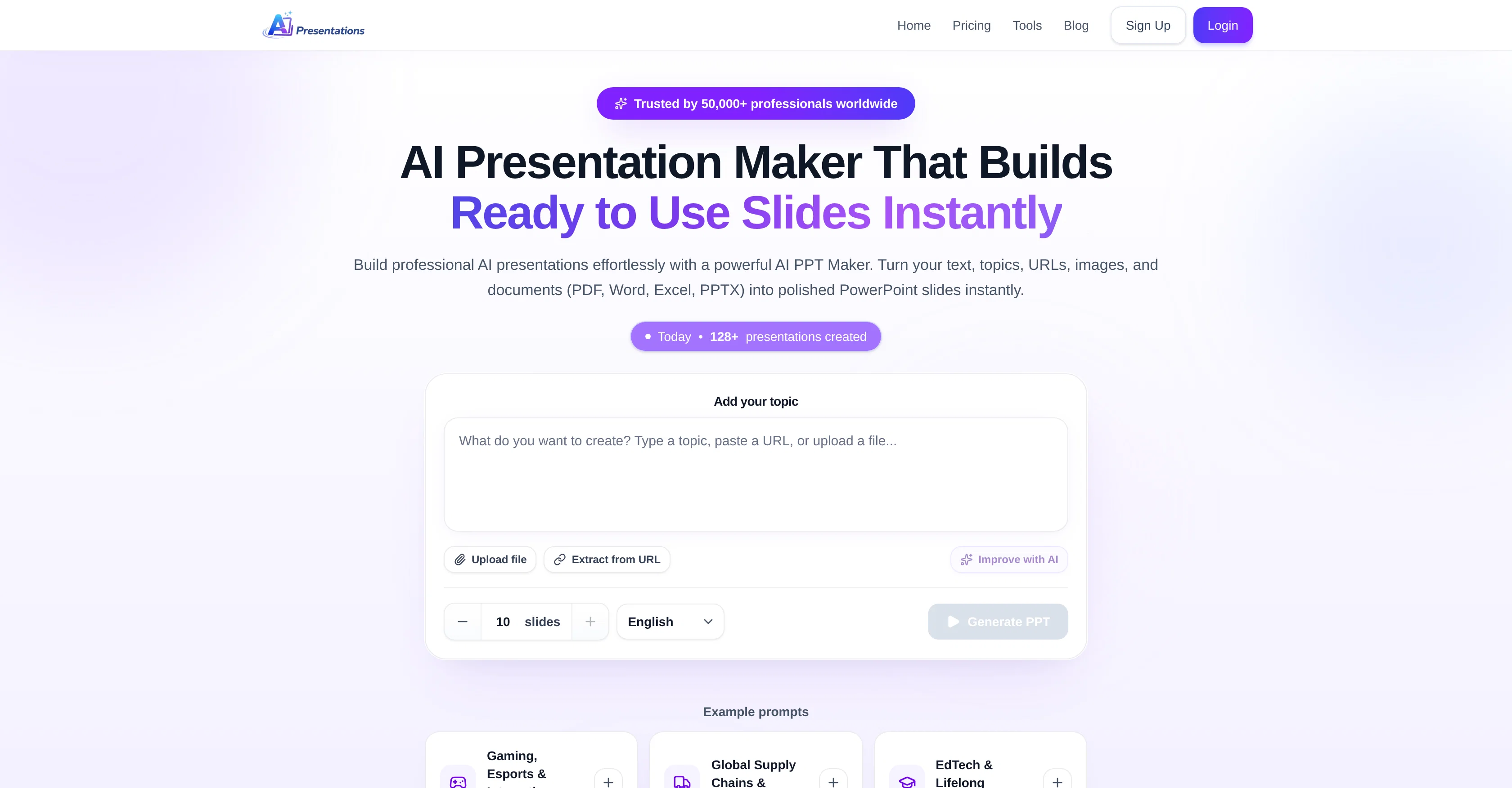
AI Presentations App is an innovative AI Presentations Maker tool that enables the swift and easy creation of professional presentations. Utilizing powerful AI technology, it turns user-provided prompts, ideas, texts, images, URLs, and documents into polished PowerPoint slides instantaneously. The entire process can be completed in just three simple steps. First, the user inputs a topic or uploads a file, such as PDF, Word, Excel, or PPTX, clicks the 'Generate PPT' button. The AI Presentation Maker then starts understanding the user's prompt and subsequently displays a presentation outline. If satisfied with the outline, the user can proceed to create the presentation. However, if changes are necessary, they can edit the outline accordingly. In the final step, the AI tool generates a complete slide deck, which can be exported for use in MS PowerPoint or edited directly within the AI PPT Maker with the help of prompts. Unique features include the ability to make modifications within the presentation without needing to regenerate the entire content and an inbuilt image search to add visuals to slides. A special AI assistant is also included to help refine and improve existing presentations. The assistant can expand short slides, summarize long ones, and improve slide titles, among other capabilities. Help other people by letting them know if this AI was useful.
When considering AI Presentations App for integration into your organizational workflow, we recommend deploying a structured score card across three critical operational pillars: Security & Compliance, Integration Friction, and long-term Price Scalability. Rather than looking only at basic feature lists, modern procurement teams must assess how a software platform behaves under high load and how well it fits into the team's data security guidelines.
Depending on your operating region and field, ensure that AI Presentations App supports standard security layers such as SOC 2 Type II certifications, GDPR compliance, or HIPAA-compliant database encryption. If the tool connects directly to client database tables or handles user passwords, verify that they implement multi-factor authentication (MFA), single sign-on (SSO) integrations, and end-to-end data encryption in transit and at rest.
Siloed data is the primary cause of operational friction. Evaluate if AI Presentations App has native connectors for your current project trackers, messaging hubs, and customer communication channels. For custom developer requirements, check if they provide a fully documented REST API with reasonable rate limits, comprehensive Webhooks support, and robust SDK packages in your language. A flexible API layer saves hundreds of hours of manual copy-paste overhead.
SaaS pricing packages are often deceptively simple. When reviewing AI Presentations App's billing structure, map out your team's projected expansion over the next 12 to 24 months. Determine how costs scale as your customer database increases or as you add team members. Factor in setup costs, mandatory support plan upgrades, API access fees, and storage overage rates to understand the true cost before committing to a contract.
By combining verified user reviews from our directory with internal workflow pilot tests, your procurement team can make an informed decision that drives productivity without creating capital waste.
Overall rating
Based on 25 reviews
you cannot download the slides on the free plan
Ellen Real
Great free tool. Simple and easy to use. Best of all don't need any subscriptions.
Ecko Max
Instantly goes live without hassle
E
The generation effect is good, the pictures are exquisite, and the transition animations of the pictures are smooth The only drawback is that it would be better if the generation time were a little faster
GraphThread
Only app I could create video for free! Thanks
7even
I like this. Helped me a lot in dark times. I have elevated anxiety and overthinking but this piece of software comea in handy when I need help. Also it’s affordable so kudos to the team 🤝🏻🤝🏻
Mesut Berk Karataş
amazing apps
Anthony
NOt transparent, pricing not given, you cannot choose plan prior to registering, or even after that. One prompt free.
Tibor Prievara
this is completely free, and it is amazing that you can change pictures into art and animations without paying anything.
Ellio
that's such a great AI
piw
I got some top quality results after learning how to prompt songs 🤩
Claes Lanng
Went from a C to an A in Cognitive Psychology using @Thea!!
Sarah White
This is my best bro! I communicate with him like my best friend, he always helps to direct my thoughts and ideas in the right direction, always tells me how to improve something and always gives detailed instructions during the conversation. Thanks to him, I’m launching a new project, in which he helps me take my ideas to a new level, just communication, during which you reassemble your concept and rethink your original idea, because you didn’t know how it would be better and more correct. @DeepSeek is my best assistant today, my creative inspiration, who gives me support and confidence in my business, guiding me to realize my dreams)
Gamer TOTORO
I've been using AI Presentations for creating slides for my educational YouTube channel, and it's been really helpful. Usually, making presentation slides takes me a lot of time, especially when covering study topics, but this tool speeds up the process a lot. I like that it gives a good structure for the content and creates clean-looking slides that don't need much editing. It helps me focus more on researching and explaining topics instead of spending hours on design. It's not perfect, and I still make some changes to fit my style, but it saves enough time that it's become part of my regular workflow. For teachers, students, and educational content creators, it's definitely worth trying.
Study More
⭐⭐⭐⭐⭐ Great AI Presentation Tool! I really liked the Brand PPT feature. It helped me create professional, on-brand presentation slides in under 60 seconds. The AI-generated content was well-structured, the design looked polished, and the editing process was simple. It has saved me a lot of time compared to creating presentations manually. Highly recommended for anyone who needs fast, professional-quality PowerPoint presentations.
Alex Johnson
Amazing presentation tool, especially for those last minute asks!
Richa Nigam
Clean output, easy editing, and useful for quick professional decks.
Umesh Kanoja
Great AI presentation tool! It creates well-structured PowerPoint slides in minutes from a simple prompt. The interface is easy to use, the output looks professional, and it supports text, documents, URLs, and images. It has saved me a lot of time when preparing presentations. Highly recommended for students, professionals, and anyone who regularly creates PPTs.
Expert Insight
Excellent AI Presentation Maker That Saves Hours of Work I've tried several AI presentation tools, and @AI Presentations App stands out for its speed, ease of use, and the quality of its output. It can turn a simple prompt, document, or URL into a well-structured PowerPoint presentation in just a few minutes. What impressed me the most is the ability to edit the presentation outline before generating the slides. This gives you much more control over the final result. The slide designs are clean and professional, and the AI-generated content usually requires only minor edits before it's ready to present. The built-in editing features and image search make the workflow even smoother, so I don't have to switch between multiple tools. It's especially useful for business presentations, client proposals, educational content, and last-minute presentations. Overall, this tool has significantly reduced the time I spend creating presentations while maintaining a professional standard. I would highly recommend it to students, educators, professionals, marketers, and anyone who regularly creates PowerPoint presentations.
Alex Johnson
Reliable and Easy-to-Use AI Presentation Tool @AI Presentations App has become one of my go-to tools whenever I need to create a presentation quickly. The interface is simple, the workflow is straightforward, and the AI generates a logical slide structure with professional-looking layouts. I particularly like that I can start with just a topic or a document and get a complete presentation within minutes. The slides are easy to customise, and the content is well organised, which saves a lot of time compared to building a presentation from scratch. While I still make small adjustments to match my preferences, the overall quality is excellent and dramatically reduces the effort required. Whether you're preparing a business pitch, school project, training material, or client presentation, this tool is definitely worth trying. It has made creating PowerPoint presentations much faster and more efficient for me.
TechForPCAdmin
@Xpptx: Your One-Click Professional PowerPoint Solution. Making PowerPoint & Slides Creation Easier
Bo Zhang
It’s more than just a presentation maker, it also helps organize information.A great alternative to PowerPoint or Google Slides when you need something fast and professional. It has become part of my daily workflow at the office.
poen ai
Did not allow to download the slides.... ideally they should keep it free till sufficient traffic hits the platform and allow people to share feedback.
Pramesh Nair
The PowerPoint presentation I made met my expectations very well
kismettttt
@PPT.AI is an outstanding AI-powered presentation tool that has completely transformed my workflow! With just a few clicks, it turns my ideas, documents, or even YouTube links into polished, professional slides in minutes. The platform offers over 800 premium templates and smart editing tools, making customization both powerful and intuitive. I especially appreciate the real-time cloud collaboration and version control features, which make working in teams seamless. Whether you’re a professional, educator, or entrepreneur, @PPT.AI saves a tremendous amount of time and ensures every presentation looks visually engaging and consistent. Highly recommended—definitely a five-star experience!
Leo Wang
Starting Price
Free plan available
Free tier available with optional paid upgrades.