5.01 months ago
“Review”
Very similar to Krea, which was what I came here for.
George K.

Create stunning visuals with AI-powered text prompts
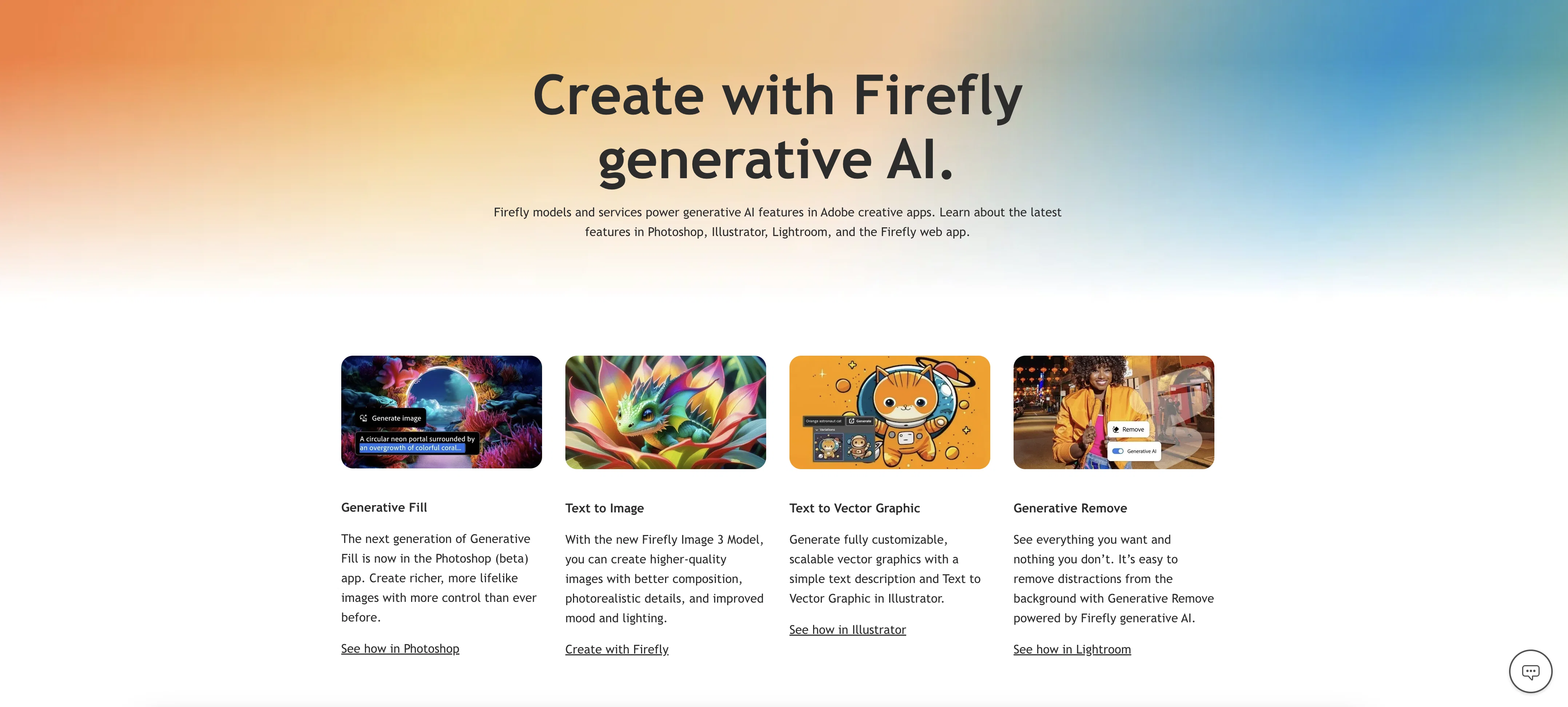
Adobe Firefly is an AI-powered tool designed to facilitate artistic creation through generative AI. Users can leverage simple text prompts available in over 100 languages to generate images, reconfigure text, experiment with colors, and more. Feature areas include 'Text to Image' which enables users to generate images from verbal descriptions, and 'Generative Fill' and 'Generative Expand', used to add, remove, or extend visual elements within an image by filling with matching content. The Firefly Image 3 Model boosts image creation by providing better composition, photorealistic details, and improved mood and lighting effects. Its integration with other Adobe applications such as Photoshop, Illustrator, and Lightroom enhances content creation. The tool provides features such as 'Generative Remove' in Lightroom for removing any element without trace, and 'Text to Vector Graphic' in Illustrator to produce scalable vector graphics from a text description. Overall, Adobe Firefly is a comprehensive creative instrument that can be applied from individual creative endeavors to collaborative business projects. Help other people by letting them know if this AI was useful. Add your own prompts and outputs to help others understand how to use this AI.
When considering Adobe Firefly for integration into your organizational workflow, we recommend deploying a structured score card across three critical operational pillars: Security & Compliance, Integration Friction, and long-term Price Scalability. Rather than looking only at basic feature lists, modern procurement teams must assess how a software platform behaves under high load and how well it fits into the team's data security guidelines.
Depending on your operating region and field, ensure that Adobe Firefly supports standard security layers such as SOC 2 Type II certifications, GDPR compliance, or HIPAA-compliant database encryption. If the tool connects directly to client database tables or handles user passwords, verify that they implement multi-factor authentication (MFA), single sign-on (SSO) integrations, and end-to-end data encryption in transit and at rest.
Siloed data is the primary cause of operational friction. Evaluate if Adobe Firefly has native connectors for your current project trackers, messaging hubs, and customer communication channels. For custom developer requirements, check if they provide a fully documented REST API with reasonable rate limits, comprehensive Webhooks support, and robust SDK packages in your language. A flexible API layer saves hundreds of hours of manual copy-paste overhead.
SaaS pricing packages are often deceptively simple. When reviewing Adobe Firefly's billing structure, map out your team's projected expansion over the next 12 to 24 months. Determine how costs scale as your customer database increases or as you add team members. Factor in setup costs, mandatory support plan upgrades, API access fees, and storage overage rates to understand the true cost before committing to a contract.
By combining verified user reviews from our directory with internal workflow pilot tests, your procurement team can make an informed decision that drives productivity without creating capital waste.
Overall rating
Based on 22 reviews
Very similar to Krea, which was what I came here for.
George K.
made a few random social visuals with it and the results came out pretty clean. not every generation hit, but the good ones were definitely usable. decent tool for quick ideas.
Daniel Galatioto
O GPT faz uma análise melhor e mais personalizada.
Vinicius Vilela
I tried using it but the website has too many bugs.
João Neiva
It's pretty cool. There is a free plan/membership.That means that you get free 100 image credits every month that will refresh (on the date you created the account, not on every first of month). Seems to have relatively mild filters. Faces of celebs seem to be blocked. You can type in the name of a celeb and it will create a picture but the face will be a fragmented colorful mess. It has a in-painting function and you can enlarge the canvas (both are separate functions that will cost as much credits as the generation of an image. However it is possible to create NSFW images, if you're into that.
Marshmallowfroggy
It's sad to see people want to try your tool out but you have no free sample for them. This may be the best tool out there, but, as mentioned, going through with the AI for minutes to explain what you want, then being prompted to pay, without even knowing if it CAN create something, is discouraging. I hope we can get a free sample or preview at one point, im interested in this one.
Ron Jayson
It works nicely. The autodraw function works really well, it easily detects what I’m trying to go for. W tool!
Orit Paredes
Easy to use and produces some very interesting results. It is going to be my Go To image creation tool.
Malcolm Davison
State of the Art
Dmitry G.
As the service was in beta-testing stage, I created there a dozen of AI-generated courses for free. I wanted to use them. Those courses remained in my account as they started subscription tiers. But recently I have found out that they were deleted. The support didn't answer to my e-mail at all.
Oldfag TV
Diffusion pulls out extremely good images from simple prompts. Renders were a little slow on higher quality, but totally worth it for the results. The controls feel clear enough and the outputs look legit. Good one here!
Harsh Nether
When I want to sign up on the @Ideogram website with "Continue with Google" and press it, the sentence "Please choose an option to continue" appears below the banner and no action happens. Anybody can help me?
Michael Ryan
Looks promising and allows free image generation after signing up (with a daily limit).
Jaroslav Osicka
@Stable Diffusion XL 0.9 (the version I've used), is hands down one of the best programs I've used. It however, if you don't get free credits, depressingly enough, you have to pay for more to be able to use it.
Sora The Reaper
Classic tool 😮💨 Loving Gen 4, it's wild how good the motion consistency is. It feels like a full studio in your browser. Big W guys keep it up!
Chris Studioz
This one gives some pretty decent logo directions quickly. The first concepts are useful, but I’d still want finer control over typography and spacing before calling anything final.
Josh KUMAR
Such a great place to start out!
Helli Lang
Love how it offers stuff for both free and premium users. huge thanks to the devs and keep it up!
Burner Cruz
Free Start with a Free Experience $0 /mo
Vitus Bering
It's not free, it forces you to input an email before shoving a price tag in your face.
Arvoly XSL
I think it's the best @Image Generator I ever found on the net. It gives more accurate image according to the prompt. And thank you for keeping it for free.
My Sawsiri
Privacy Nightmare. Your content will belong to Adobe.
Der Wolfgang
Starting Price
Free plan available
Free tier available with optional paid upgrades.


