ShadowDo

5.0(20 reviews)

Autopilot for post-meeting tasks

Free

ShadowDo Overview

What is ShadowDo?

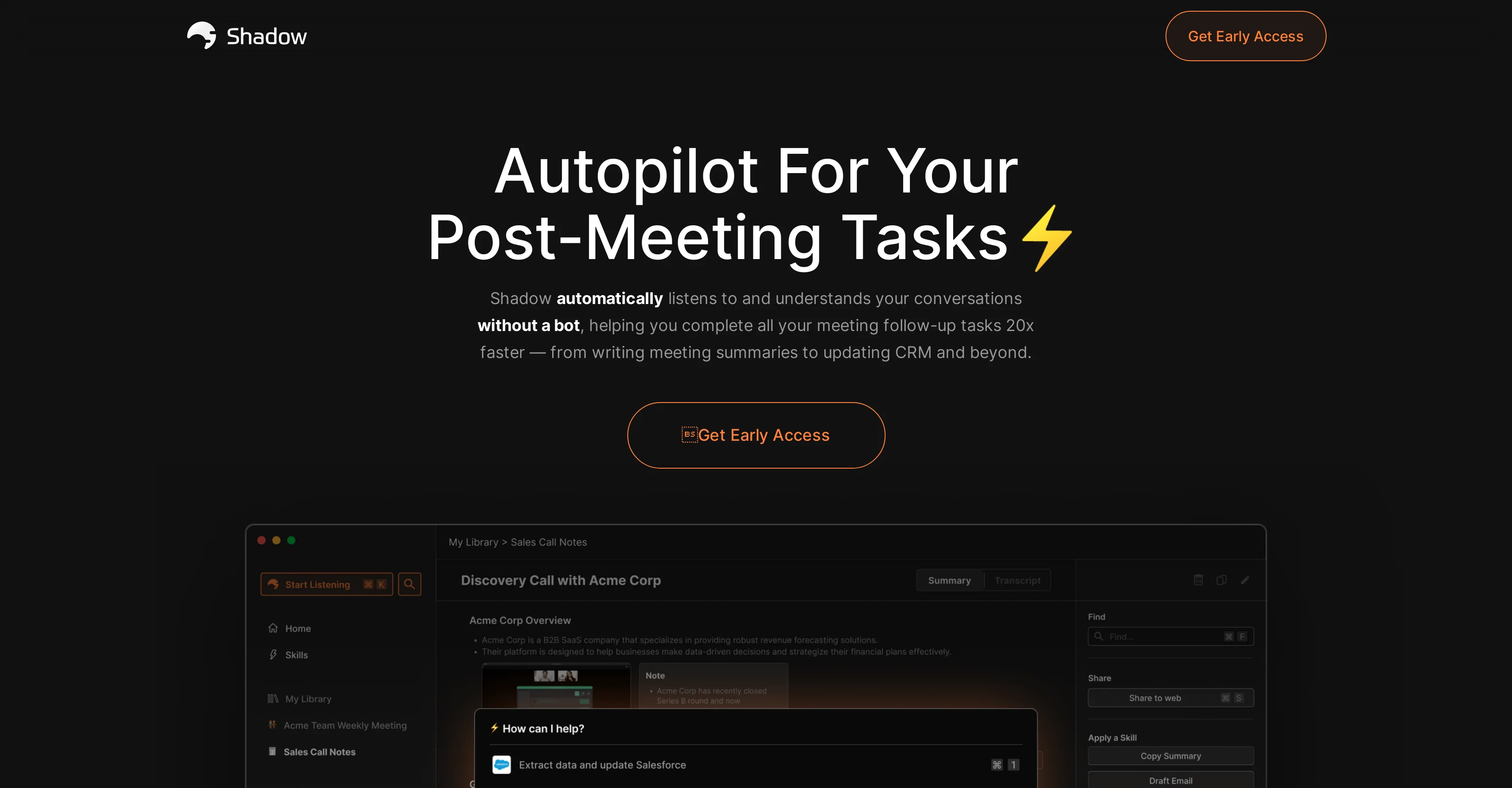
Shadow is an AI tool aimed to streamline your post-meeting work. This tool listens and comprehends conversations, translating them into a variety of actionable tasks that enhances efficiency. It is particularly designed to function without the presence of a bot, thus enabling smooth conversations. An important feature of Shadow is the ability to start listening whenever communication starts, making it a perfect tool for platforms like Zoom, Google Meet, Microsoft Teams, etc. Once a conversation is concluded, Shadow produces transcripts and summaries with timestamps for future reference. It also helps accomplish different tasks such as writing meeting summaries, updating CRM and more based on the generated transcripts. Shadow safeguards users' privacy by storing all recordings locally on users' devices, which can only be accessed with the user's permission. The tool is also constantly learning to offer more features and skills. Shadow can be extremely valuable in a series of application areas like design feedback, bug reporting, customer support, asynchronous interviews, working across different time zones and sales outreach. For instance, in design feedback scenarios, the tool allows concise feedback collection and simplifies the process of discussing changes. For bug reporting scenarios, it transforms traditional long written reports into more demonstrative reports, making the process efficient and easily understandable. This robust tool hence significantly reduces manual workloads, leaving more time for essential tasks and improving overall workflow while prioritizing user privacy. Help other people by letting them know if this AI was useful. Add your own prompts and outputs to help others understand how to use this AI.

Screenshot gallery

ShadowDo screenshot

Pros & Cons

Pros

  • Post-meeting task automation
  • Streams meeting conversations
  • Automatic listening feature
  • Functional across platforms
  • Generates transcripts, summaries
  • Timestamps in transcripts
  • Automated CRM updating
  • Local storage of recordings
  • Permission-based data access
  • Continuous learning and development
  • Applicable to various areas
  • Simplifies design feedback collection
  • Demonstrative bug reporting
  • Supports asynchronous interviews
  • Offers customer support assistance
  • Facilitates post-meeting work
  • Timestamped summaries for reference
  • Handles follow-up tasks
  • Bot-free meeting recording
  • Helps work across timezones
  • Accesses data only with permission
  • Ensures user's privacy
  • Produces actionable tasks
  • Functions without bot presence
  • Prioritizes user privacy
  • Facilitates sales outreach
  • Reduces manual workloads
  • Improves workflow efficiency
  • Can start listening automatically
  • 20x faster post-meeting task completion
  • Trusted by top brands
  • Ever-growing skills and features
  • Completes tasks based on conversations
  • Allows concise feedback collection

Cons

  • Requires user's permission for listening
  • Local storage may impact device
  • Doesn't specify compatibility with non-meeting platforms
  • Potential incongruity in transcripts
  • Limited feature detail for ongoing learning
  • Doesn't specify transcription languages supported
  • Doesn't specify data retention policy
  • May require significant network bandwidth
  • Possible delay in transcription generation
  • Task automation scope unclear

A Professional Framework to Evaluate ShadowDo

When considering ShadowDo for integration into your organizational workflow, we recommend deploying a structured score card across three critical operational pillars: Security & Compliance, Integration Friction, and long-term Price Scalability. Rather than looking only at basic feature lists, modern procurement teams must assess how a software platform behaves under high load and how well it fits into the team's data security guidelines.

1. Security and Database Compliance

Depending on your operating region and field, ensure that ShadowDo supports standard security layers such as SOC 2 Type II certifications, GDPR compliance, or HIPAA-compliant database encryption. If the tool connects directly to client database tables or handles user passwords, verify that they implement multi-factor authentication (MFA), single sign-on (SSO) integrations, and end-to-end data encryption in transit and at rest.

2. API Coverage and Custom Integrations

Siloed data is the primary cause of operational friction. Evaluate if ShadowDo has native connectors for your current project trackers, messaging hubs, and customer communication channels. For custom developer requirements, check if they provide a fully documented REST API with reasonable rate limits, comprehensive Webhooks support, and robust SDK packages in your language. A flexible API layer saves hundreds of hours of manual copy-paste overhead.

3. Total Cost of Ownership (TCO)

SaaS pricing packages are often deceptively simple. When reviewing ShadowDo's billing structure, map out your team's projected expansion over the next 12 to 24 months. Determine how costs scale as your customer database increases or as you add team members. Factor in setup costs, mandatory support plan upgrades, API access fees, and storage overage rates to understand the true cost before committing to a contract.

By combining verified user reviews from our directory with internal workflow pilot tests, your procurement team can make an informed decision that drives productivity without creating capital waste.

Features of ShadowDo

  • Productivity Tool
  • Task Automation
  • Conversational Understanding
  • Digital Transcription
  • Meeting Summary
  • Speech Recognition
  • Free + From $8/Mo

SaaS1to10 verified reviews for ShadowDo

Overall rating

5.0

Based on 20 reviews

5.01 weeks ago

Review

I've been playing around with this for a few hours. It's made me say "WOW" too many times than i wish to admit. I'm going to follow this and see how it evolves. For now, i managed to create quite a nice Expenses app for personal use. | It did have some problems when it came to moving some components on other pages, but for how short the prompts it uses can be, it is really impressive. With some proper prompts it can generate some strong stuff.

Bernard

5.01 weeks ago

Review

Isn't it intriguing how all three other reviews for this "website builder" share the exact same profile photo?

Desiree Miller

5.01 weeks ago

Review

I rarely leave reviews, but Elsa amazed me. After a few weeks of using it, I'm still excited. Props, guys.

Anton

5.01 weeks ago

Review

Zero GPT which is supposed to be covered detects it with 100% certainty. So... No.

Stephan Tual

5.01 weeks ago

Review

I joined Kin's beta program on my iPhone XR. After upgrading to an iPhone 13, I found that I couldn't log into my existing account on the new phone, forcing me to create a new account. Now, I have two separate Kin accounts on different phones. Today, when I accessed the beta version of Kin, I got a notification stating that the test version ended on Monday, September 23rd. It instructed me to back up my data and move to the official Kin app. I did as advised—backed up my data, confirmed, uninstalled the beta app via TestFlight, and installed the official Kin app. However, when I attempted to “log in”, I was still unable to access my existing account. This issue hasn't been resolved yet. I have been trying desperately to get in contact with the support team. I left feedback through the test flight app and sent emails. No response. Now trying to find a forums, Reddit posts, TAAFT comments☻

Desiree Miller

5.01 weeks ago

Review

It is the ease of use for me. @DataSquirrel is fast, the UI is super intuitive, and the guided analysis feature is highly convenient. I have officially moved from uploading CSV files from Google sheet to @DataSquirrel. Within minutes, I can visualize my data and interpreting it becomes super simple.

Aakriti Mahajan

5.01 weeks ago

Review

Nice interface, but no good at PDF answers, especially tables data.

hifive szu

5.01 weeks ago

Review

Great! I think @AI Lawyer is the best service I've ever seen. Perfect use. Prompting helps in the work

Yuri Gerasimov

5.01 weeks ago

Review

easy to pick up and you get a few free file imports. it gives you results pretty fast, unfortunately i can't find a way to get back to these, they're locked behind the paid service.

Ron Jayson

5.01 weeks ago

Review

As the service was in beta-testing stage, I created there a dozen of AI-generated courses for free. I wanted to use them. Those courses remained in my account as they started subscription tiers. But recently I have found out that they were deleted. The support didn't answer to my e-mail at all.

Oldfag TV

5.01 weeks ago

Review

I can't explain how impressed i am by this. I've seen tools to help you brainstorm ideas, but not one to break your task down into big steps, then little steps for each of these. Plus "games" to help come up with more ideas for your project. I'm excited to use this!

ImpulseOscar

5.01 weeks ago

Review

Thanks for the feedback, and also for the tip for the community. One more tip: if you upload an image directly, you can add context that might be missing in the image. For example, the duration is 3 hours or prefix every event title with Name:

Caren Cioffi

5.01 weeks ago

Review

after playing around with it for a bit, i am now aware of how much i need this. i can already feel the hours of sleep coming back to me <3

Bru no no no

5.01 weeks ago

Review

I tried using it but the website has too many bugs.

João Neiva

5.03 weeks ago

Review

I've tried 10 note-taking tools, and so far this is the best. My work is now much simpler and more efficient.

Happy Kid

5.03 weeks ago

Review

Maybe more useful as I think!

yuesheng zheng

5.03 weeks ago

Review

I like the desktop version, it can record and transcribe my meetings. Pretty accurate transcript and summary.

akihouse98

5.03 weeks ago

Review

very accurate transcription. summaries are spot on. and can transcribe conversations in real-time. easy to use

Jeff Matteus

5.03 weeks ago

Review

Very smooth and effective. It could detect even Hindi language and could summarise pretty reasonably

Pankaj Dixit

5.03 weeks ago

Review

👋 Hey everyone — I’m Yusef, founder of @Jamy. We built @Jamy because we were tired of wasting time after meetings — rewriting notes, chasing action items, and trying to remember what was actually said. @Jamy handles all of that automatically: it joins your calls, transcribes, summarizes, pulls tasks and quotes, and even sends branded follow-ups. It works with Zoom, Google Meet, Teams, and phone calls — and connects with tools like Slack, Trello, and Notion. If you’re curious, give it a spin — @Jamy.ai. Would love your feedback! — Yusef

Yusef Jacobs

Pricing

Starting Price

Free plan available

Free tier available with optional paid upgrades.

Where can ShadowDo be deployed?

  • Cloud, SaaS, Web-Based

Recommended for you