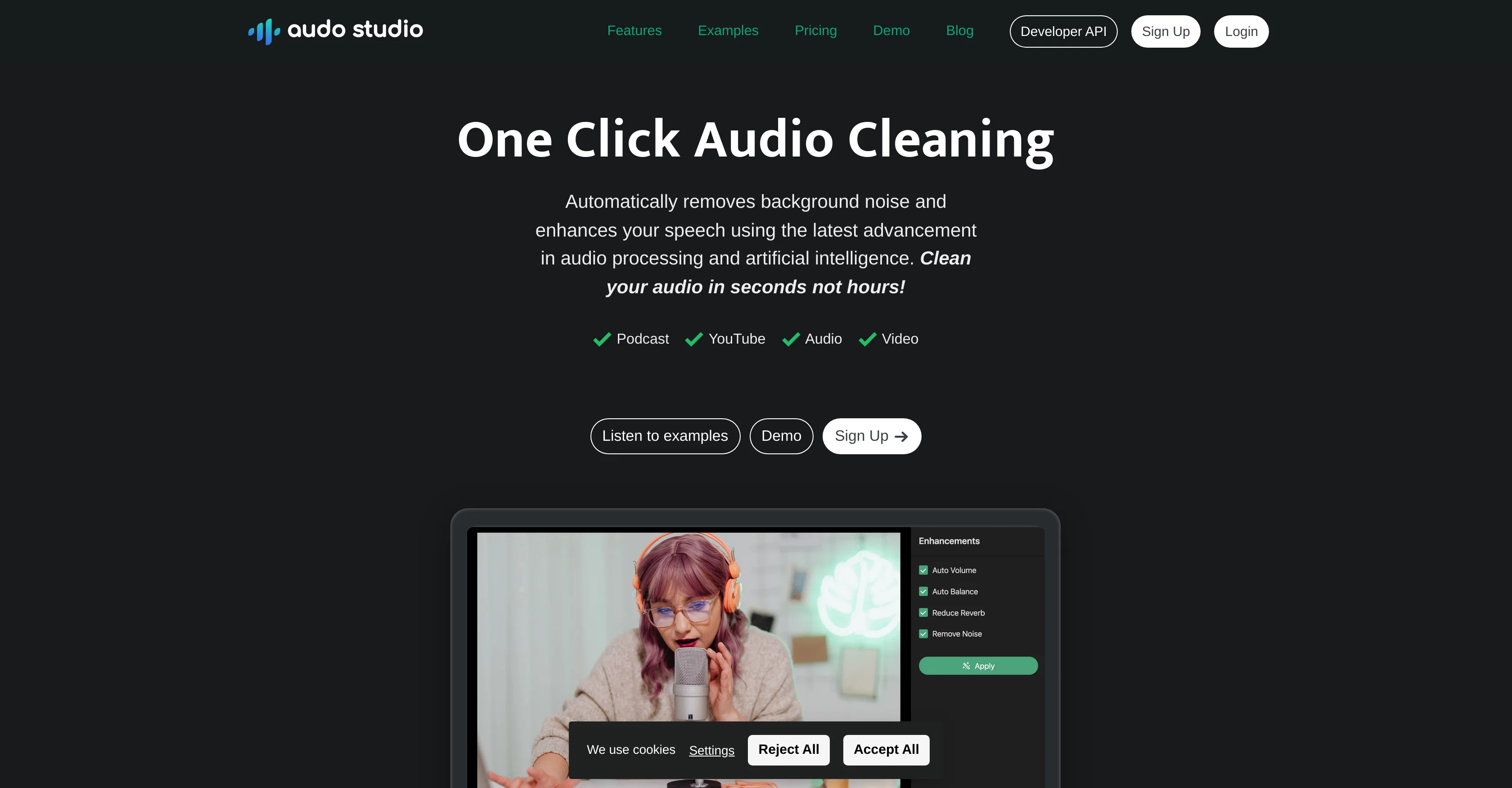
Audo Studio provides one-click audio cleaning solutions. Utilizing advanced audio processing and artificial intelligence, it performs tasks such as removal of background noise, reduction of room echoes, and automatic volume level adjustment.
Aimed at content creators like YouTubers and Podcasters, the tool cleans audio swiftly, significantly reducing the time needed for manual editing. Audo Studio's noise reduction capabilities include the removal of disruptive background sounds, giving users the flexibility to record in various environments.
In addition to this, features like echo reduction and automated volume adjustment are included to enhance the quality and consistency of the audio. Furthermore, the solution is browser-based, making it accessible from different operating systems, including Mac, Windows, and Linux.
The tool's simplicity in design and usage brings a democratized approach to audio enhancement.
Help other people by letting them know if this AI was useful.
Add your own prompts and outputs to help others understand how to use this AI.
Screenshot gallery
Pros & Cons
Pros
+One-click audio cleaning
+Noise reduction capabilities
+Reduces room echoes
+Automatic volume level adjustment
+Fast audio cleaning
+Greater audio processing speed
+Web-based tool
+Cross platform compatibility
+Simple design and usage
+Flexible recording environment
+Accessible on Mac, Windows, Linux
+Live demo available
+Creator plan includes discounts
+Developer API available
+Affordable pricing
+Faster than Adobe or Audacity
+Echo reduction coming soon
+Up to 600 minutes audio processing
+Effective for YouTubers and Podcasters
+Can process up to 20 minutes free
+Good customer reviews
+Processes 10 hours of audio monthly
+Transparent pricing
+25,000+ users
+300,000+ audio hours cleaned
+One-time payment option available
Cons
−Limited to browser based
−20 minutes limit on starter plan
−Echo reduction not available yet
−Pricing increases with usage
−No offline functionality
−No multi-track editing
−No audio effects beyond noise/echo reduction
−No audio enhancement analytics
−No audio recording capabilities
−No integration with video editing software
A Professional Framework to Evaluate Audo AI
When considering Audo AI for integration into your organizational workflow, we recommend deploying a structured score card across three critical operational pillars: Security & Compliance, Integration Friction, and long-term Price Scalability. Rather than looking only at basic feature lists, modern procurement teams must assess how a software platform behaves under high load and how well it fits into the team's data security guidelines.
1. Security and Database Compliance
Depending on your operating region and field, ensure that Audo AI supports standard security layers such as SOC 2 Type II certifications, GDPR compliance, or HIPAA-compliant database encryption. If the tool connects directly to client database tables or handles user passwords, verify that they implement multi-factor authentication (MFA), single sign-on (SSO) integrations, and end-to-end data encryption in transit and at rest.
2. API Coverage and Custom Integrations
Siloed data is the primary cause of operational friction. Evaluate if Audo AI has native connectors for your current project trackers, messaging hubs, and customer communication channels. For custom developer requirements, check if they provide a fully documented REST API with reasonable rate limits, comprehensive Webhooks support, and robust SDK packages in your language. A flexible API layer saves hundreds of hours of manual copy-paste overhead.
3. Total Cost of Ownership (TCO)
SaaS pricing packages are often deceptively simple. When reviewing Audo AI's billing structure, map out your team's projected expansion over the next 12 to 24 months. Determine how costs scale as your customer database increases or as you add team members. Factor in setup costs, mandatory support plan upgrades, API access fees, and storage overage rates to understand the true cost before committing to a contract.
By combining verified user reviews from our directory with internal workflow pilot tests, your procurement team can make an informed decision that drives productivity without creating capital waste.
Features of Audo AI
API
Audio Cleaning
AI Audio Enhancement
Audio Processing
Background Noise Removal
Echo Reduction
Free + From $12/Mo
SaaS1to10 verified reviews for Audo AI
Overall rating
★★★★★5.0
Based on 20 reviews
★★★★★5.02 months ago
“Review”
Probably the worst "enhancer" I've ever tried. The so-called enhanced file didn't remove any background noise at all, but it did remove parts of the audio. Throw a CD into a kitchen blender and play it afterwards for similar results. Worthless.
Bith Prod
★★★★★5.02 months ago
“Review”
Is this a joke? creator of this web must be deaf, otherwise i honestly don't understand how he/she can make that absolute crap
Xavi Ayllon
★★★★★5.02 months ago
“Review”
WE USE @D-ID AT THE COLORADO VIRTUAL CREATIVE FACTORY...AND LOVE IT.
Franco Arteseros
★★★★★5.02 months ago
“Review”
I tried NovelGPT a template in @Agentgpt and it did an excellent job writing the first two episodes of my novel complete with character descriptions, setting,plot points and well I think you get the point. Great tool can't wait to see it out of beta.
Kelli Crose
★★★★★5.02 months ago
“Review”
It has everything that I need in one place: ChatGPT, Copywriting templates, AI Images, Audio Transcription.
Dmytro
★★★★★5.02 months ago
“Review”
Seems to be working for me. Maybe try again?
Aramis
★★★★★5.02 months ago
“Review”
No other tool quite like this, it's pretty straightforward. Needed to extract a long interview from YouTube and it extracted everything, providing it in different meaningful formats in less than two minutes. Awesome
Juan Sierra
★★★★★5.02 months ago
“Review”
B12 exceeded my expectations especially after I tried a few similar tools. Signing up took under a minute and because I offer a very specific set of services as a consultant, I didn't expect the AI to be able to capture my work, but it did a great job with creating content for me. I only had to make a few edits, add my bio, and was able to publish that same day. Now I get lots of compliments on my site and I've even tried their other tools like email marketing, which is great because the emails match my site's appearance. Overall I would recommend B12 as an effective, affordable, and easy to use website solution.
Katie G
★★★★★5.02 months ago
“Review”
Privacy Nightmare. Your content will belong to Adobe.
Der Wolfgang
★★★★★5.02 months ago
“Review”
I tried using it but the website has too many bugs.
João Neiva
★★★★★5.02 months ago
“Review”
Not very impressive in usefulness. Small tweaks and it could be super.
Pontus Eriksson
★★★★★5.02 months ago
“Review”
Hubert is no longer good.. Trust me...it's garbage
visente ramos
★★★★★5.02 months ago
“Review”
It created some decent logos. They are great as a start point
Samuel Barlet
★★★★★5.02 months ago
“Review”
As the service was in beta-testing stage, I created there a dozen of AI-generated courses for free. I wanted to use them. Those courses remained in my account as they started subscription tiers. But recently I have found out that they were deleted. The support didn't answer to my e-mail at all.
Oldfag TV
★★★★★5.02 months ago
“Review”
The lyrics I got didn't make any sense at all. It kept using the prompt word over and over, even when it didn't make any sense at all. This is worthless.
Brin Londo
★★★★★5.02 months ago
“Review”
Works but I cannot understand what's the use. I was expecting it to give me some videos
Samartha Venkatramana
★★★★★5.02 months ago
“Review”
After my first use, I think it's surprisingly good. The only drawback so far is the PDF export option for the report which is formatless.
Alejandro Correa
★★★★★5.02 months ago
“Review”
O GPT faz uma análise melhor e mais personalizada.
Vinicius Vilela
★★★★★5.02 months ago
“Review”
you have to pay to do anything on this app
LACEY GRANGER
★★★★★5.02 months ago
“Review”
Particularly useful in scenarios where human voices are clear but background noise is complex.